 ETB
 KES - Kenya
 UGX - Uganda
 TZS - Tanzania
 RWF - Rwanda
 NGN - Nigeria
 ZAR - South Africa
 USD - Zimbabwe
 GHS - Ghana
 ZMW - Zambia
 USD - International

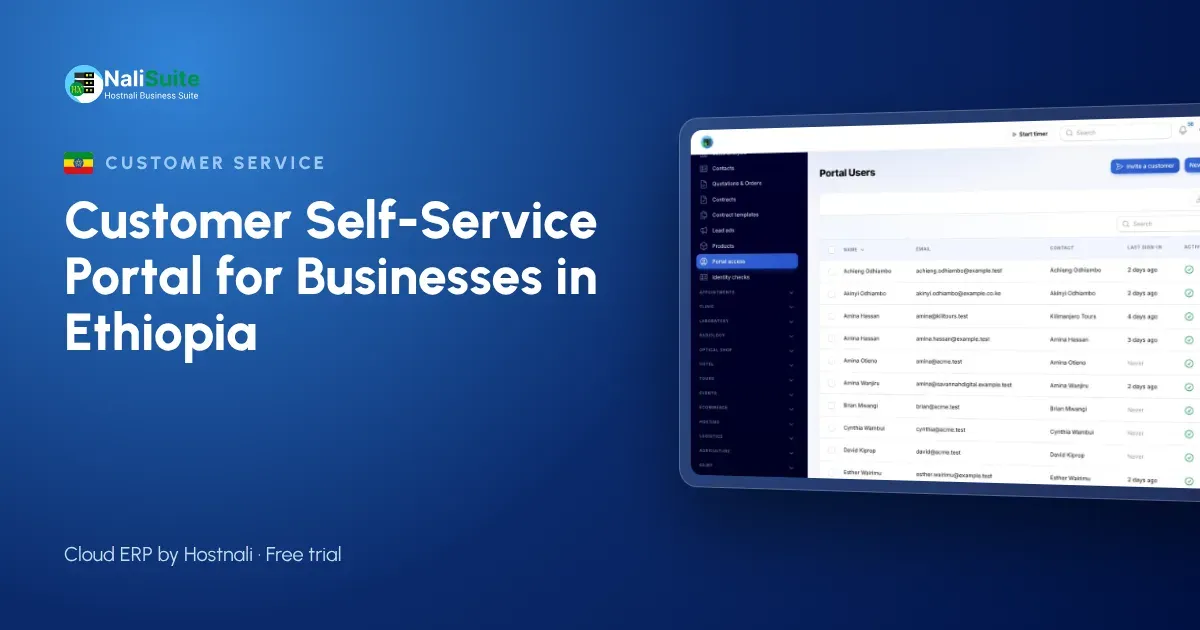
In many Ethiopian businesses, paperwork still travels by hand. An invoice is printed, stamped and carried to a customer’s office in Bole, a copy is filed in a binder, and when the customer loses theirs, someone drives across Addis Ababa with a replacement. It works, but it is slow, and it ties up staff who could be doing more useful work.
A customer self-service portal keeps the same records but lets customers reach them online. This guide asks three practical questions: what should go in the portal, who should get access, and how do you get customers to use it?
Question 1: what should go in the portal?
Start from the requests your team handles every week. For most businesses in Ethiopia, they fall into a few groups.
Money
- Copies of invoices, including older ones needed for audits or tax filings.
- A statement showing what has been invoiced, paid and is still open.
- A way to pay outstanding invoices online, through your payment provider, alongside the bank transfers many customers already use.
Sales
- Quotations the customer can read, compare and accept without printing.
- The status of an order after it has been accepted.
Support and documents
- A place to report a problem and follow the answer.
- Contracts, price lists and certificates, with online signature where needed.
The NaliSuite customer portal covers all of these on every plan. Invoices come from invoicing, quotations from sales, tickets from the helpdesk, and documents from the documents app, so nothing is uploaded twice.
Question 2: who should get access?
A portal is not a public website. Each login belongs to a named person at a customer, invited by email, and each person sees only their own organisation’s records.
Good candidates:
- The customer’s accountant or finance officer, who needs statements and invoice copies.
- The purchasing officer, who accepts quotations and follows orders.
- A site or branch manager, who reports problems.
Ask each customer who should be invited rather than guessing. When a contact leaves their company, remove their access straight away.
Data protection
Ethiopia’s Personal Data Protection Proclamation No. 1321/2024 sets rules for handling personal data such as names, phone numbers and email addresses. Share only what each customer needs and keep access limited to authorised people. Check the current requirements that apply to your business, as guidance under the new law is still developing.
Question 3: how do you get customers to use it?
Customers who have always received paper will not change overnight. These steps help:
- Start with your largest accounts. They ask for documents most often and gain most.
- Show them once. A five-minute screen share or a visit to show where statements and invoices are is worth more than a long email.
- Keep paper for now, but add the link. Print the portal address on every invoice and statement during the changeover.
- Answer with the portal. When someone asks for a copy, send it with a note that it is also in the portal.
- Make paying online easy. When the portal is the quickest way to settle an invoice, customers return to it.
Example: an office supplies company in Addis Ababa
An office supplies company delivers to around sixty companies and NGOs. Before the portal, two staff spent much of each month on statements and copies. Payments by bank transfer arrived with vague references, and matching them took hours.
After the portal launched, customers’ finance teams downloaded their own statements before month-end. Customers who paid online did so from the invoice itself, so those payments were matched automatically. Tickets replaced phone complaints about missing items, and the delivery team could see them too. The two staff members now spend more time on overdue accounts and new customers.
The numbers in your business will be different, so measure your own: how many copy requests you handle, how long matching takes and how fast customers pay.
What it changes inside your office
| Task | Before the portal | With the portal |
|---|---|---|
| Invoice copies | Printed and delivered again | Downloaded by the customer |
| Month-end statements | Prepared on request | Always up to date online |
| Quotation approval | Signed, stamped and scanned | Accepted online with a notification |
| Complaints | Phone calls to whoever answers | Tickets the whole team can see |
| Contracts | Couriered for signature | Shared and signed online |
None of this removes the personal relationship with your customers. It removes the errands, so the conversations you do have are about new orders and better service.
Portal or WhatsApp?
Many Ethiopian businesses already use Telegram or WhatsApp to talk to customers, and that will not change. The portal does not replace those conversations; it gives them a reliable home for records. A good habit is to answer a document request in chat with the portal link, so the customer learns where to look next time. NaliSuite can also send messages and documents by WhatsApp.
Frequently asked questions
Is the customer portal included in every plan?
Yes. It is a built-in app on every NaliSuite plan, from ₵25 a month.
Can customers see other companies’ invoices?
No. Each portal user only sees their own organisation’s records.
Can customers still pay by bank transfer?
Yes. Online payment is an extra option; customers can keep paying the way they do now.
Can the portal run on our own domain?
Yes, on plans that include a custom domain or with the custom domain add-on.
Try NaliSuite
Move invoice copies, statements and quotations online for your customers in Ethiopia. Compare the NaliSuite plans and start with a free trial.