
Recommended Services

Supported Scripts
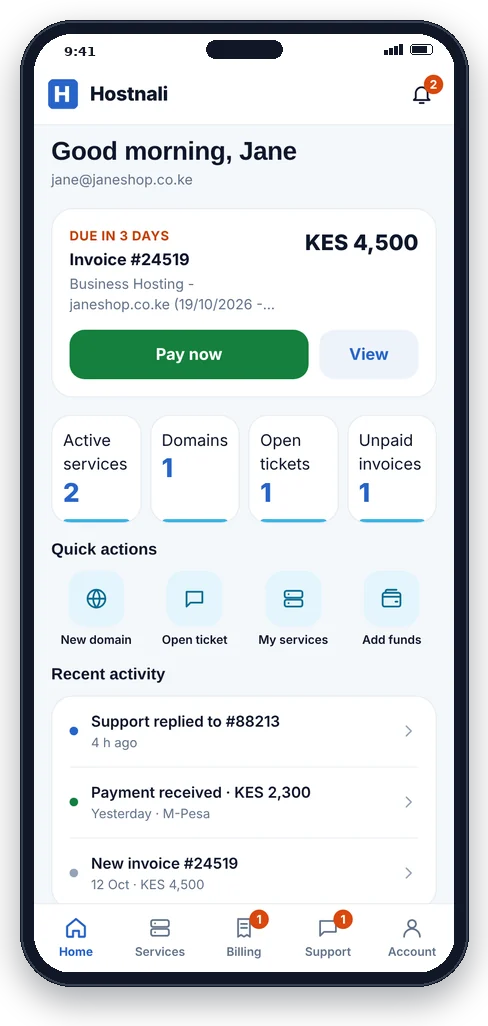
The Hostnali App: your hosting, domains and invoices in your pocket
Pay invoices with M-Pesa in seconds, get a notification before anything expires, sign in to cPanel with one tap and talk to our support team, all from your phone.
- Android, iPhone and computer
- No app store needed
- Sign in with your fingerprint or face
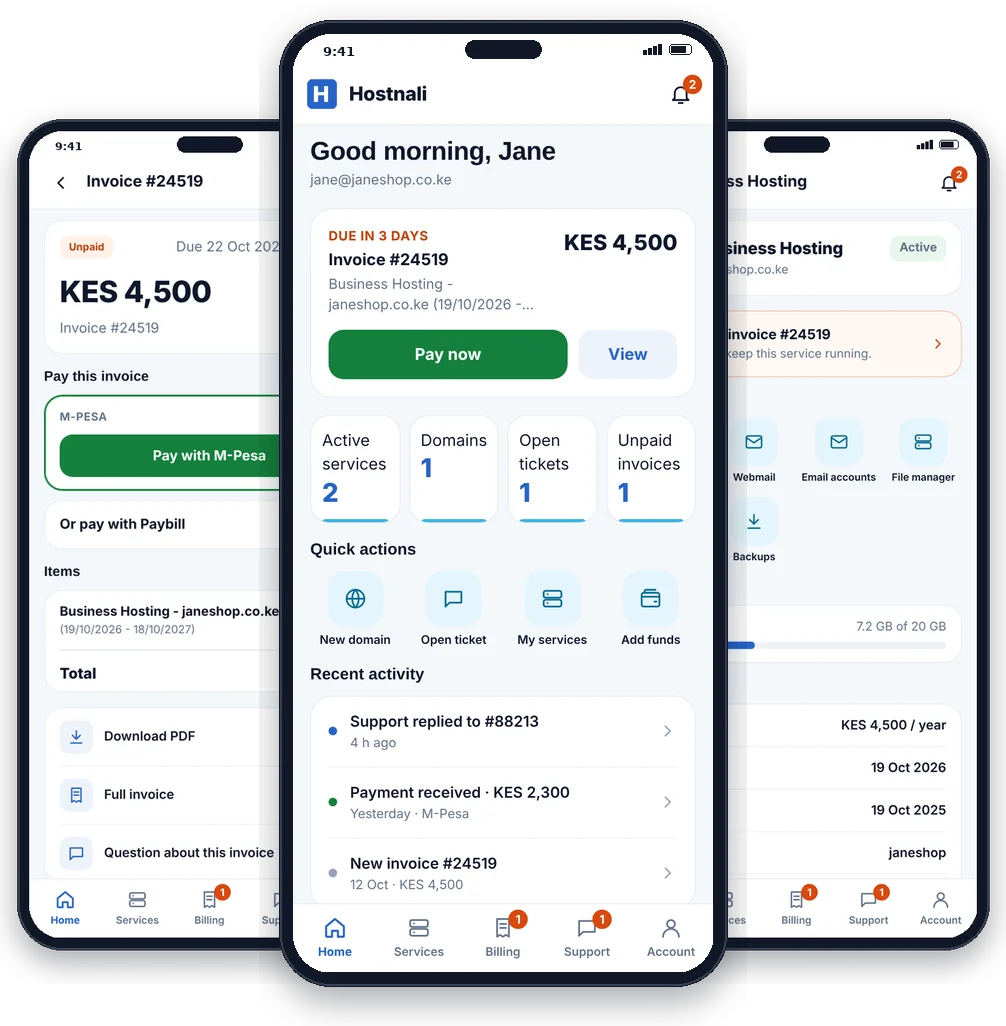
- Pay with M-PesaTap Pay, enter your PIN on the prompt. Your invoice is marked paid by itself.
- Never miss a renewalNotifications for new invoices, due dates, ticket replies and expiring domains.
- One tap into cPanelOpen cPanel, Webmail and File Manager already signed in. No passwords to look up.
- Help in your pocketOpen a ticket, attach a screenshot and read our reply wherever you are.
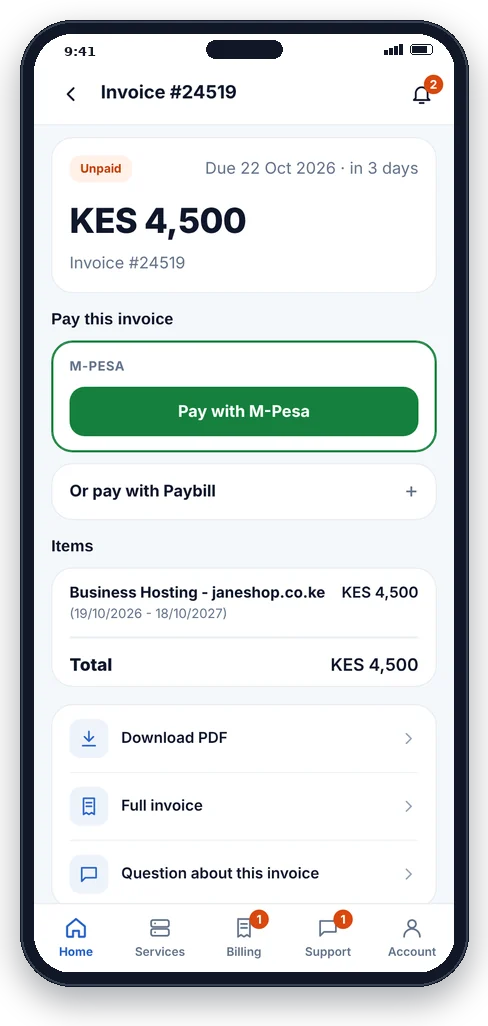
Pay your hosting and domain invoices in seconds
No more typing the paybill and invoice number. Open the invoice, tap Pay with M-Pesa and confirm with your PIN on your phone. The app updates the moment the payment is received.
- M-Pesa payment prompt straight to your phone
- Paybill steps shown with the account number filled in, if you prefer
- Download any invoice as a PDF for your records
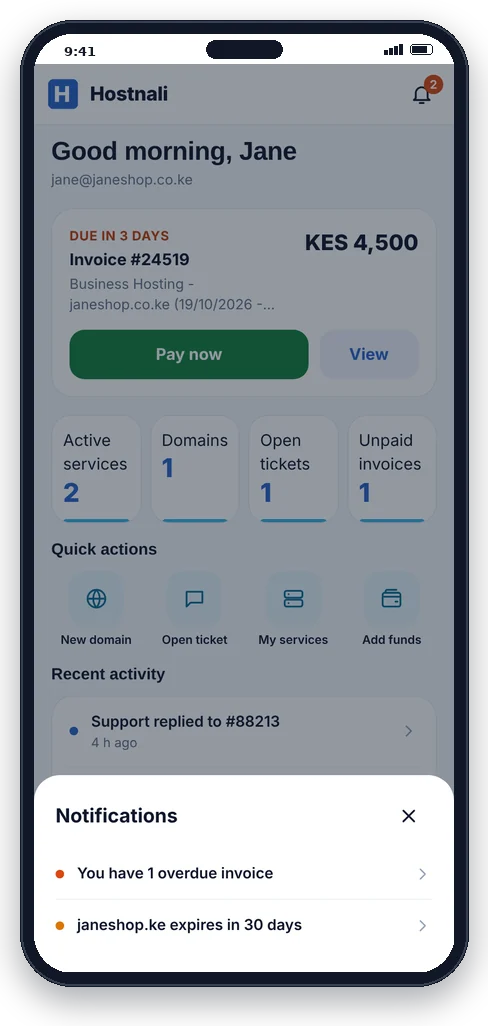
Know about it before it becomes a problem
The app tells you when a new invoice arrives, a few days before it is due, when our team replies to your ticket and before a domain expires. Your website stays online and your name stays yours.
- Invoice, payment and renewal reminders
- Support replies the moment they are sent
- Alerts when a service is activated or needs attention
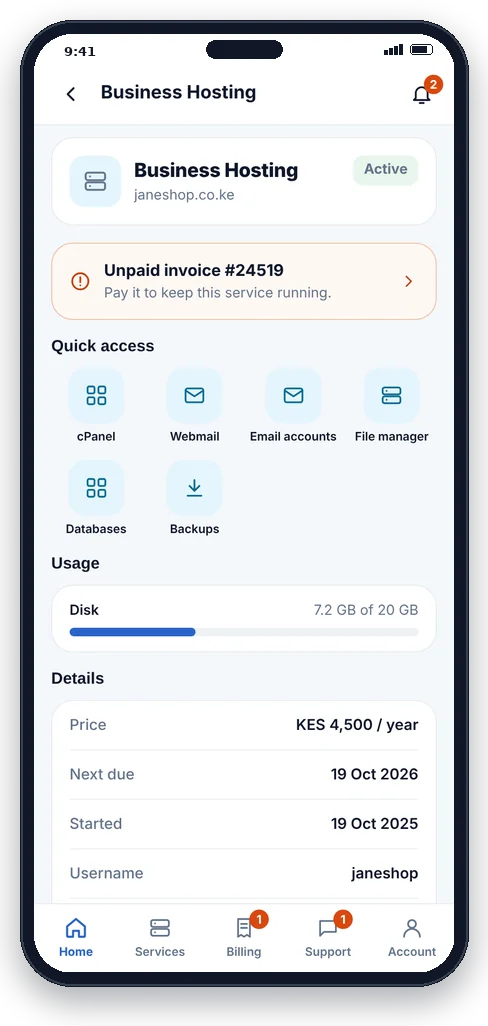
Manage your website hosting from anywhere
See every hosting plan, its status, disk usage and renewal date. Jump into cPanel, Webmail, email accounts, File Manager, databases or backups with one tap, already signed in.
- One-tap cPanel and Webmail sign-in
- Disk usage and renewal dates at a glance
- Upgrade, change password or ask for help per service
Find, register and manage .co.ke and other domains
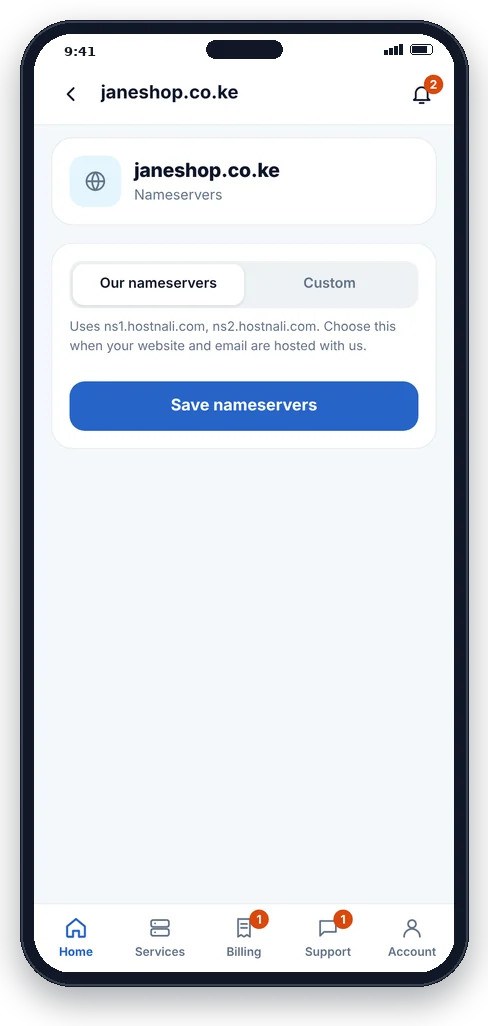
Search for your next domain and register it in a few taps. For the domains you already have, change nameservers, lock or unlock, turn auto-renew on and get the transfer code without opening a ticket.
- Instant search across .co.ke, .ke, .com, .africa and more
- Nameservers, registrar lock and auto-renew
- Transfer (EPP) code and contact details
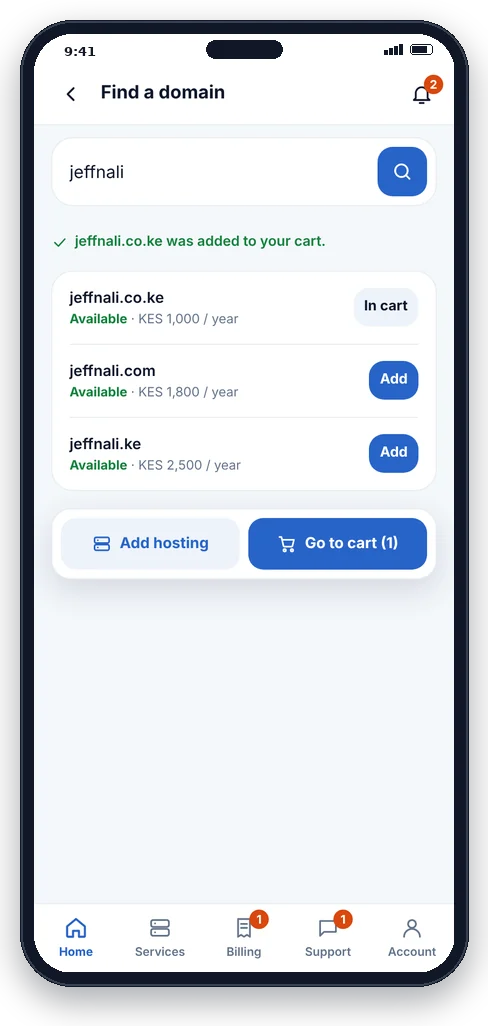
Order hosting and domains on the go
Choose a plan, pick a domain and check out from your phone. Hosting plans that include a free domain show it as free, and current promo codes are applied for you so you see the real price before you pay.
- Free domain with qualifying hosting plans
- Promo codes applied automatically
- Pay straight away with M-Pesa
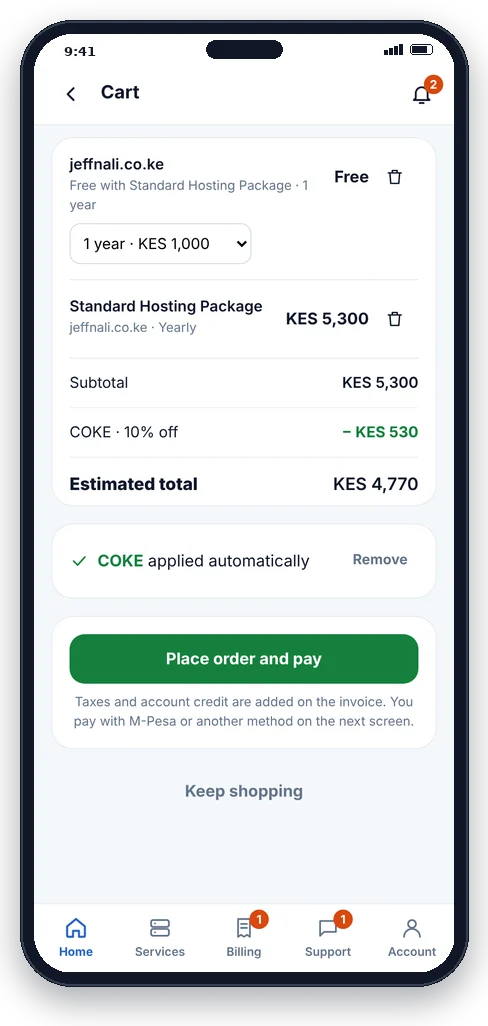
Real help from a real team, in one tap
Open a support ticket, add screenshots and follow the conversation in the app. You get a notification the moment we reply, and WhatsApp chat is always one tap away.
- New tickets with attachments
- All your open and past tickets in one place
- Help articles and announcements built in
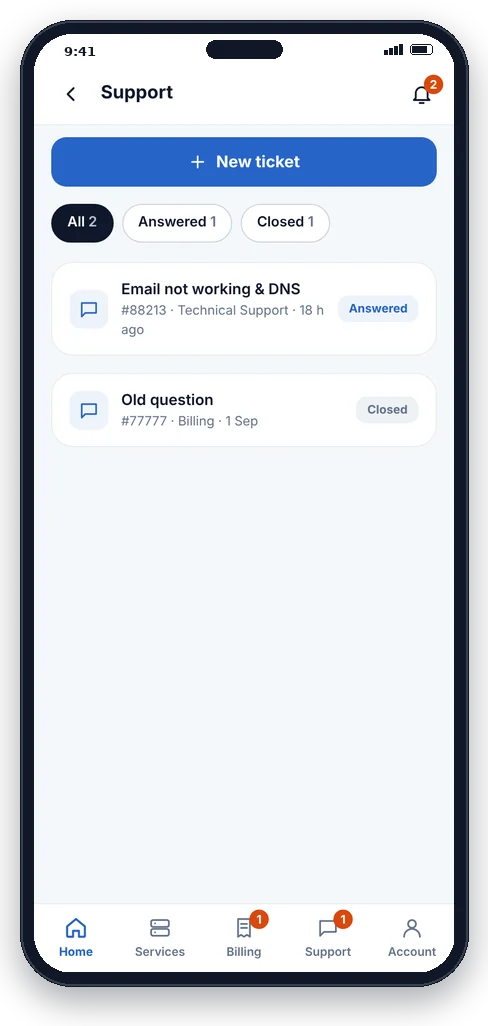
Sign in with your fingerprint or face
Add a passkey once and sign in with your phone's fingerprint, face or screen lock. No password to remember or type, and nothing anyone can steal by phishing. Sensitive changes ask for a code sent to your email.
- Passkeys: fingerprint, face or screen lock
- Email verification for sensitive changes
- The same secure account as our client area
Everything you need, nothing you don't
A clean, fast app made for your phone. Swipe to see more screens.
How to install the Hostnali App
The app installs straight from our website, so there is nothing to search for in an app store and it takes up very little space on your phone.
Android
- Open the install page in Chrome.
- Tap Install (or menu ⋮ › Install app).
- Open Hostnali from your home screen and sign in.
iPhone and iPad
- Open the install page in Safari.
- Tap Share (the square with an arrow).
- Choose Add to Home Screen, then Add.
Computer
- Open the install page in Chrome or Edge.
- Click the install icon in the address bar.
- The app opens in its own window, like any program.
Not a Hostnali client yet? Install the app, then tap Create account. It only takes a minute.
Frequently asked questions
Is the Hostnali App free?
Yes. The app is free for all Hostnali clients. You only pay for the hosting, domains and other services you order, at the same prices as on our website.
Do I need the Google Play Store or Apple App Store?
No. The Hostnali App installs directly from our website on Android, iPhone, iPad and computers. It updates by itself, so you always have the latest version.
Can I pay my invoices with M-Pesa in the app?
Yes. Open any unpaid invoice and tap Pay with M-Pesa. You receive a payment prompt on your phone; enter your M-Pesa PIN and the invoice is marked paid automatically. Paybill instructions with your account number are also shown.
Is the app secure?
Yes. The app uses the same secure account as our client area. You can sign in with a passkey (your phone's fingerprint, face or screen lock), and sensitive changes ask for a code sent to your email.
Will I get notifications for renewals and support replies?
Yes. Allow notifications when you first open the app and you will be told about new invoices, upcoming due dates, expiring domains, service updates and replies to your support tickets.
Can I order new hosting or register a domain in the app?
Yes. You can search and register domains, order hosting plans and transfer domains from the app. Plans that include a free domain and current promo codes are applied before you pay.
I use more than one phone. Can I install it on all of them?
Yes. Install the app on every phone, tablet or computer you use and sign in with the same account.
Your hosting, one tap away
Join Hostnali clients who pay, renew and get help without opening a laptop.