 ETB
 KES - Kenya
 UGX - Uganda
 TZS - Tanzania
 RWF - Rwanda
 NGN - Nigeria
 ZAR - South Africa
 USD - Zimbabwe
 GHS - Ghana
 ZMW - Zambia
 USD - International

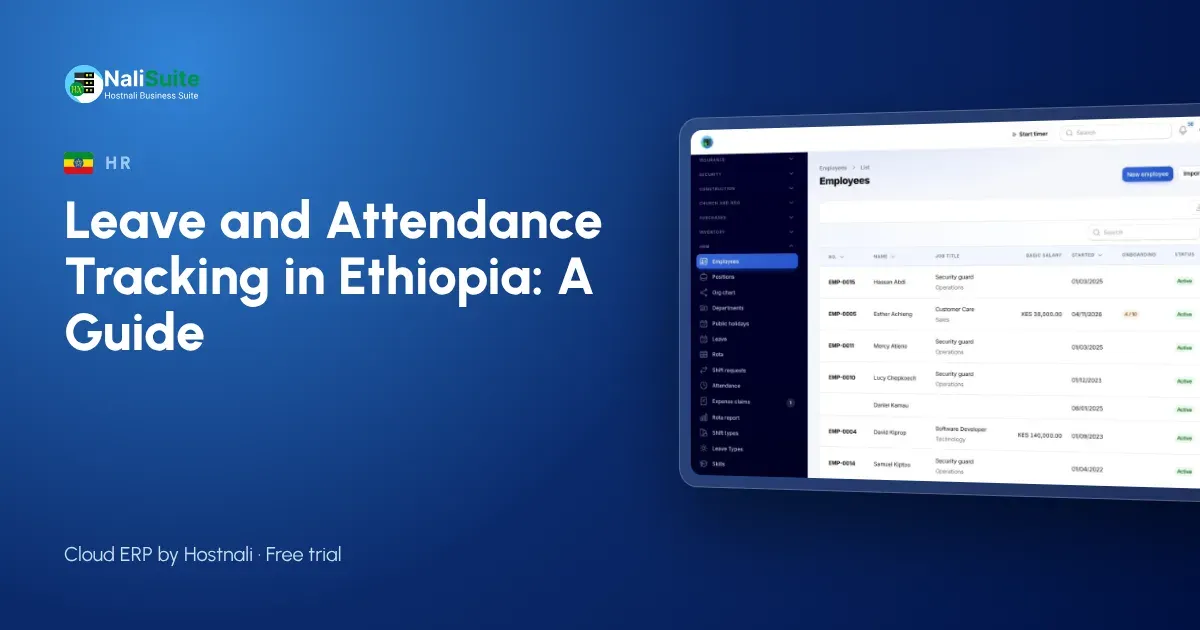
Ethiopian businesses often grow from a family team to dozens of staff in a few years, and leave tracking rarely keeps up. A register book at the office cannot tell you who is on leave next week.
This guide explains what to track, how to set it up on staff phones and how it connects to payroll, with an example from a coffee exporter in Addis Ababa.
Leave and attendance in Ethiopia: what to keep in mind
In Ethiopia, leave entitlements follow the Labour Proclamation and your employment contracts, so set your leave types to match them and check the current law if you are unsure. NaliSuite does not assume any statutory deductions for Ethiopia: you set up the deductions you need, and attendance and leave feed them in every pay run.
The records that matter
Good leave and attendance records answer five questions without anyone digging through messages:
- Which leave types does each employee have, and what is their balance today?
- Who asked for leave, when, and who approved it?
- Who checked in today, where, and at what time?
- Who was late or absent, and was it explained?
- Which hours count as overtime this month?
Check-in that you can trust
A geofence is a circle on the map around each place of work. Check-in from the HR app records the time and location, so a check-in from home does not count as arriving at the site. The system compares each check-in with the shift start and flags late arrivals for the manager, who can accept an explanation or leave it on the record.
Getting buy-in
Introduce the app as a benefit, not a control: no more waiting for a manager to sign a leave form, a clear balance on the phone, and pay slips without a trip to the office. Location is captured only when someone checks in or out.
Leave requests on the phone
In NaliSuite, employees open the employee app on their phone, see their balance and pick the dates. The request goes straight to their approver, who accepts or declines it with a tap. The balance updates at once, and the leave calendar shows everyone who is off, so a manager can spot a clash before approving.
A real-world picture
A coffee exporter in Addis Ababa with 30 staff between the office and a warehouse kept leave in a shared spreadsheet that only the admin officer understood. When she went on leave herself, nobody could approve anything. With leave types, balances and approvers in the app, any manager can approve their own team’s requests and the warehouse supervisor sees who is in before loading starts.
Questions to answer before you start
- Which leave types do your contracts in Ethiopia promise, and how many days each?
- Does leave build up month by month or arrive at the start of the year?
- Can unused days be carried over, and is there a limit?
- Who approves leave for each team, and who covers when they are away?
- Which sites need a geofence, and what are the working hours at each?
- Which employees are paid by the day or hour, so attendance changes their pay?
Using the numbers
Once leave and attendance are in one place, a few reports become easy: who has the most unused leave, which site has the most late arrivals, and how much overtime each team worked against plan. Looking at them once a month is enough to stop small problems turning into payroll disputes.
Connecting it to pay day
The point of tracking leave and attendance is a correct payslip. NaliSuite passes leave, absences and overtime straight into Payroll, which works out the deductions you set up. Employees see the same figures on their payslip that their manager approved.
What goes wrong, and how to prevent it
Leave tracking usually fails for simple reasons: balances that were never loaded, approvers who are not told about requests, and attendance records nobody reviews. Fix these with three habits: load opening balances before go-live, give every team a named approver and a backup, and look at the late and absence report every Monday.
Another example: Adama
Take a construction supplier in Adama with about 16 employees. Before going digital, the manager in Adama kept leave on a wall calendar and paid overtime from memory. In the first month on NaliSuite, the leave calendar showed two clashes before they happened, and overtime was paid by bank transfer only for hours that had been approved.
A simple rollout plan
- Day 1: set up leave types, approvers and working hours.
- Day 2: import employees and their opening leave balances.
- Days 3–7: employees check in on their phones while you keep the old register as a backup.
- End of the month: compare the two, fix any gaps, and retire the paper register.
Frequently asked questions
Can it work with Ethiopian staff who share one phone?
Supervisors can record attendance for staff without their own phone, or a shared device can be used at the site.
Which deductions does payroll use in Ethiopia?
The ones you set up. NaliSuite lets you define each deduction and its rate, and applies them to every pay run.
Do staff need a laptop?
No. The employee app works on any smartphone browser and can be added to the home screen.
Try NaliSuite
Leave, attendance, HR and payroll are part of every NaliSuite plan, from ₵25 a month. Start a free trial and set up your first team this week, or compare the plans.