 GHS
 KES - Kenya
 UGX - Uganda
 TZS - Tanzania
 RWF - Rwanda
 NGN - Nigeria
 ZAR - South Africa
 USD - Zimbabwe
 ETB - Ethiopia
 ZMW - Zambia
 USD - International

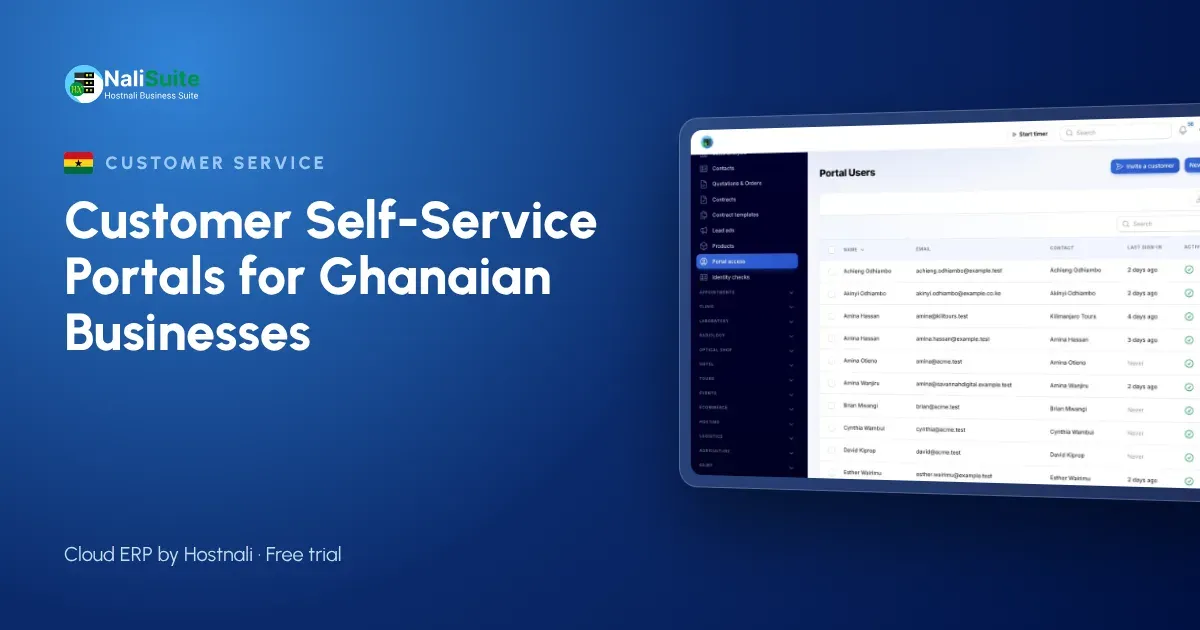
A self-service portal sounds like something for banks and telecoms, not a distributor in Tema or a training centre in Kumasi. In practice, smaller businesses often gain more from one, because they have fewer staff to answer the same questions again and again.
Instead of a feature tour, this article looks at four kinds of Ghanaian business and what a portal changes for each. Then it covers what to share, how to invite customers and how to keep their data safe under Ghana’s Data Protection Act.
Four businesses, four reasons
A building materials distributor in Tema
Contractors buy cement, rods and roofing sheets on credit and settle at the end of the month. The distributor’s accounts officer spends days sending statements and chasing payments.
With a portal, each contractor’s site manager or accountant logs in, sees every delivery invoice and the running balance, and pays outstanding invoices with MTN MoMo or a card. The payment is tied to the invoice it settles, so the accounts officer no longer has to work out which invoice a MoMo transfer was meant for.
A private training centre in Kumasi
Sponsors and parents want fee statements, receipts and course documents. A portal gives each family or sponsoring company its own login, with invoices, payment history and shared files such as timetables or certificates.
A marketing agency in Accra
The agency sends quotations for campaigns, then waits days for someone to sign and scan them. In the portal, clients review the quotation and accept it online. The agency is notified straight away, turns it into an order and starts work. Clients also open requests as tickets, so feedback on a campaign does not disappear into a WhatsApp group.
A property manager in East Legon
Tenants receive service charge invoices every quarter. In the portal they see what they owe, pay by mobile money and download receipts for their own records, while maintenance requests go in as tickets with photos.
What the NaliSuite portal includes
The customer portal is a built-in app on every NaliSuite plan. Customers can:
- see their invoices and statements, and pay what is outstanding by mobile money or card (how mobile money payments work);
- review and accept quotations, then follow their orders;
- open and follow support tickets and read your knowledge base;
- download shared documents and sign contracts online;
- manage their subscriptions, if you let them.
Each customer contact is invited by email and sees only their own organisation’s records.
Choosing what to share first
Not every customer needs every feature on day one. A simple rule: share what customers ask you for most.
| If customers mostly ask… | Start with |
|---|---|
| “How much do we owe?” | Statements and invoice payment |
| “Did you get our approval?” | Quotation acceptance |
| “Who is handling my complaint?” | Tickets and knowledge base |
| “Please resend the contract” | Shared documents and signatures |
Add the rest once the first feature is in regular use.
Inviting customers the right way
A good invitation is short and explains the benefit in one line, for example: “You can now view and pay your invoices online, any time, without calling our office.” Send it from your business email address, not a personal one, so it is trusted. If you do not have business email yet, Hostnali’s email hosting gives you addresses on your own domain.
Then make the portal the normal route. Put the link on every invoice, and when someone asks for a copy, send it once with a reminder that the portal always has it.
How to tell it is working
Give the portal three months, then look at a few simple signs in your own business:
- Fewer copy requests. Count how often staff still email invoice or receipt copies. That number should fall steadily.
- Faster payment. Compare how many days customers took to pay before and after the portal. Payment straight from the invoice usually removes a step or two.
- Cleaner matching. Your accounts officer should spend less time working out which invoice a transfer belongs to.
- Tickets, not WhatsApp threads. Requests should arrive in the helpdesk, where anyone on the team can pick them up, rather than on one person’s phone.
If a group of customers is still not logging in, call two or three of them and ask why. The answer is often simple: the invitation went to the wrong person, or they did not know they could pay there.
Keeping customer data safe
Ghana’s Data Protection Act, 2012 (Act 843) covers the personal data in your portal, and the Data Protection Commission oversees it. In practice:
- invite only contacts the customer has named;
- remove access when someone leaves the customer’s organisation;
- do not upload documents meant for one customer into a shared folder.
Check the Commission’s current guidance for any registration or other duties that apply to your business.
Frequently asked questions
Does the portal cost extra?
No. It comes with every NaliSuite plan, starting at ₵25 a month for Starter.
Can customers pay with MTN MoMo?
Yes. Outstanding invoices can be paid by mobile money or card from the portal.
Can different people at one customer log in?
Yes. Invite each contact separately; all of them see their organisation’s records only.
Is a mobile app required?
No. The portal works in the browser on phones, tablets and computers.
Try NaliSuite
Let your customers in Ghana check balances, pay with MoMo and accept quotations on their own. See the NaliSuite plans and start a free trial.