 GHS
 KES - Kenya
 UGX - Uganda
 TZS - Tanzania
 RWF - Rwanda
 NGN - Nigeria
 ZAR - South Africa
 USD - Zimbabwe
 ETB - Ethiopia
 ZMW - Zambia
 USD - International

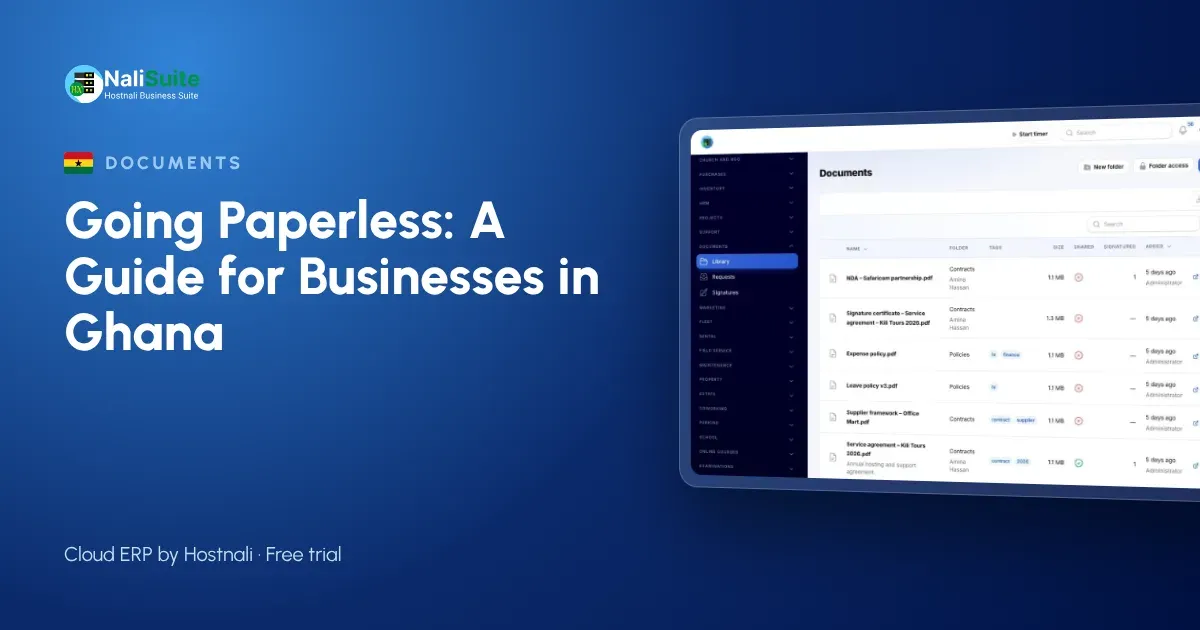
Ask a Ghanaian business owner why they still run on paper and you usually hear one of a few reasons: it is expensive to change, customers expect printed documents, the internet is unreliable, or the business is too small to bother. Some of these were true ten years ago. Most are myths now.
This article takes six common myths in turn, with a furniture workshop in Kumasi as the example, and shows what going paperless actually looks like.
The example: a furniture workshop in Kumasi
A workshop near Sokoban in Kumasi makes beds, wardrobes, dining sets and office furniture to order. It has twenty craftsmen, a small showroom in Ahodwo and an office of two. It takes orders from households, hotels and schools across Ashanti, and sometimes from Accra.
Its paper: order forms with sketches, a receipt book for deposits, supplier slips for timber and fittings, staff attendance sheets and folders of past orders.
Myth 1: “Going paperless means buying expensive equipment”
You need far less than you think. A phone camera, the computers you already have and a browser are enough. NaliSuite Documents runs in the browser, so there is nothing to install. The workshop did not buy a single new device; it started using the phones its staff already carried.
Myth 2: “Our customers want printed documents”
Some do, and you can still print. But most customers prefer an invoice on WhatsApp or email that they can pay from. The workshop now sends quotes and invoices from NaliSuite Invoicing with a pay option, so households pay deposits by MTN MoMo or card, and mobile money payments are recorded against the invoice. The receipt book is no longer needed, because each payment has its own record.
For hotels and schools that need a signed order, the workshop sends the order and drawings for e-signature. The client signs online, and the workshop receives a stamped PDF with an audit certificate showing who signed, when and from where.
Myth 3: “Digital files get lost more easily than paper”
Paper gets lost all the time; it is just less obvious. A sketch spilt with varnish or a receipt book left in a taxi is gone for good. In Documents, files sit in folders with access by role and person, every version of a document is kept, and tags and search find a file in seconds. The workshop organises folders by customer, then by order, with tags such as quote, drawing, signed order and delivery note.
Myth 4: “Typing everything in takes longer than writing it”
That is true if you retype paper. The point is to stop creating the paper in the first place. Orders are created in the system, not on a form that someone later types up.
For supplier slips, which still arrive on paper, the Document AI add-on reads supplier invoices and receipts and turns them into bills or expenses for someone to check. It uses the business’s own Anthropic API key, so it controls the data and the cost.
Myth 5: “We are too small for this”
Small businesses benefit most, because they have the fewest people to chase paper. In a workshop of twenty, the owner was the one searching through folders when a customer asked about a past order. Now the order, the drawings, the invoice and the payments are in one place, and the office can answer in a minute.
Staff paperwork shrinks too. With employee self-service, staff check in from their phones, apply for leave and download payslips from the employee app, which replaces the attendance sheets and leave forms.
Myth 6: “E-signatures are not real signatures”
Each e-signature in Documents comes with an audit certificate showing signer, time and IP address, which supports its validity. That said, some documents may still need a particular form of signature, a witness or a physical original. Check the rules for your type of document in Ghana, and keep originals where they are required.
A simple way to begin
- This week: send every new quote and invoice digitally.
- Next week: set up customer folders and store drawings and signed orders there.
- The week after: start reading supplier slips with Document AI.
- Then: move staff files and leave requests online.
- Old paper: keep it boxed and labelled, and scan only what you still use.
Customers can download their own documents and invoices from the customer portal, and you can ask them for files, such as a hotel’s room plan, through a document request.
Personal data
Staff files and customer details are personal data under Ghana’s Data Protection Act, 2012 (Act 843). Digital files are easier to protect than open shelves if you use access control, so give each person access only to the folders they need.
Frequently asked questions
What if the internet goes off?
Documents already sent and signed are stored safely online. You simply continue when the connection returns; paper work done in the meantime can be uploaded later.
Can customers send us their documents?
Yes. Send a document request and they upload files through a secure link or the customer portal.
Do we need a scanner?
Not usually. A phone camera is enough for the occasional paper document.
Try NaliSuite
Documents, Invoicing and employee self-service are part of every NaliSuite plan, from ₵25 a month. See the plans and start with your next order during the free trial.