 GHS
 KES - Kenya
 UGX - Uganda
 TZS - Tanzania
 RWF - Rwanda
 NGN - Nigeria
 ZAR - South Africa
 USD - Zimbabwe
 ETB - Ethiopia
 ZMW - Zambia
 USD - International

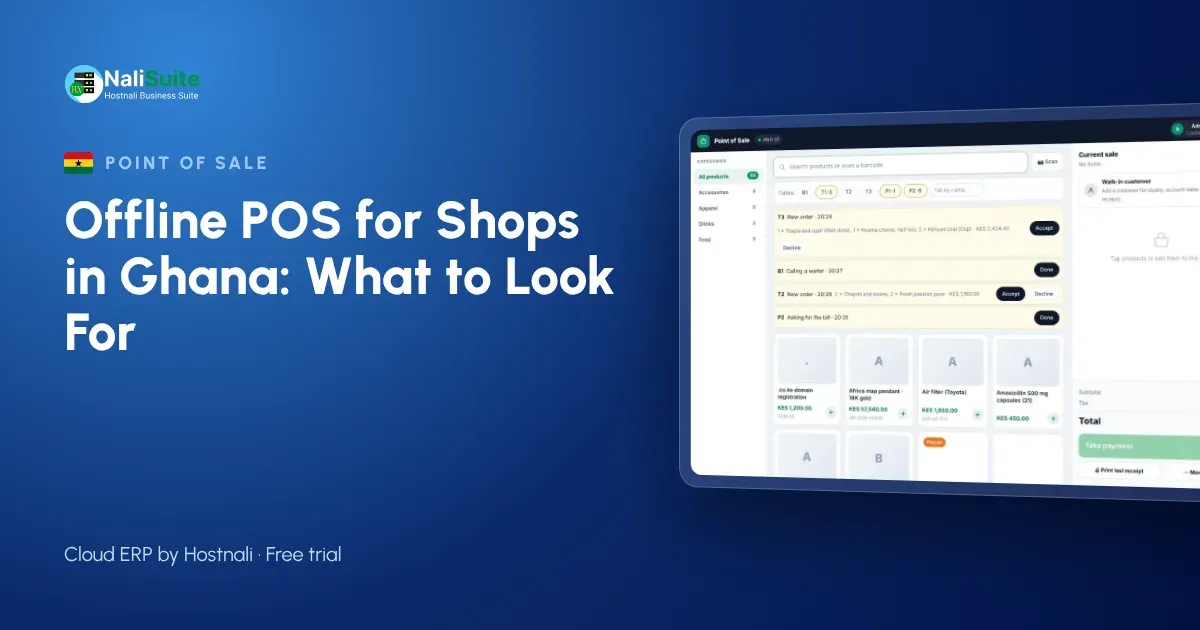
Ghanaian shopkeepers have a word for unreliable power, and dumsor still shows up when you least want it. A till that needs the internet for every sale turns each outage into a queue. This guide covers what an offline point of sale does, how it handles MTN MoMo at the counter, and the questions to ask before you buy.
A checklist before you buy
Use these questions when you compare systems:
- Can I watch it sell with the internet switched off, and then sync?
- What happens if two tills sell the last unit of the same product while both are offline?
- Does it run in a browser on devices I already own, or do I need special hardware?
- Can one bill be split between cash and another payment method?
- Are receipts printed, sent by SMS or WhatsApp, or both?
- Does stock update per branch, and can I see it from my phone?
A supplier who answers all six with a demo, not a promise, is worth a closer look.
Dumsor, data and MoMo in Ghana
Most small shops connect through a mobile router or a phone hotspot, and those depend on power and on a strong signal. In busy markets the network slows down exactly when trade peaks. Meanwhile customers increasingly pay with MoMo, and they want proof that the payment went through before they leave.
A good offline till lets you keep selling, stores each sale safely on the device and then sends everything to the cloud when the line is back. It should also let you record MoMo payments clearly, so you can check them against the MoMo statement later.
Printing and sending receipts
Paper receipts still matter for many customers, so make sure the till works with ordinary thermal printers. For everyone else, a receipt by SMS or WhatsApp is faster and harder to lose. Offline, the printer works as usual and digital receipts wait in the queue until the device has signal.
Either way, every receipt carries the same sale number as the record in the cloud, which makes refunds and exchanges easy to trace.
Example: a cosmetics shop in Kumasi
A cosmetics shop near Kejetia in Kumasi sells on a tablet till. One afternoon the power goes, the router follows, and the tablet keeps running on battery. The attendant scans lotions and hair products, takes cash and MoMo, and sends receipts by SMS once the phone has signal again. That evening the sales sync to the cloud and the owner sees which lines are running low for Monday’s restock.
Without offline mode, the attendant would have written sales on paper and the stock count would have been out by the next morning.
What an offline POS actually does
Think of an offline till as a cloud system with a memory. While the internet is up, every sale goes straight to the cloud. When it drops, the till quietly keeps a queue of sales on the phone, tablet or laptop it runs on. Receipts still print, prices still come from the last price list the till downloaded, and stock still goes down on screen. Once the line is back, the queue uploads in order and the cloud is complete again.
The cashier should hardly notice the switch; a small indicator is enough to show the till is offline.
Getting started
Start small. Import your product list with barcodes and prices, set opening stock for one shop, and open the point of sale on a tablet or laptop you already have. Pair a thermal printer, open a session with a float and make a few test sales. Then pull the router’s plug, make another sale, plug it back in and check that the sale arrives in the reports.
Once the first shop runs smoothly, add the next branch, its stock location and its cashiers.
A simple setup for Ghanaian shops
Many shops in Ghana start with one Android tablet and a small Bluetooth or USB receipt printer. Add a phone for MoMo confirmations and a cheap barcode scanner, or use the tablet camera. Keep a power bank or small UPS for the router, because short outages are when most connections drop.
If you sell on credit to regular customers, record the sale on their account even when offline. When the till reconnects, their balance updates and you can send a statement by WhatsApp. That keeps credit under control without a separate notebook.
The NaliSuite till records every payment method on the sale; more on mobile money and card payments here.
Frequently asked questions
How should MoMo payments be handled when the till is offline?
Confirm the MoMo payment message on the shop phone, record the sale as paid by MoMo, and match it against your MoMo statement once you are back online.
What if two tills sell the last item while offline?
Both sales are recorded when the tills sync, so stock for that item can show below zero. Check the shelf and correct the count with a quick stock adjustment.
Does it work for restaurants?
Yes. Restaurant tables are built into the till, and the Restaurant Pro add-on adds kitchen tickets, recipes and food cost.
Try NaliSuite
Want to see a till that keeps selling? The NaliSuite offline POS comes with every plan from ₵25 a month, alongside inventory and accounting. Start with a free trial.