 GHS
 KES - Kenya
 UGX - Uganda
 TZS - Tanzania
 RWF - Rwanda
 NGN - Nigeria
 ZAR - South Africa
 USD - Zimbabwe
 ETB - Ethiopia
 ZMW - Zambia
 USD - International

Ghana’s restaurants range from chop bars in Kumasi to beachfront grills in Accra and cafés in Osu. Customers pay mostly by MTN MoMo and expect quick service, while food prices keep rising. These tips help you stay on top of both.
Cost every dish before you price it
Many restaurants set menu prices by looking at the competition, then discover months later that a popular dish barely covers its ingredients. Work the other way round: write a recipe for each dish, with the quantity of every ingredient, and let the system calculate the plate cost.
The Restaurant Pro add-on links each dish to its recipe and shows the plate cost and food-cost percentage per dish. Its menu engineering view sorts dishes into stars, plowhorses, puzzles and dogs, so you can see which dishes earn their place on the menu and which need a new price, a smaller portion or a quiet retirement.
Tables, bookings and the kitchen
Orders should go from the table to the kitchen without being rewritten. Taking orders on the till at the table, or right after, keeps the kitchen and the bill in step: what the kitchen cooks is what the customer pays for.
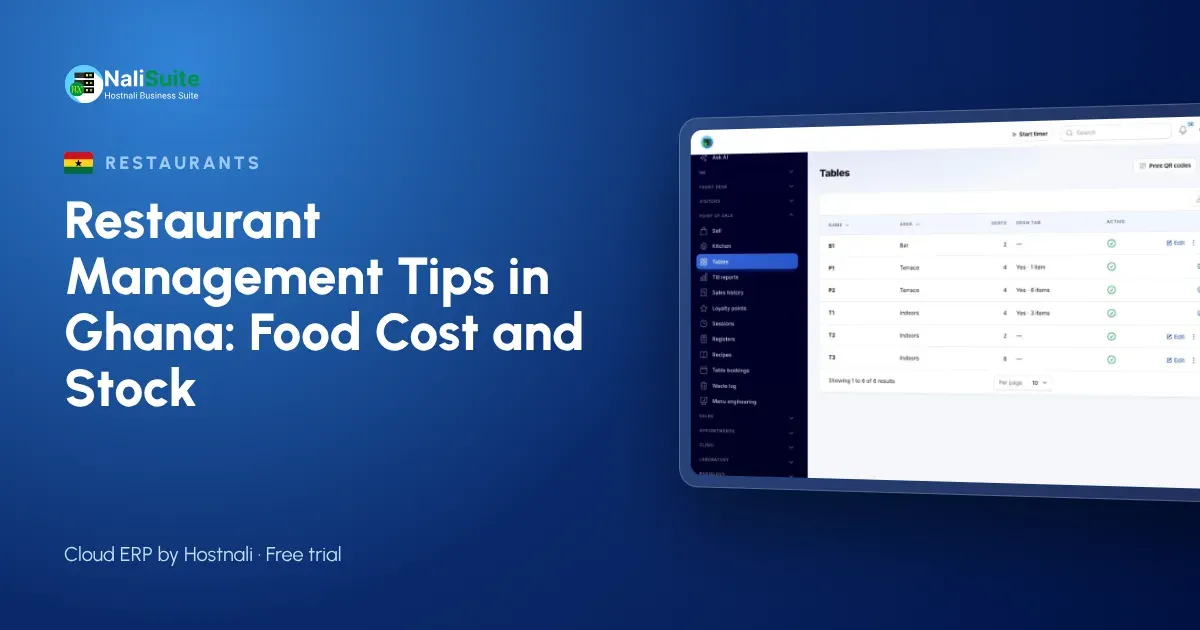
Point of Sale has restaurant tables built in, so a waiter opens a table, adds dishes through the meal and takes payment at the end, split across payment methods if the guests want. Restaurant Pro adds table bookings, so you know before service how many covers to prepare for.
Example: a chop bar in Kumasi
A busy chop bar in Adum serves fufu, banku and waakye to traders and office workers. The owner bought cassava, plantain and fish in bulk, but by Friday stock was often short and the cash did not match the sales.
They now record recipes for each dish, so sales take ingredients out of stock, and the till takes MTN MoMo payments directly against each order. At the end of each day the takings match the till, and a weekly count shows exactly which ingredients are running short before the weekend rush.
Ingredient stock that keeps itself up to date
Every dish sold uses ingredients. In Restaurant Pro, ingredients come out of stock each time a dish sells, so your Inventory shows what you should have without a nightly count.
Do a physical count once a week and compare. If the difference is large, look at three things: portions, waste and security. The add-on’s waste log records spoiled or dropped food with a reason, which separates honest waste from missing stock. When ingredients run low, raise a purchase order in Purchases so suppliers deliver before you run out.
Ghanaian details
Most customers pay by MTN MoMo, so a till that records MoMo payments against the order is essential; card customers can pay too. Power cuts are a reality, so use a till that keeps selling offline and syncs later.
For VAT and levies on your receipts, check the current rates with the GRA; NaliSuite lets you set your own tax rates per item. If you also cater weddings and funerals, the Food production add-on costs catering quotes per head and turns them into orders with a deposit invoice.
A till that keeps working
Power cuts and patchy internet should never stop service. Choose a till that keeps selling offline and syncs every sale when the connection returns. NaliSuite’s offline POS does exactly that, on a phone, tablet or laptop.
Take payment the way customers want to pay: cash, MTN MoMo or card. Each payment is recorded against the sale, so the cash-up at the end of the shift is a check, not a guessing game. See payments for how pay links and prompts work.
Where restaurants usually lose money
- Portions that grow during busy service.
- Ingredients bought without a purchase order and never checked on delivery.
- Food thrown away without anyone recording it.
- Menu prices that were set years ago and never updated.
- Cash and mobile money takings that are not matched to the till.
Each of these is easy to see once recipes, stock and the till share one system.
Your team is part of the system
A restaurant with good food and poor shift planning still loses money. Track attendance and leave in HR, where staff check in from their phones, and let Payroll work out pay from the hours actually worked.
On the till, give each staff member their own login rather than one shared password. End-of-shift questions are then answered with facts, and your best people get the credit they deserve.
Frequently asked questions
Can customers pay by MTN MoMo at the till?
Yes. MoMo payments are recorded against the order, alongside cash and card.
Can I quote for funeral and wedding catering?
Yes. The Food production add-on costs catering per head, including staff and transport, and converts the quote into an order with a deposit invoice.
How often should I count stock?
Count your most expensive ingredients weekly and the full store room monthly. Because sales already deduct ingredients, a count shows you the gap straight away.
Try NaliSuite
Try it for a week alongside your current till: write recipes for your five best sellers and compare the plate costs with your prices. NaliSuite plans start at ₵25 a month; see the plans and how it works for restaurants and cafés.