 GHS
 KES - Kenya
 UGX - Uganda
 TZS - Tanzania
 RWF - Rwanda
 NGN - Nigeria
 ZAR - South Africa
 USD - Zimbabwe
 ETB - Ethiopia
 ZMW - Zambia
 USD - International

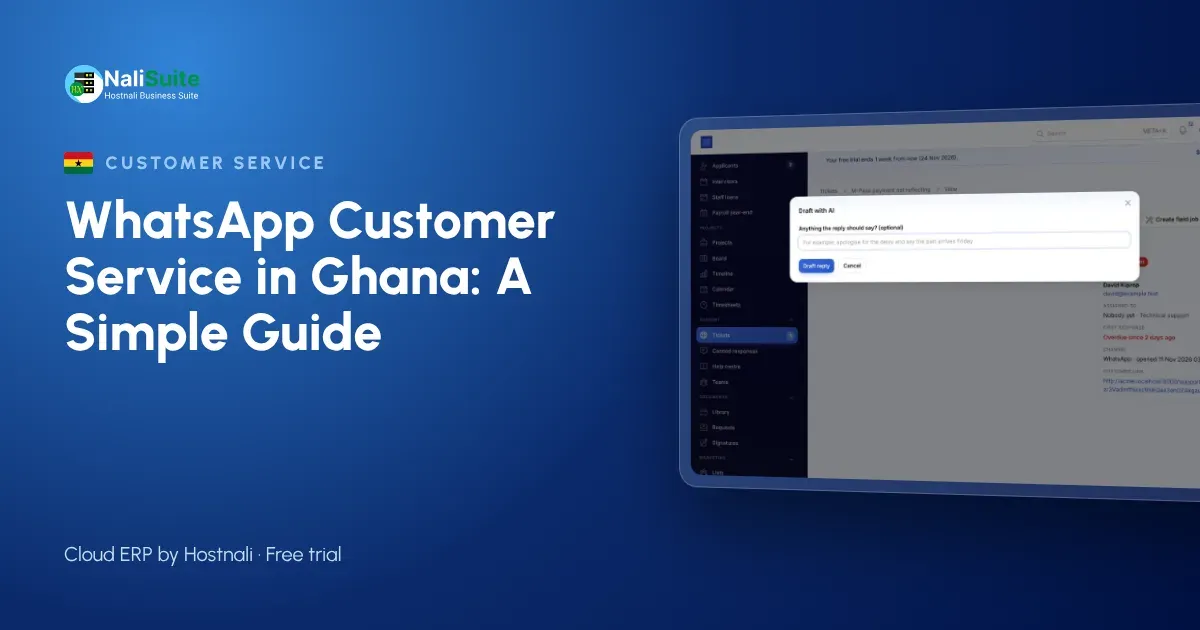
Ask a Ghanaian customer how they contacted a business last week and the answer is usually WhatsApp. It is where orders are placed, MoMo payments are confirmed and delivery riders are directed. Businesses that treat it as a proper customer service channel, not a side job on the owner’s phone, keep those customers.
The trouble with one shared phone
Take a home appliances dealer in Kumasi with a showroom on Adum and a second shop in Tema. Customers send voice notes asking about fridges, photos of MoMo payment messages and questions about delivery to Ejisu. Three staff answer from one phone that stays in the showroom, so evening messages wait until the next morning.
The problem is not WhatsApp. It is that the conversations live on a device instead of in the business. Fixing that is mostly a matter of setup and habits, and it does not need a big team.
What good WhatsApp service looks like in Ghana
- Every message gets a first reply quickly, even when the usual person is off.
- Any staff member can see the full history before answering, from Accra or Kumasi.
- Prices, stock answers and delivery promises are the same whoever replies.
- The customer can order and pay without leaving the chat, by mobile money, card or bank transfer.
- Marketing messages go only to people who asked for them.
A five-step setup
- Move the number to a shared inbox. Connect your business number through the WhatsApp Business Cloud API to NaliSuite Helpdesk, so chats become tickets the whole team sees.
- Decide who handles what. Sales questions to sales, orders to the shop in Tema, payment issues to accounts. Assignment rules do this automatically.
- Write ten quick replies. Cover opening hours, delivery, payment methods, returns and how to order. Review them every month.
- Set a reply target. Agree a first-reply time for opening hours and for evenings, and let the helpdesk flag chats that are running late.
- Connect sales and invoicing. Send quotations and invoices from the same system, so the documents in the chat match your books.
Keep it polite and keep it legal
WhatsApp feels informal, but it is still your business speaking. Greet customers by name, confirm what you will do and by when, and never send promotions to people who did not ask for them. Approved templates from Marketing, an easy way to opt out and customer data kept in one business system rather than on staff phones protect your reputation in Ghana.
When a chat turns into a sale, send the quotation from Sales and the invoice from Invoicing in the same thread, with a pay link for mobile money, card or bank transfer. Everything here is described on the WhatsApp feature page.
Mistakes that cost replies
- Answering from personal numbers. The customer saves the staff member’s number, and when that person leaves, so does the relationship. Keep every chat on the business number.
- No owner for evening messages. Messages that arrive after closing in Accra should be assigned to someone for the first hour of the next day, not left for whoever opens WhatsApp first.
- Prices typed from memory. A price quoted in a chat should come from the same price list the till uses, or two customers in Kumasi will compare notes.
- Screenshots as proof of payment. Confirm MTN MoMo and bank payments from your own records, not a picture, and let the invoice mark itself paid.
- Broadcasting to everyone. Promotions sent to people who never opted in get your number blocked or reported.
A day in a shared inbox
At 8am the overnight chats are already assigned: two orders for the Accra shop, a delivery question for dispatch, a complaint for the manager. By 9am each has a first reply. At midday a customer in Tema accepts a quotation online and pays the invoice from the same chat; the helpdesk shows it closed. In the afternoon a new staff member answers a returns question with a saved reply and gets it right first time. At closing, the open-ticket count is zero and nobody had to hand over a phone.
WhatsApp service in Ghana: what to keep in mind
In Ghana, many customers pay by mobile money and send a screenshot of the payment message as proof. Sending an invoice with a pay link in the chat means the payment is matched to the invoice automatically, and your team stops checking screenshots against a MoMo statement at the end of the day.
Voice notes are especially common with Ghanaian customers, often in Twi or another local language. Make sure the team member handling a ticket can understand it, or reassign it, and reply in writing with the key details: price, delivery day and how to pay. A written summary avoids the “but you said” disputes that voice notes alone can cause.
Frequently asked questions
Can customers pay with MTN MoMo from a WhatsApp invoice?
Yes, when your payment provider supports it. The invoice pay link lets customers pay by mobile money, card or bank transfer, and the invoice is marked paid automatically.
Can staff answer WhatsApp from their own phones?
Yes. They log in to NaliSuite on any phone and answer from the shared inbox, while the conversations stay with the business, not on their personal phones.
Do I need the WhatsApp Business API?
Yes, to share one number across a team you connect it through the official WhatsApp Business Cloud API. Our team can help a Ghanaian business set it up.
Can several staff answer at the same time?
Yes. Messages arrive as tickets in the helpdesk, so several people can answer different customers from one number, each with the full history.
Try NaliSuite
NaliSuite brings WhatsApp, helpdesk, sales, invoicing and mobile money into one cloud ERP, from ₵25 a month. Start a free trial from the plans page and connect your business number.