 ZMW
 KES - Kenya
 NGN - Nigeria
 ZAR - South Africa
 GHS - Ghana
 ETB - Ethiopia
 USD - International

Introduction
A school website is much more than an online noticeboard. It helps parents find admission information, lets prospective learners find out about the institution and gives the school one place to publish announcements, term dates, contact details, fees information and learning resources.
For colleges and universities, the website may also link students to application forms, learning materials, department pages, event calendars and online services.
Even a well-designed website needs suitable hosting to stay reachable and work reliably. Slow pages, frequent downtime, missing backups or weak security disrupt communication with parents, learners, staff and applicants.
Choosing the best hosting for schools in Zambia means looking past the cheapest advertised price. A school should consider its website size, expected traffic, email needs, security, the technical skills it has and whether it plans to run a learner portal or online learning platform.
This guide explains how schools, colleges and universities in Zambia can choose web hosting that fits their needs in 2026.
What Is School Website Hosting?
School website hosting is a service that stores a school’s website files and makes them available to people on the internet.
When a parent opens the school website, the hosting server delivers the pages, images, documents and other content they asked for.
Depending on the package and setup, the service can also run databases, contact forms, staff email, admission forms, news updates and content management systems such as WordPress.
A school hosting package can be used for:
- School information and admission pages.
- Term dates, announcements and event calendars.
- School news, achievements and activity galleries.
- Staff directories and department pages.
- Downloadable forms and school documents.
- Contact forms and enquiries.
- Professional email accounts.
- Online applications and other website integrations.
More advanced services, such as learner portals, learning management systems and online examination platforms, may need extra software, more server resources or a separate hosting environment.
Why Schools in Zambia Need Reliable Web Hosting
1. Parents need accessible information
Parents and guardians visit a school website to check admission requirements, contacts, term dates, opening days and other key information, usually on a mobile phone.
If the site is down or slow, they can’t find what they need. Reliable hosting keeps this information available when people look for it.
2. Schools need a professional online presence
A well-kept website presents an institution’s identity, programmes, facilities and achievements clearly.
A custom domain and professional website also make official school communication easier to recognise and to tell apart from unofficial social media pages.
3. Admissions and enquiries must work correctly
Schools may use online enquiry forms, downloadable application documents or admission request forms. These depend on a correctly set-up website and hosting environment.
Test forms regularly, and have a clear process for receiving and answering submissions.
4. Important documents need protection
School websites hold documents, images and other information that should be looked after carefully. Backups help recover files and databases after an accidental deletion, a technical failure or a failed update.
Set backups according to how important the site is and how often it changes.
5. The website may grow over time
A school may start with a simple website and later add online applications, a news section, more photos, staff email or a parent portal.
A provider with sensible upgrade options makes it easier to expand later.
Which Type of Hosting Is Best for Schools?
The best hosting type depends on the school’s size, website features, expected traffic and technical requirements.
| Hosting type | Best suited for | Main consideration |
|---|---|---|
| Shared hosting | Small schools with information websites | Affordable, but resources are shared |
| WordPress hosting | Schools using WordPress | Check WordPress compatibility and available resources |
| VPS hosting | Larger websites or more demanding applications | More control and resources, but may need technical administration |
| Cloud hosting | Websites needing flexible resource options | Features, architecture and pricing vary by provider |
| Dedicated server | Institutions with demanding workloads or specific server requirements | Higher cost and more administration responsibility |
Shared hosting for small schools
Shared hosting is often a practical starting point for a nursery, primary school, secondary school or small college with a standard information website.
It can handle school pages, images, announcements, contact forms and basic WordPress, provided the package meets the site’s requirements.
Before buying, check storage, traffic policies, database support, email allowances, backups and resource limits. Hostnali’s web hosting plans include NVMe storage, free SSL, unlimited email accounts and daily backups.
WordPress hosting for schools
WordPress lets school staff or a website administrator update announcements, publish articles, manage photos and maintain pages without editing code.
A suitable WordPress hosting package should support the software versions the site needs, databases, HTTPS and the school’s plugins.
WordPress is useful when a school wants to update its website often without calling a developer for every small change. See what is WordPress for an introduction, and WordPress hosting for plans.
VPS hosting for colleges and universities
A VPS can suit an institution with a larger website, higher traffic or a need for more control over its hosting.
It may also make sense for some student-facing applications, depending on how they are built and the resources they need.
A VPS is not automatically right for every institution. It usually needs more technical administration, security maintenance and monitoring than a basic shared package.
Hosting for learner portals and e-learning systems
A learner portal or learning management system has different needs from a normal school website. It may handle logged-in users, databases, uploaded documents, course materials, assessments or many students working at the same time.
Before choosing hosting for one, estimate the number of users, peak activity, storage needs, application requirements and your data protection responsibilities.
For larger systems, ask a qualified technical provider to assess the application and recommend a suitable setup. Don’t assume a standard website hosting plan supports every learning or examination platform.
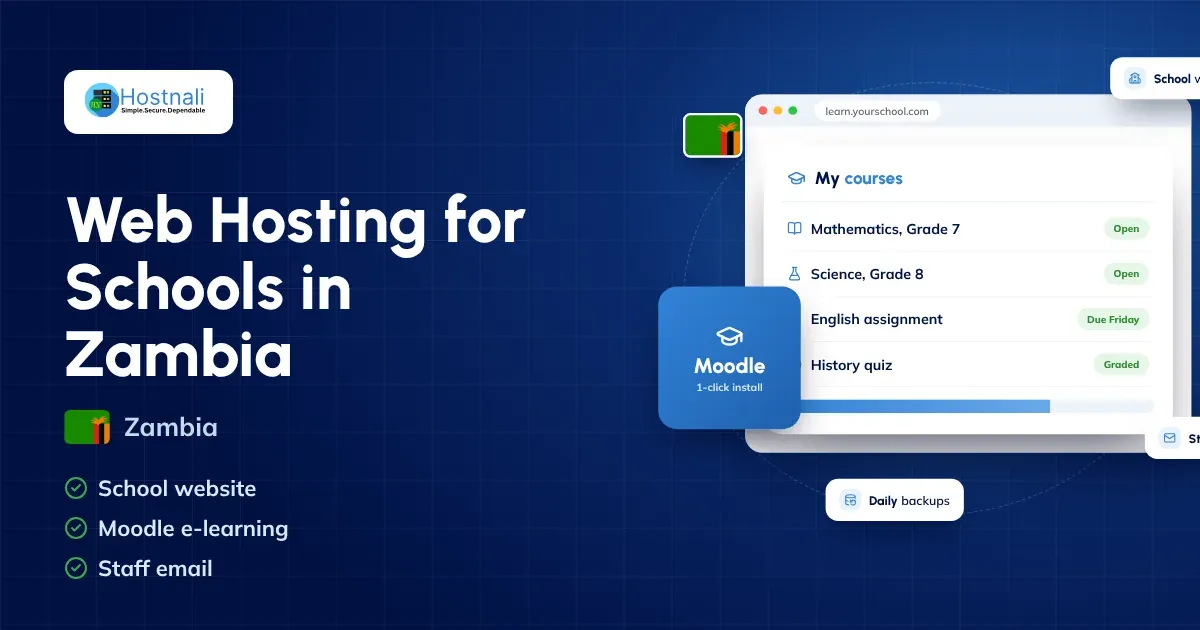
Hostnali’s Moodle hosting puts a school website, a Moodle learning platform (installed with Softaculous) and staff email on one web hosting plan, which suits most schools; for whole-school online exams with many learners at once, a VPS is the better fit.
9 Features to Look for in School Hosting in Zambia
1. Reliable uptime
Uptime is how long a website stays available. Schools should review each provider’s uptime commitment, service-level terms, exclusions and outage reporting.
No provider can promise that every website is reachable at every moment. A clear service commitment and good support are worth more than a headline claim. Hostnali’s 99.99% uptime guarantee and service credits are set out in its Terms of Use.
2. Adequate storage and resources
A school website with a few pages and optimised images needs little storage. One with large photo galleries, videos, downloadable documents or applications needs more.
Check the storage allowance and whether databases, email and backups count towards it. Review CPU, memory and other limits where they are published.
Don’t pay for resources the school won’t use, but leave room for expected growth.
3. SSL certificate and HTTPS
HTTPS encrypts information sent between a visitor’s browser and the website, and an SSL/TLS certificate enables it.
Choose hosting that supports HTTPS and installs and renews the certificate correctly. This matters most for sites with contact forms, logins or anything else that sends information.
An SSL certificate is one part of security; it doesn’t replace updates, access controls or careful handling of submitted information.
4. Regular backups and recovery
A backup is a copy of website files and databases used to recover after a problem.
Ask the provider:
- How often are backups made?
- How long are they kept?
- Are they stored separately from the live website?
- How can the school request a restore?
- Is restoring included or charged separately?
For important websites, keep an independent backup where practical and test a restore from time to time. Hostnali’s shared hosting keeps a daily, a weekly and a monthly restore point that you can restore yourself from cPanel.
5. Professional email
A school may need addresses such as [email protected] or [email protected].
Professional email makes communication more consistent and easier to manage. Before choosing a package, check the number of mailboxes, mailbox storage, sending limits, spam protection and whether email comes with the hosting or is sold separately.
Properly set SPF, DKIM and DMARC records help protect the domain from email spoofing and improve deliverability. Our email set-up guide explains how.
6. Website security
Schools should protect administrator accounts and keep their software up to date.
Useful measures include strong passwords, two-factor authentication where available, limited administrator access, prompt updates, secure forms and monitoring for suspicious activity.
If the website collects personal information, the institution should decide what it really needs, who can see it, how long it is kept and how it is protected.
7. Technical support
Many schools don’t have a full-time IT team. Reachable technical support helps when the website goes down, email stops working or a hosting setting needs attention.
Check the provider’s contact channels, support hours and what help is included. Confirm whether support covers only hosting and server issues or also WordPress and website applications. Hostnali’s team is available 24/7 by live chat and ticket.
8. Scalability
A school may expand its website, add staff email accounts or launch new online services.
Choose a provider that explains its upgrade options, costs and migration process. If you plan to add a portal or learning platform, assess those needs before choosing a long-term package.
9. Domain and renewal transparency
The domain name is a key part of a school’s online identity. Check registration requirements, renewal prices, ownership and account access.
Make sure the school, or the organisation that runs it, keeps control of the domain account. Avoid arrangements where the institution can’t reach or recover its own domain without one particular contractor.
How Much Does School Hosting Cost in Zambia?
The cost depends on the package, domain, storage, email, website design and any extra applications.
For a basic information website, shared hosting is a cost-effective start: Hostnali web hosting starts at ₵218 a year, and the Standard plan (₵418 a year) hosts up to five websites and includes a free domain. A larger institutional website or an online learning system may need a bigger budget.
Use this as a budgeting checklist rather than a set of fixed quotes.
| Budget item | What the school should check |
|---|---|
| Domain registration | Registration and renewal costs, ownership and access |
| Web hosting | Storage, resources, security, support and upgrade options |
| Website design | Initial setup, branding, content and mobile responsiveness |
| Mailbox count, storage and authentication setup | |
| Maintenance | Updates, backups, troubleshooting and content changes |
| Additional applications | Learner portals, learning platforms or admission systems |
| Security | Monitoring, access controls and any extra security services |
Ask for a written quotation that separates recurring charges from one-off development costs. Read promotional pricing carefully, as renewals may cost more than the first term.
You can review packages on the Hostnali web hosting page. Prices are shown in kwacha and update from our billing system, and you can pay by card, bank transfer or mobile money.
How to Set Up a School Website in Zambia
Step 1: Define the website’s purpose
Decide whether the website will give general information, support admissions, publish news, host staff email or connect to a learner portal.
List the features the school needs now and the ones it may add later.
Step 2: Register the school domain
Pick a domain that reflects the institution’s official name and is easy to remember.
Many schools use a .com or .org domain. Zambia’s .co.zm and other .zm domains need an application to the Zambian registry; ask our team and we’ll help. Check availability and renewal prices on our domain registration page.
Step 3: Select suitable hosting
Compare providers on reliability, security, storage, support, email and upgrade options. Make sure the package supports your website platform and any integrations you need.
Start by reviewing Hostnali’s hosting packages or, for a school with an online learning platform, Moodle hosting.
Step 4: Build the website
Create the essential pages, such as:
- Home.
- About the school.
- Admissions.
- Academics or programmes.
- News and announcements.
- Term dates and calendar.
- Contact information.
- Privacy notice and relevant policies.
Publish only information the institution has approved, and keep staff details, contacts and admission information up to date.
Step 5: Set up email and contact forms
Create official email addresses and make sure forms send enquiries to the right authorised people.
Test submissions and replies before launch. Don’t collect sensitive information through ordinary contact forms unless the form and its handling have been designed for it.
Step 6: Secure the website
Turn on HTTPS, use strong administrator logins, limit access to authorised staff and set up backups.
Keep the platform, themes and plugins updated, and make someone responsible for security notices and updates.
Step 7: Test before launch
Check the website on phones, tablets and computers. Test navigation, forms, links, downloads, email delivery and loading speed.
Confirm that the domain points to the right website and that HTTPS works across the site.
Step 8: Maintain the website
Ask a staff member or service provider to post announcements, check forms, update term dates, review backups and renew the domain and hosting.
Treat the website as an ongoing school communication channel, not a project that ends on launch day.
School Website Security and Data Protection
Schools need to take privacy seriously because their work involves information about children, parents, staff and students.
The right safeguards depend on what the website collects and how the institution uses it.
Good practices include:
- Collect only the information needed for a clear purpose.
- Limit access to authorised staff.
- Use secure connections and well-maintained software.
- Don’t publish private learner or family information without proper authorisation.
- Review photos, testimonials and learner details before publishing them.
- Protect backups and limit who can reach them.
- Have a process for handling security incidents.
- Review your obligations under Zambia’s Data Protection Act No. 3 of 2021, including any registration as a data controller with the Office of the Data Protection Commissioner (ODPC).
A public school website should never expose private learner records or act as an open document store. If an institution needs a portal for confidential information, it should have proper logins, permissions and security controls.
Hosting alone does not make a school compliant with Zambia’s data protection law. The school, as a data controller, remains responsible for how it collects, uses, stores and shares personal information about learners, parents and staff.
Common School Hosting Mistakes to Avoid
Choosing only by price: The cheapest plan may lack the resources, backups or support the school needs.
Using a personal email address for official communication: A school-owned domain and authorised accounts are easier to manage professionally.
Forgetting renewals: A missed domain or hosting renewal takes down the website and email. Make one person responsible and set reminders.
Giving everyone administrator access: Give staff only the permissions their work needs.
Ignoring updates: Outdated software and plugins bring security and compatibility risks.
Keeping no independent backup: A backup stored only in the same hosting account may not cover every recovery situation.
Publishing private information: Check that photos, learner details, documents and other content are fit for public view.
Using ordinary shared hosting for every application: A learner portal, examination platform or learning management system may need its own technical assessment and more resources.
Why Consider Hostnali for a School Website?
Hostnali serves schools, colleges and training institutions across Zambia. When you compare our packages with your institution’s requirements, you’ll find:
- NVMe SSD storage and LiteSpeed servers for fast pages on any device.
- Free SSL certificates and unlimited staff email accounts.
- Daily backups and a 99.99% uptime guarantee.
- One-click WordPress and Moodle with Softaculous.
- Free migration from your current host.
- 24/7 support by live chat and ticket, and payment by card, bank transfer or mobile money.
If your school is planning a WordPress website, confirm that the package supports the software and plugins you need. If a college or university runs a learner portal or learning platform, get a technical assessment before choosing a hosting environment.
Visit the Hostnali website to learn more, and review the current web hosting plans before deciding. If you’d like the website built for you, see website development.
The right hosting should fit the school’s real needs, support safe website management and leave a clear path for future development.
Frequently Asked Questions About School Hosting in Zambia
1. Which hosting is best for schools in Zambia?
It depends on the website’s size, expected traffic, features, budget and technical needs. Small information websites can use suitable shared hosting, while more demanding portals may need a VPS or another application-specific environment.
2. Can a school use WordPress for its website?
Yes. WordPress helps schools publish pages, announcements, news, photos and admission information. The hosting package should support the WordPress version, theme and plugins the site uses.
3. How much does school website hosting cost in Zambia?
Costs vary by provider, package, domain, email and support needs. Hostnali web hosting starts at ₵218 a year. Compare the full renewal price and any extra costs for development, maintenance and applications before deciding.
4. Does school hosting include professional email?
Some packages include email accounts and others sell email separately. Every Hostnali web hosting plan includes unlimited email accounts. Check mailbox limits, storage, sending restrictions and whether the school needs a separate email service.
5. Can a school host a learner portal on shared hosting?
It depends on the portal’s software, traffic, resource needs and security requirements. A simple application may fit, but larger or more sensitive portals should be assessed by a technical provider before you choose hosting.
6. How can a school protect its website?
Use HTTPS, strong passwords, restricted administrator access, software updates, secure forms, backups and monitoring. Schools should also review the privacy and security implications of any personal information they collect.
7. Should a school have its own domain name?
Yes. A domain the institution controls gives it a consistent online identity and official website and email addresses. The school should keep access to its domain account and manage renewals carefully.
8. Can a school upgrade its hosting later?
Most providers offer upgrades, but the options and migration process vary. Check costs, resource limits and possible downtime before committing to a package.
Final Thoughts
Choosing the best hosting for schools in Zambia starts with understanding what the institution needs its website to do. A small school may only need a dependable information website and official email, while a college or university may need more advanced applications and more server resources.
Compare reliability, storage, HTTPS, backups, email, support, renewal prices and upgrade options. Pay special attention to privacy and access controls if the website collects information about learners, parents or staff.
A well-maintained website gives a school one central place to share approved information, communicate with its community and support its educational mission.
Planning a school website? Explore Hostnali’s web hosting packages or Moodle hosting and choose a plan based on your institution’s requirements.