Premium Cloud Hosting!

Contact Info

Hostnali Webhost Limited

+254 748285257

[email protected]

ORDER NOW

Ledgerly - A Complete Double-Entry Accounting System for WHMCS

WHMCS Accounting Module Built for Web Hosting Businesses

No more exporting invoices into QuickBooks or Xero.

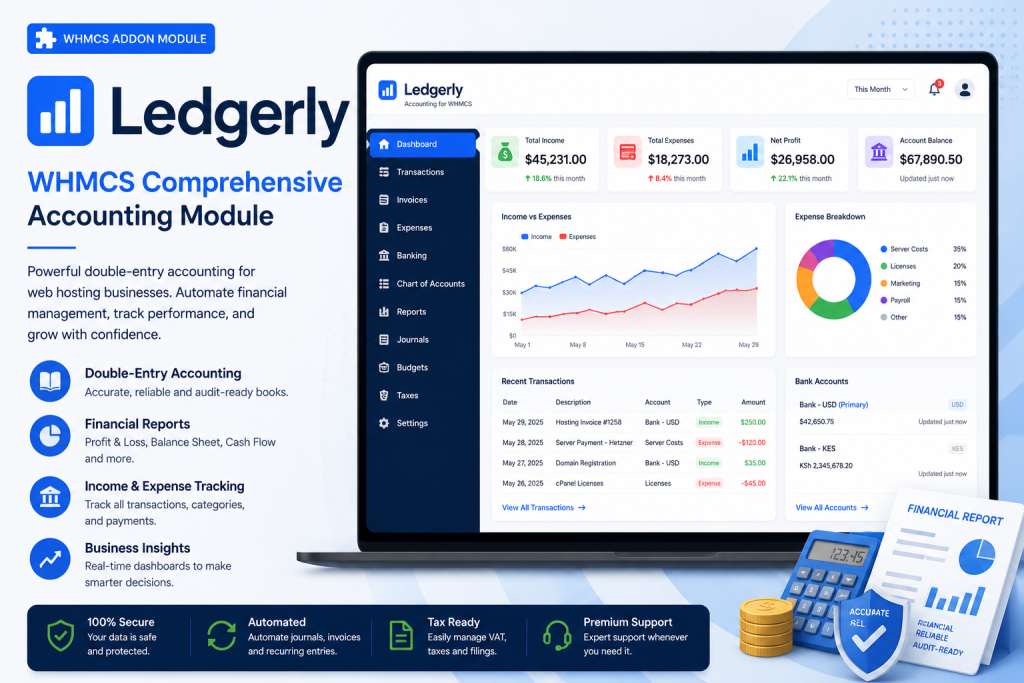
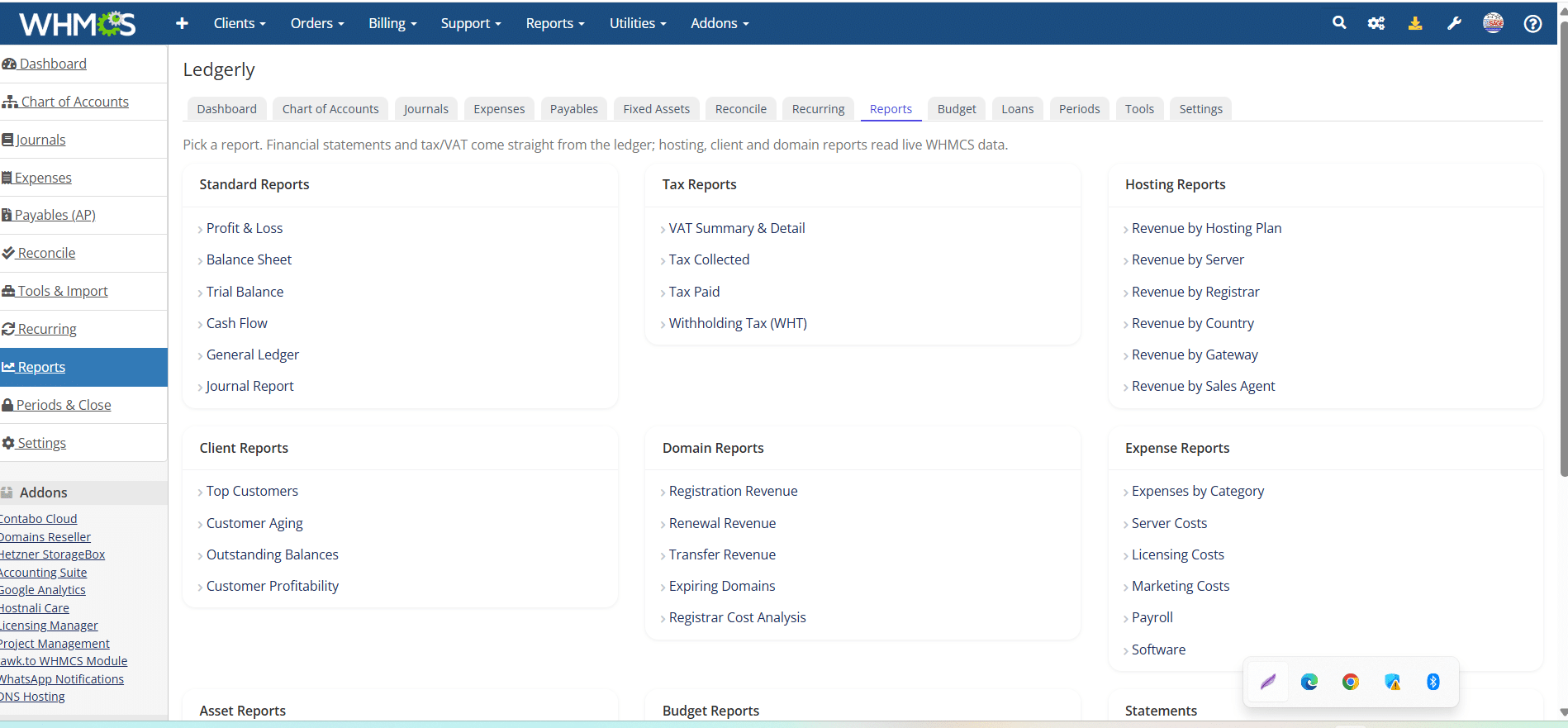
Ledgerly automatically posts invoices, payments, expenses, taxes, assets and financial transactions into a fully balanced General Ledger, generating Profit & Loss, Balance Sheet, Cash Flow, Trial Balance and over 40 accounting reports directly inside WHMCS.

✓ Double Entry Accounting ✓ General Ledger ✓ Financial Statements ✓ Expenses & Accounts Payable ✓ Fixed Assets ✓ Loan Management ✓ Budgeting ✓ VAT & Withholding Tax ✓ Bank Reconciliation

Ledgerly – The Most Comprehensive WHMCS Accounting Module

Stop switching between WHMCS and external accounting software just to keep your books accurate. Ledgerly is the most comprehensive WHMCS Accounting Module, purpose-built for web hosting companies, domain registrars, managed service providers, cloud hosting businesses, and digital agencies that rely on WHMCS. It transforms WHMCS into a complete double-entry accounting system, automatically recording invoices, payments, refunds, expenses, taxes, and financial transactions into a fully balanced General Ledger. Instead of exporting data to QuickBooks, Xero, or spreadsheets every month, Ledgerly keeps your billing, bookkeeping, and financial reporting together in one centralized platform, giving you complete visibility over your business finances.

Built for growing hosting businesses, Ledgerly includes everything required to manage your company’s accounting from within WHMCS. Generate professional Profit & Loss Statements, Balance Sheets, Trial Balances, Cash Flow Statements, Statements of Changes in Equity, Customer Statements, Vendor Statements, and more than 40 powerful financial reports with just a few clicks. Manage expenses, accounts payable, recurring bills, fixed assets, depreciation, loan schedules, budgeting, bank and M-Pesa reconciliation, VAT, withholding tax, foreign exchange gains and losses, and multi-currency accounting without relying on third-party accounting software. Every transaction is automatically posted using true double-entry accounting principles, ensuring your books remain balanced, accurate, and audit-ready at all times.

Whether you manage a single WHMCS installation or multiple hosting brands, Ledgerly provides the enterprise-grade accounting features needed to run a modern web hosting business. With role-based permissions, complete audit trails, configurable chart of accounts, automated journal entries, customizable financial reports, historical WHMCS data import, opening balances, and white-label capabilities, Ledgerly becomes the financial backbone of your organization. Eliminate manual reconciliation, reduce accounting errors, save valuable time every month, and gain real-time insights into your company’s financial health—all from the familiar WHMCS interface. If you’re looking for the ultimate WHMCS Accounting Software, WHMCS General Ledger, or Accounting Module for WHMCS, Ledgerly delivers everything your finance team needs in one powerful, integrated solution.

WHMCS Accounting Module Ledgerly – Double Entry Accounting for WHMCS
Ledgerly — WHMCS Comprehensive Accounting Module
WHMCS Accounting, Done Properly

Turn WHMCS into your complete accounting system

Ledgerly is a full double-entry accounting module built directly into WHMCS. It posts your invoices, payments, expenses and bills to a proper general ledger, produces real financial statements, and closes your books — all inside WHMCS, with no exporting to QuickBooks or Xero.

Most hosting businesses run their billing in WHMCS and their accounting somewhere else, then spend every month reconciling the two. Ledgerly removes the gap entirely: WHMCS becomes your system of record. Every invoice paid, refund issued and expense recorded flows straight into a balanced ledger you can trust, report on, and hand to your accountant.

01

True double-entry

A real general ledger with debits and credits that always balance — not a report bolted onto invoices.

02

No external software

Statements, tax and month-end close happen inside WHMCS. Nothing to sync, export or reconcile.

03

Built for hosts

Understands hosting, domains and add-ons, multi-currency billing, M-Pesa and mixed payment gateways.

04

Yours to control

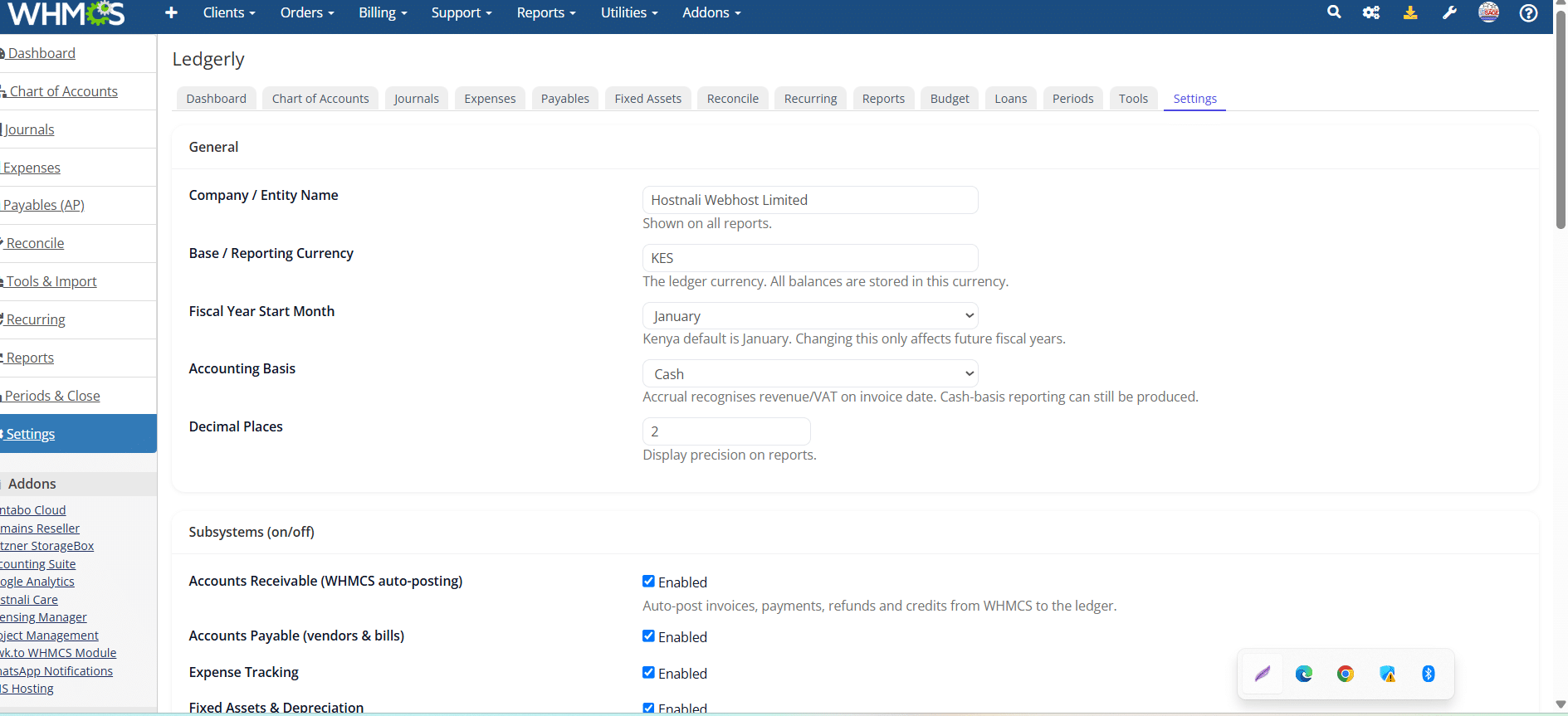
Every subsystem toggles on or off. Role-based permissions, a full audit trail, and separate books per install.

The General Ledger

Real books, posted automatically

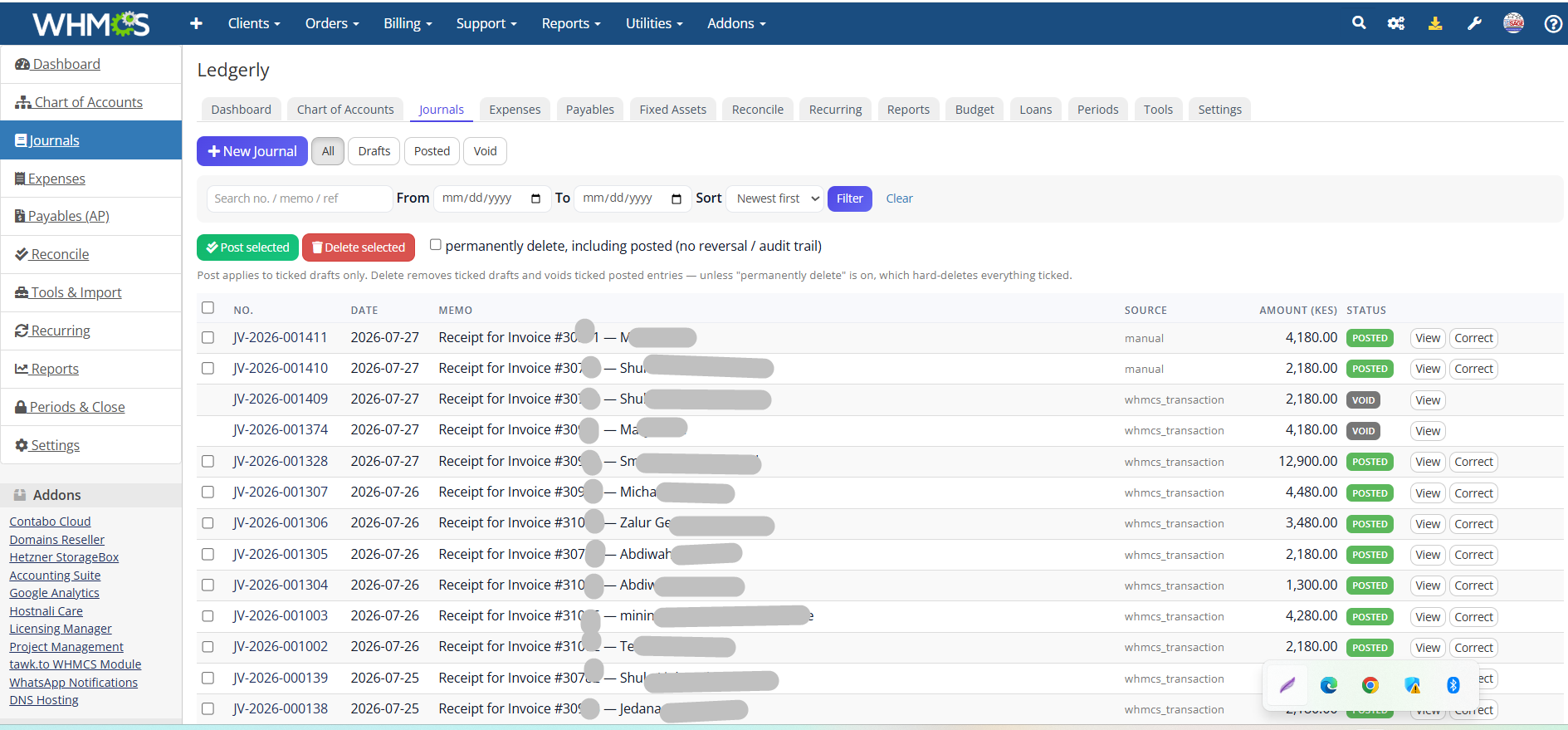
Ledgerly watches WHMCS and posts the accounting for you. When an invoice is paid or a refund is issued, the right journal entry lands in the ledger — split across the correct revenue, tax and bank accounts — without you lifting a finger.

  • Automatic posting from WHMCS invoices, payments and refunds
  • Cash or accrual basis — you choose how revenue is recognised
  • Editable chart of accounts with a sensible default you can reshape
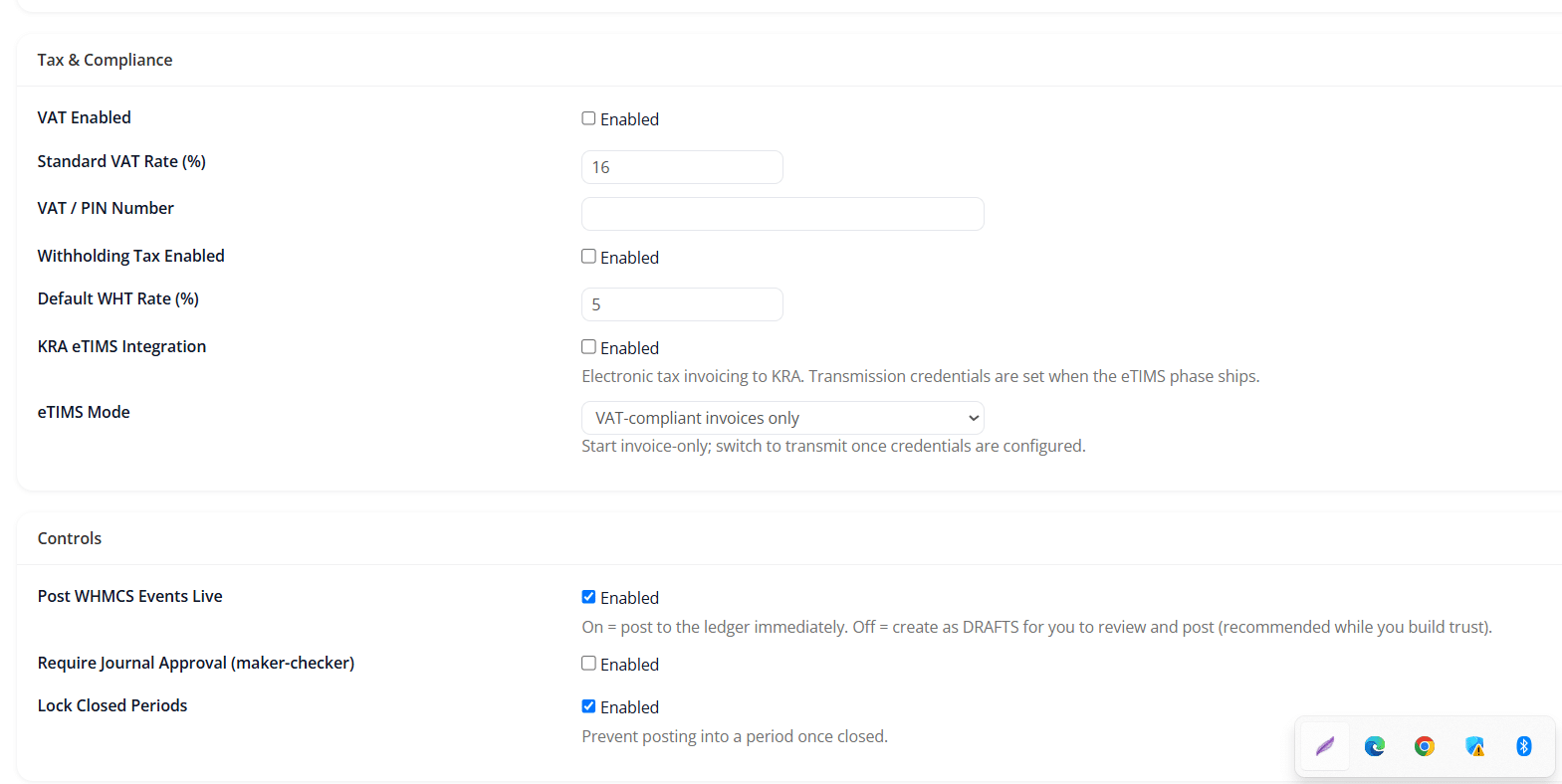
  • Manual journals with a draft-first workflow and optional approval before anything posts
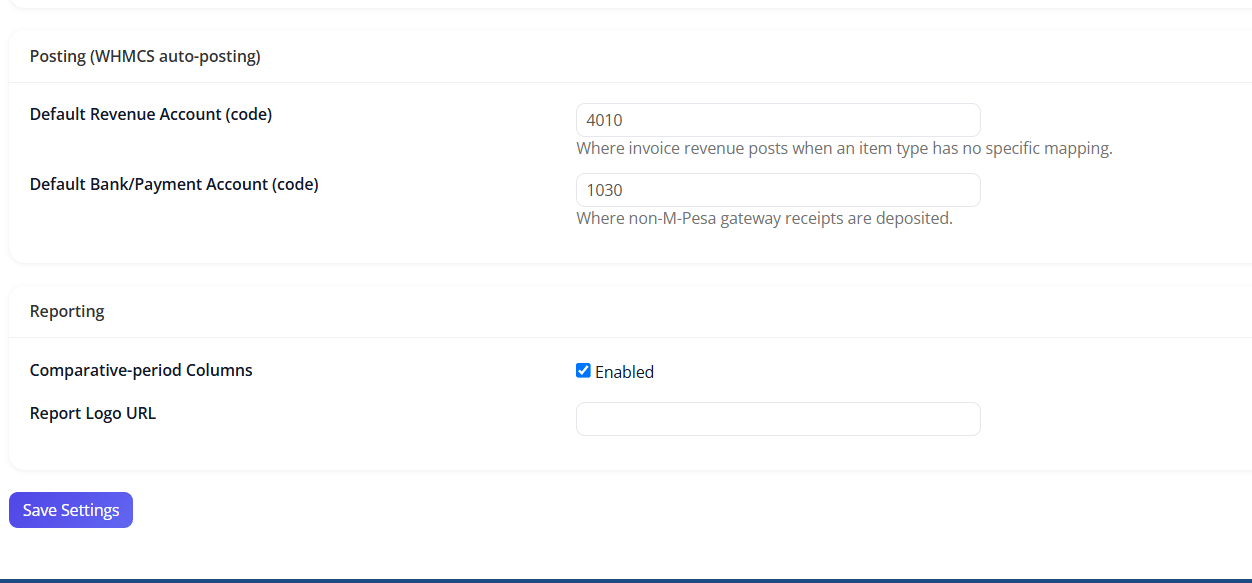
  • Revenue mapping that splits hosting, domains and services into the right income accounts
Invoice #10428 paidjournal posted
Dr  Bank — KES14,500.00
Cr  Hosting Revenue12,500.00
Cr  Output VAT2,000.00
Balanced
Revenue1,284,600
Cost of sales(312,900)
Operating expenses(486,150)
Net profit485,550
Statements & Reporting

Every statement your accountant expects

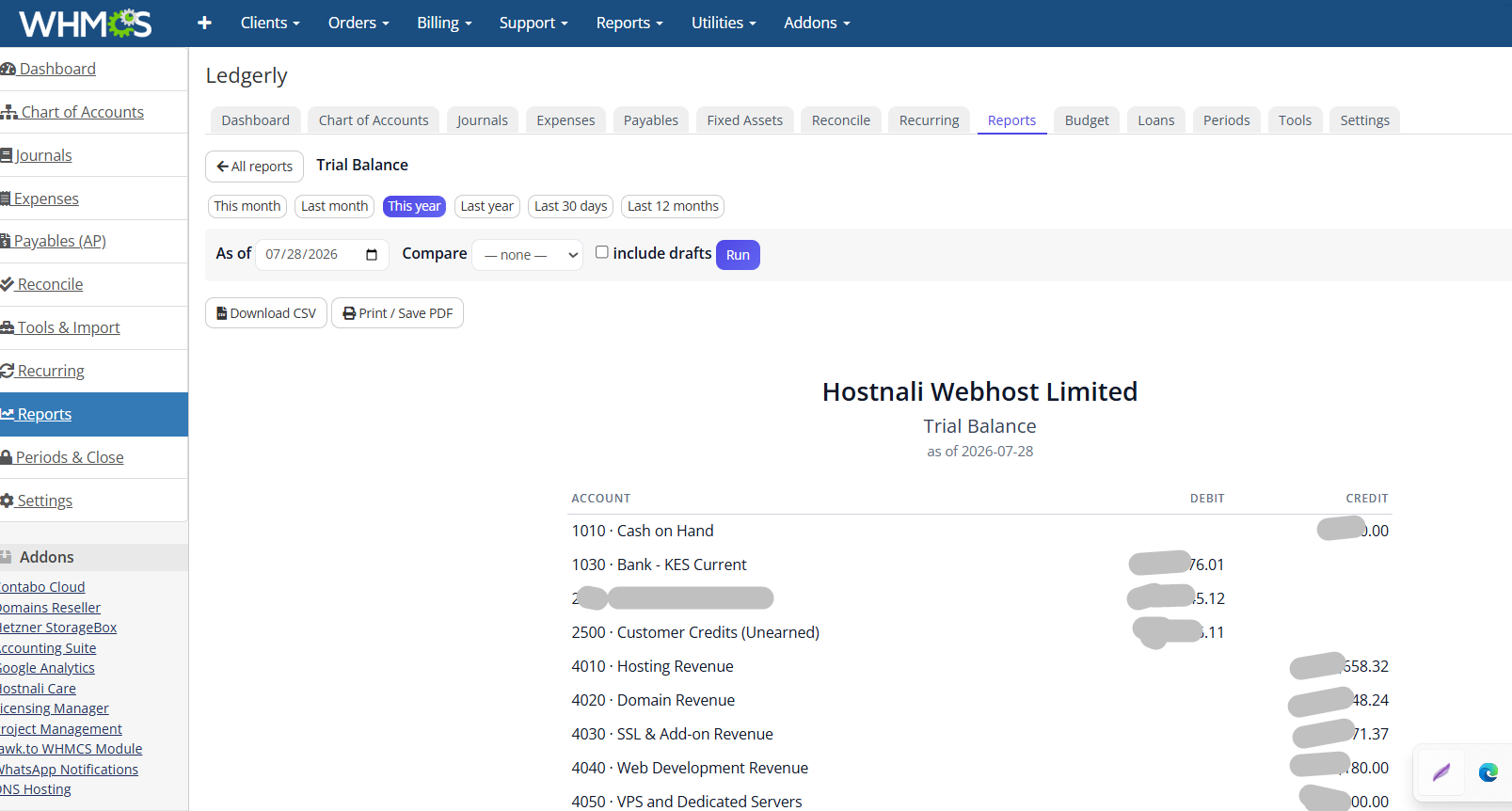
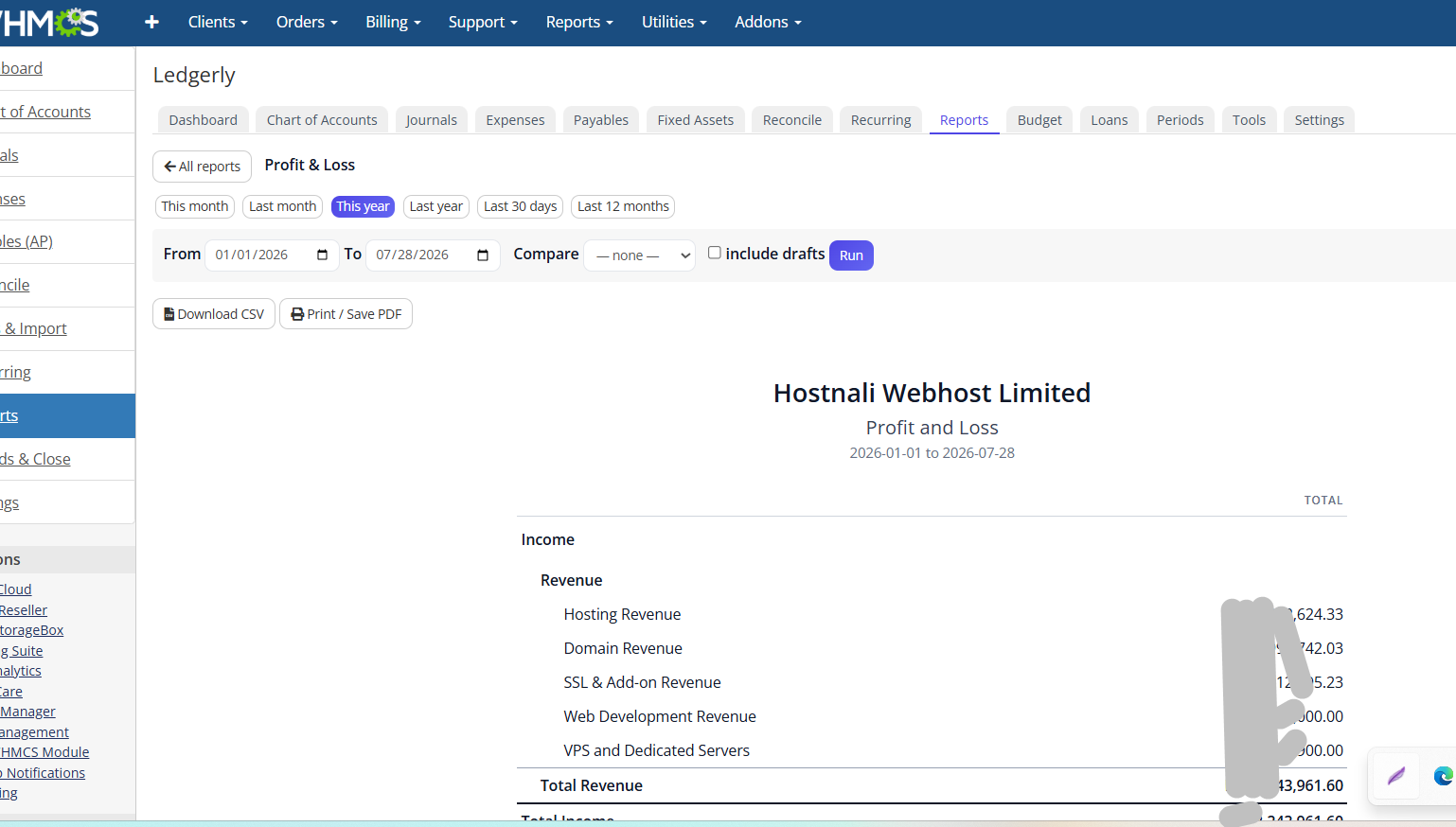
Ledgerly produces the full set of financial statements straight from the ledger — properly, with comparatives — plus more than forty operational and tax reports. Export any of them to CSV, or print to PDF for filing.

  • Profit & Loss, Balance Sheet, Trial Balance and Cash Flow
  • Statement of Changes in Equity, reconciling to the balance sheet
  • Period comparatives — compare any period against another
  • General ledger & journal reports down to the individual entry
  • Customer & vendor statements for accounts receivable and payable
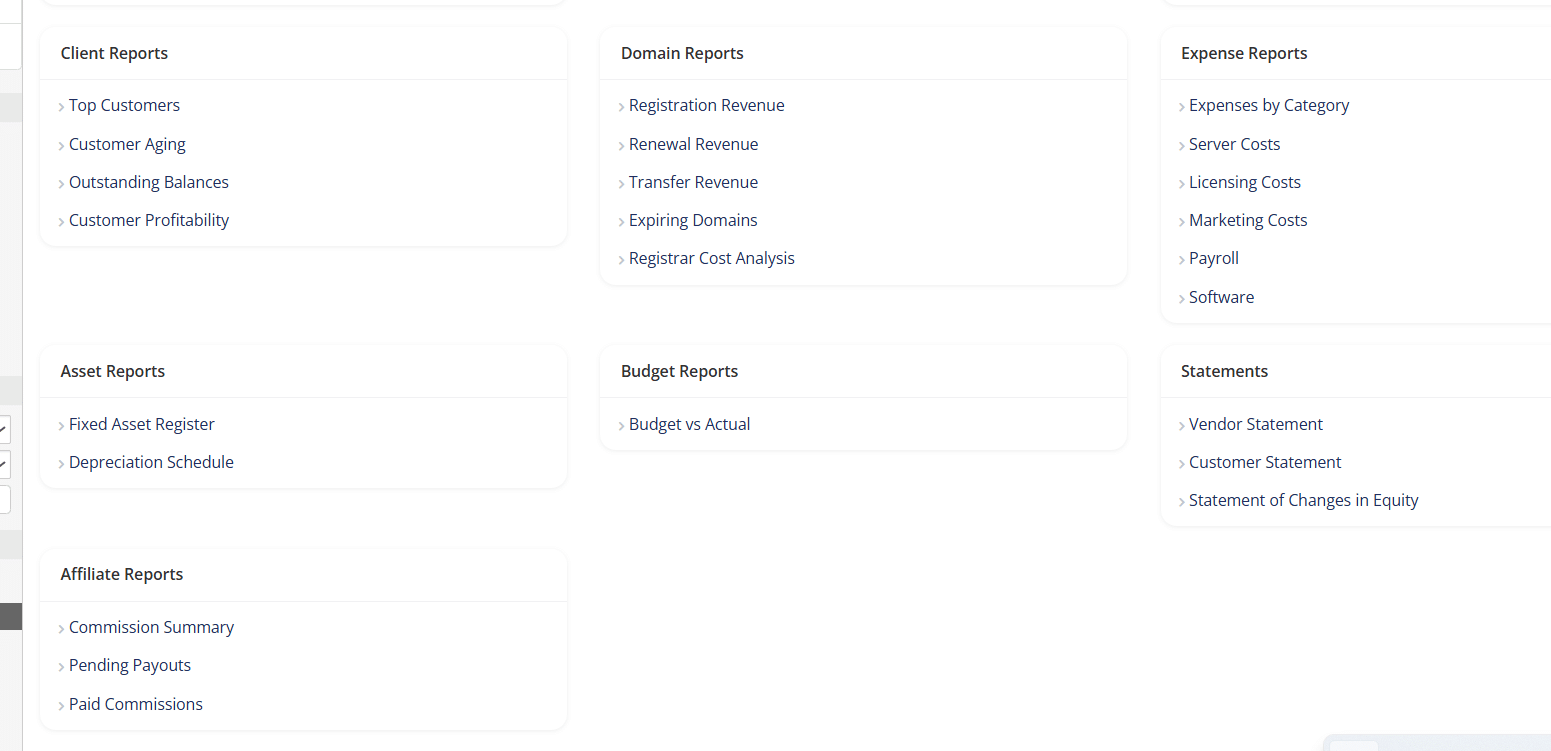
  • 40+ reports across revenue, expenses, domains, tax and more — CSV & print
Track Every Shilling Out

Expenses, bills, assets and loans — all in one place

Ledgerly isn’t only about the money coming in. It records what leaves the business too, with the same double-entry discipline — so your books are complete, not just a revenue log.

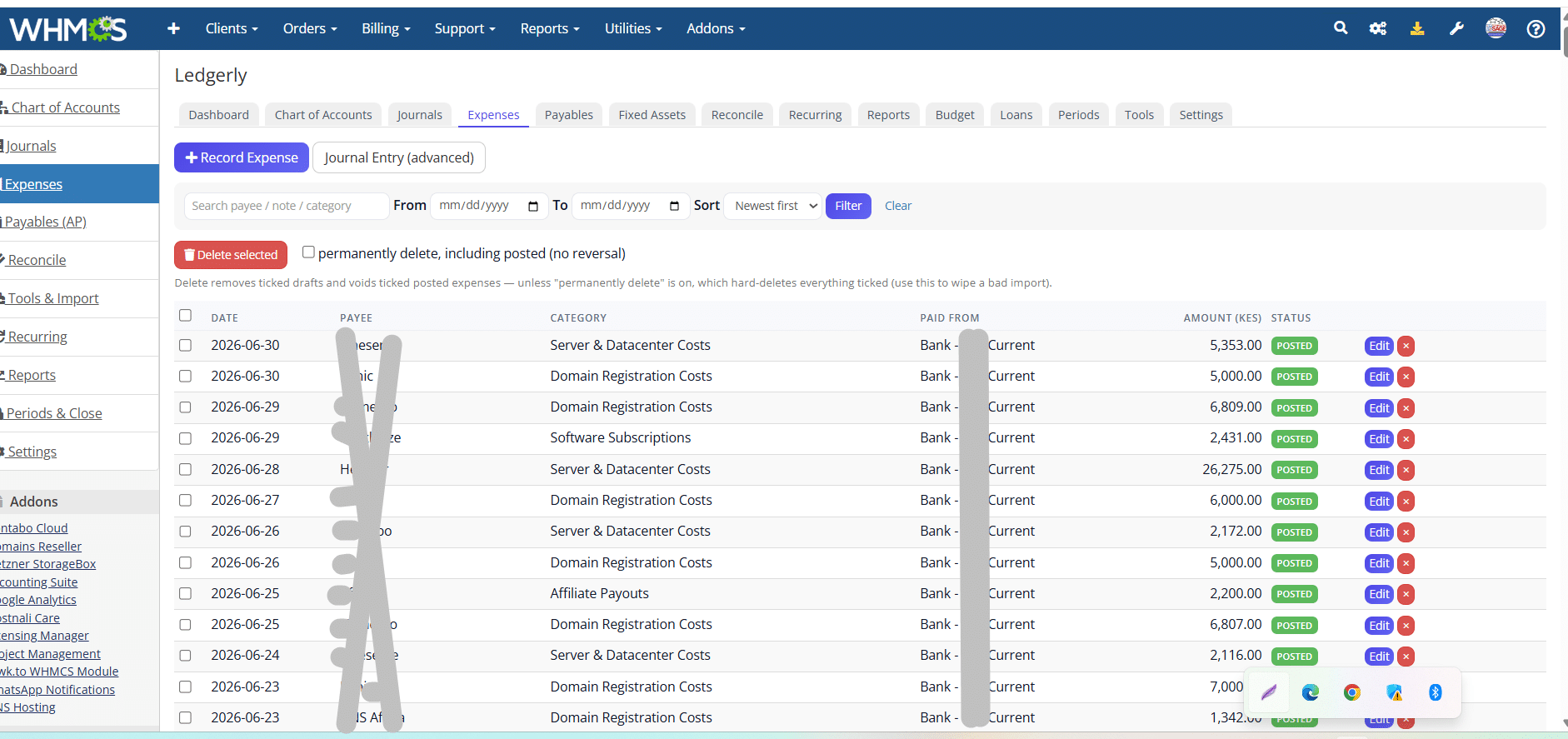
Expenses

Record day-to-day spending, attach receipts, and set recurring expenses that post themselves on schedule. Optional withholding tax on supplier payments.

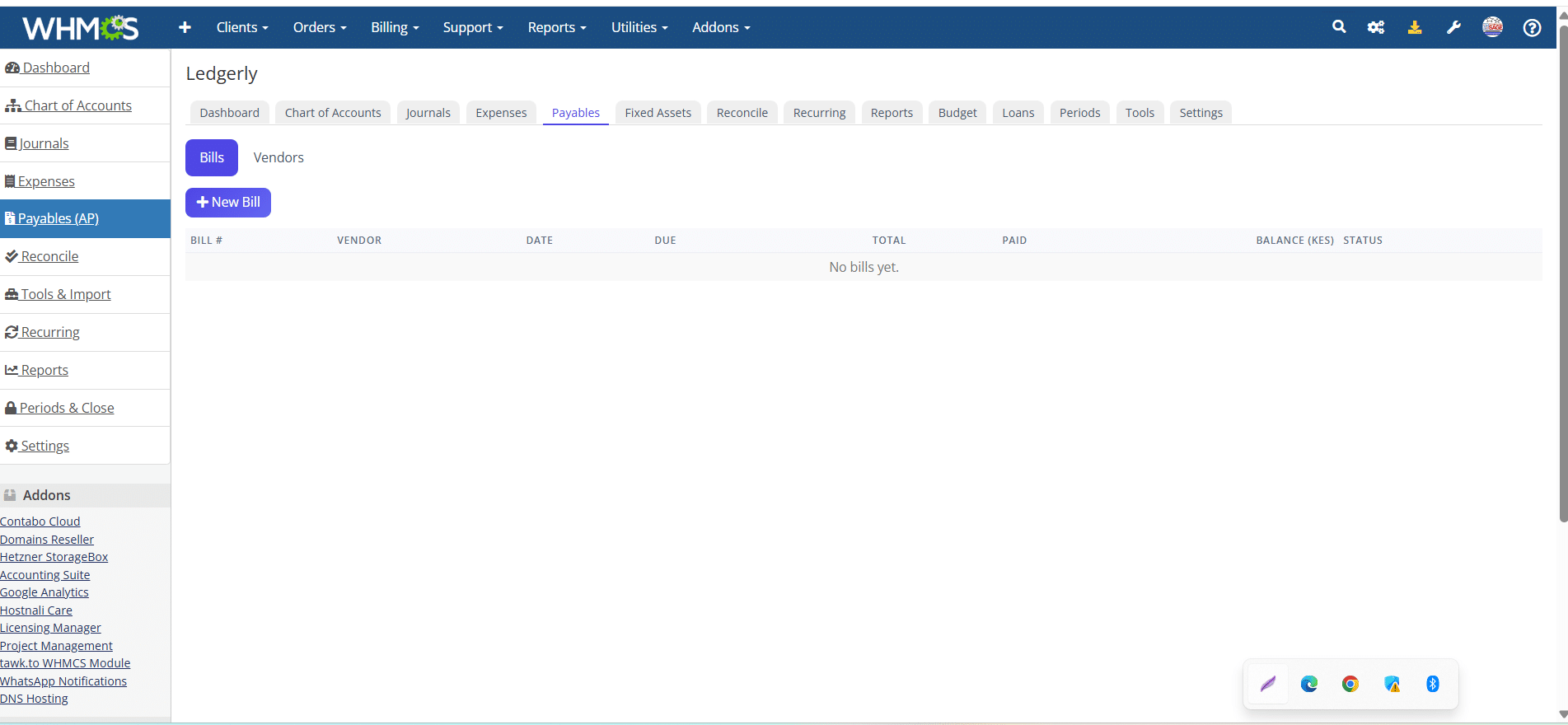
Accounts Payable

Manage vendors and bills, record part-payments, and automate recurring bills. Always know what you owe and when it’s due.

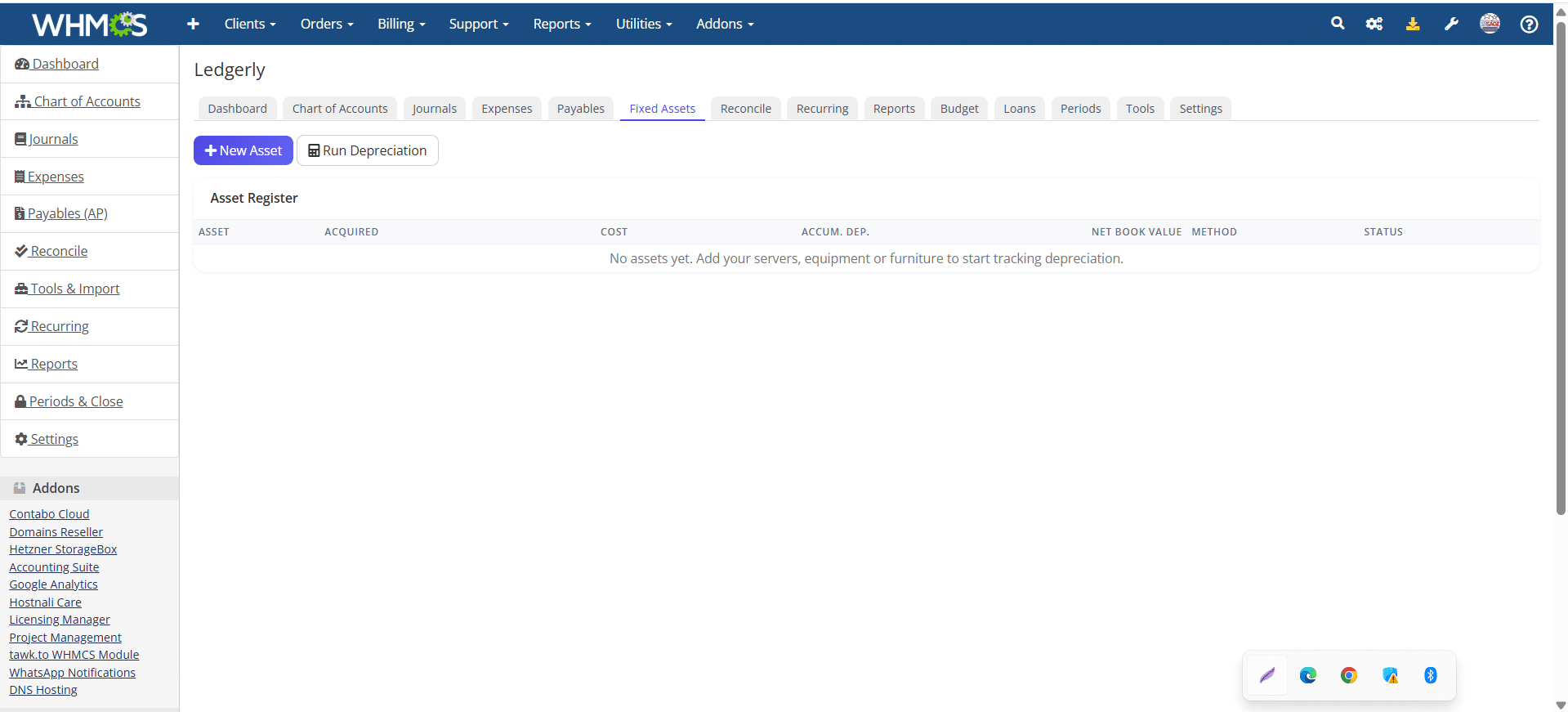
Fixed Assets

Register assets and let Ledgerly calculate and post depreciation automatically, month after month, straight to the ledger.

Loans

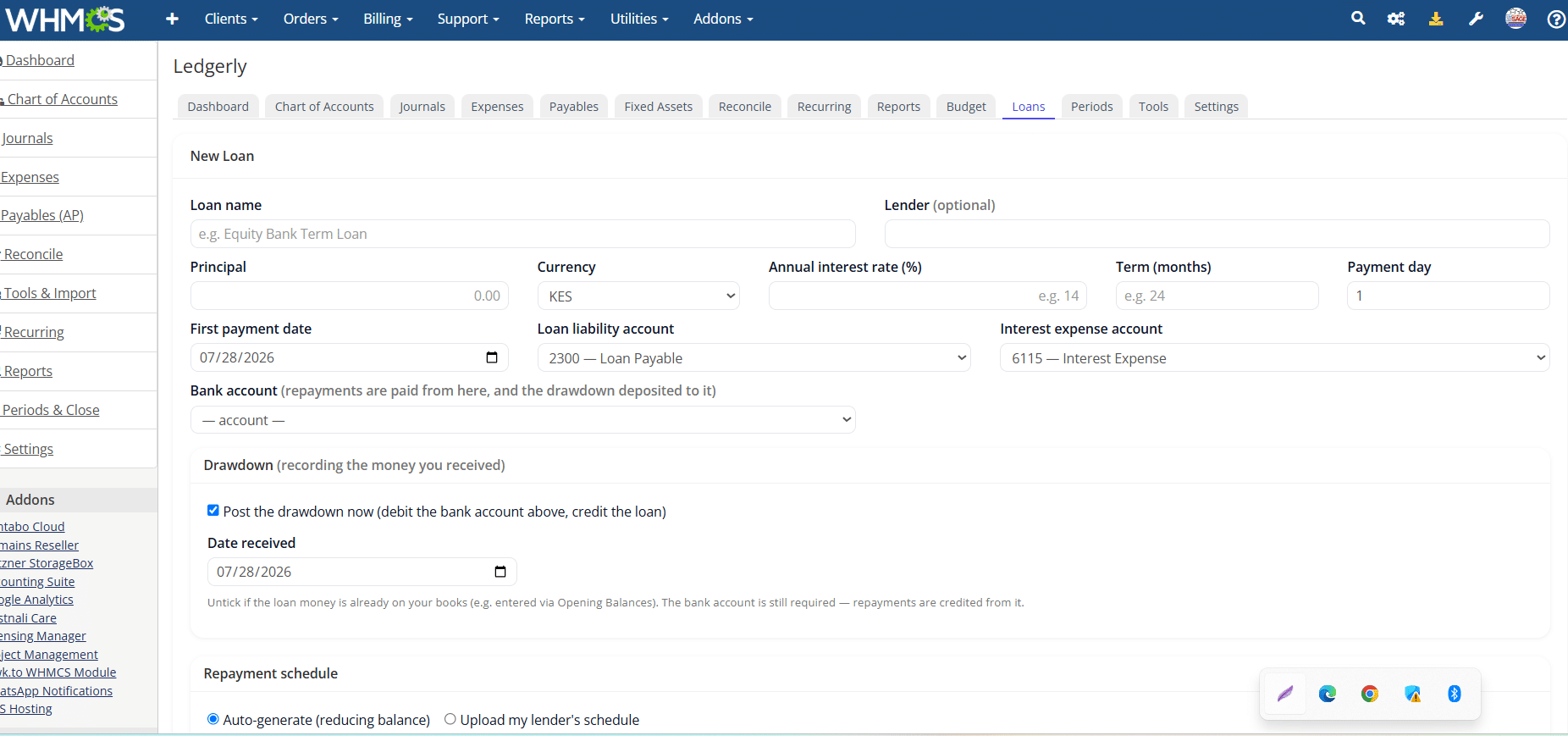
Record loans with an auto-generated amortisation schedule — or upload your lender’s own. Repayments post monthly, split into principal and interest.

Budgeting & Forecasting

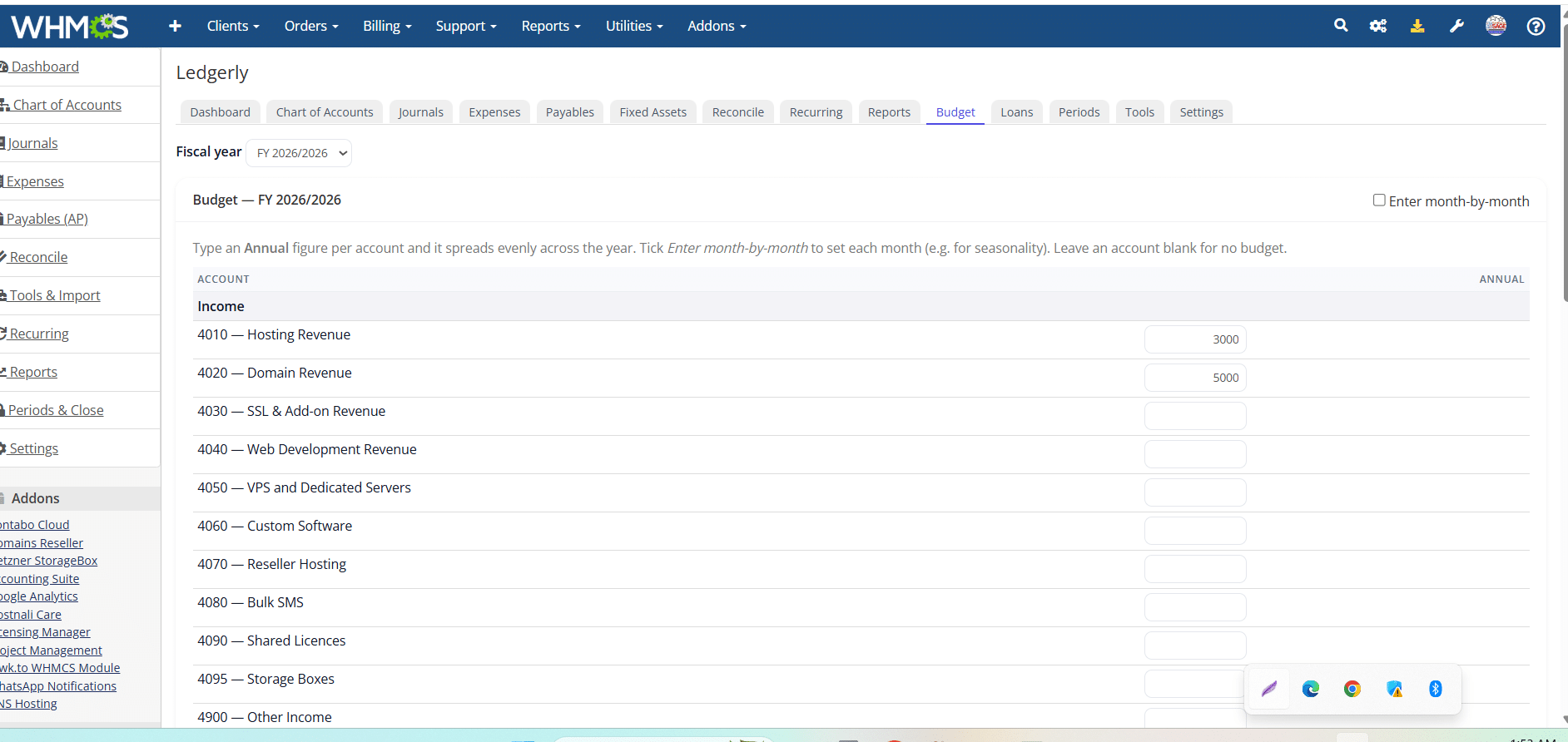
Set budgets by account and track budget-versus-actual through the year, so overspend is visible early rather than at year-end.

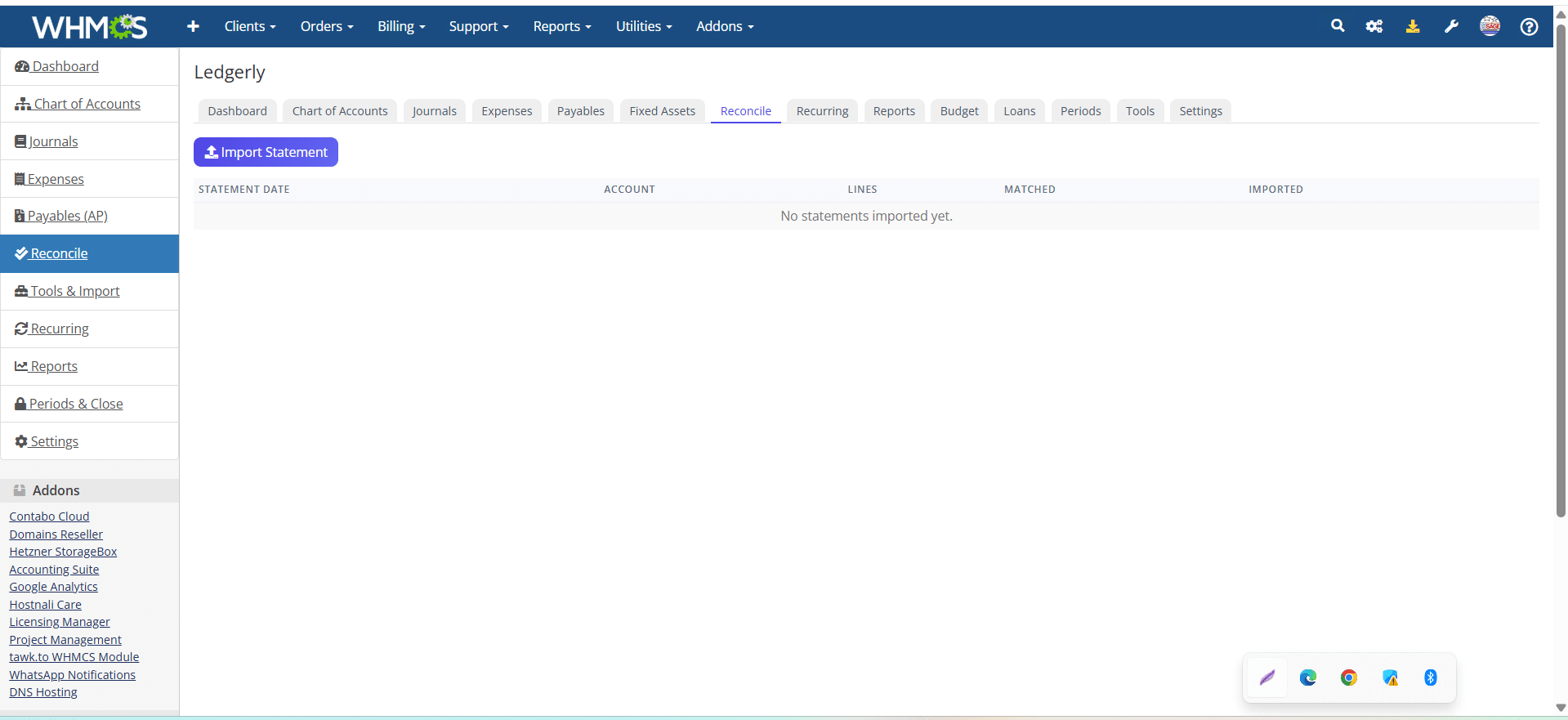
Bank & M-Pesa Reconciliation

Match ledger entries against statements — bank or M-Pesa — and clear reconciled items so your cash position is always accurate.

Currency & Tax

Multi-currency and tax, handled correctly

If you bill internationally or hold foreign balances, Ledgerly keeps the accounting honest — and it handles the tax side that most billing tools ignore entirely.

  • Full multi-currency ledger with per-account foreign balances
  • FX revaluation that posts unrealised gains and losses at period-end
  • Fund transfers between accounts, including cross-currency with automatic FX
  • VAT tracking on sales and purchases, with tax reports
  • Withholding tax on supplier payments, with a WHT payable ledger and summary
Bank — USD$4,200.00
Rate at period-end129.40
Base value543,480
FX gain posted18,060
Revenue (this month)476,842
Expenses (this month)16,081
Net profit460,760
Cash & bank3,340,214
Receivable (current)285,274
At a Glance

A dashboard that reads like a finance report

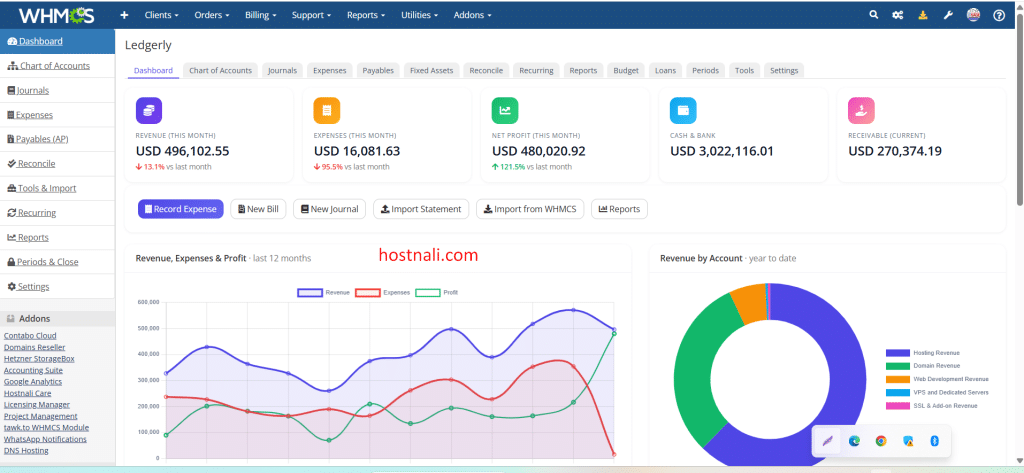
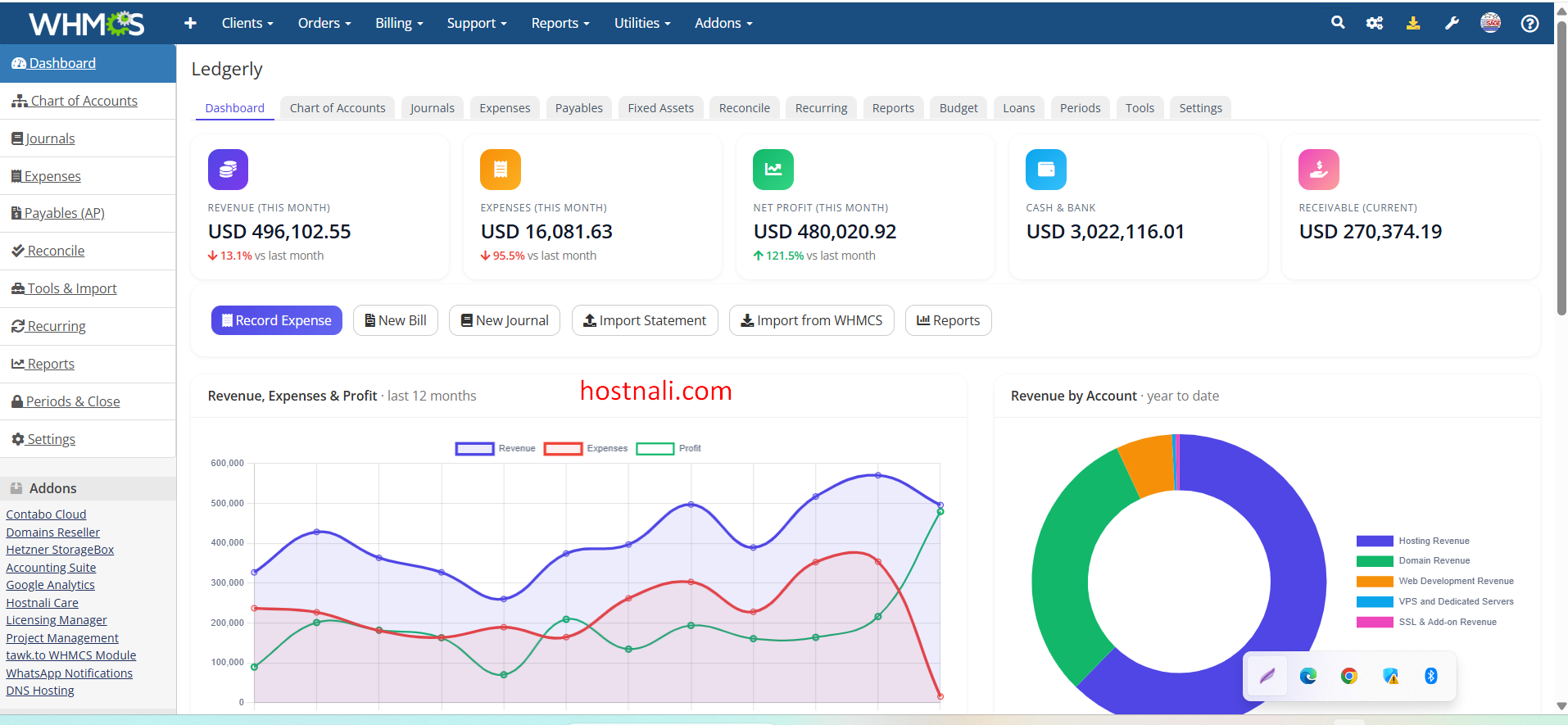
Open the module and see where the business stands — revenue, expenses and net profit for the month, cash across every bank and M-Pesa account, and what’s owed to you — with clean charts, not a wall of numbers.

  • Live KPIs for revenue, expenses, profit, cash and receivables
  • 12-month trend of revenue, expenses and profit
  • Revenue and expense breakdowns by account, at a glance
  • Receivables pulled live from WHMCS, split current vs overdue
Control & Governance

Built for a real finance function

Accounting data is sensitive, and the people who touch it shouldn’t all have the same access. Ledgerly gives you the controls a proper set of books needs.

Role-based permissions

Grant each WHMCS admin role exactly what it can see and do — per area and per action — enforced on the server, not just hidden in the UI.

Full audit trail

Every action is logged — who did what, and when. Voided entries are preserved, never silently deleted, so the trail stays intact.

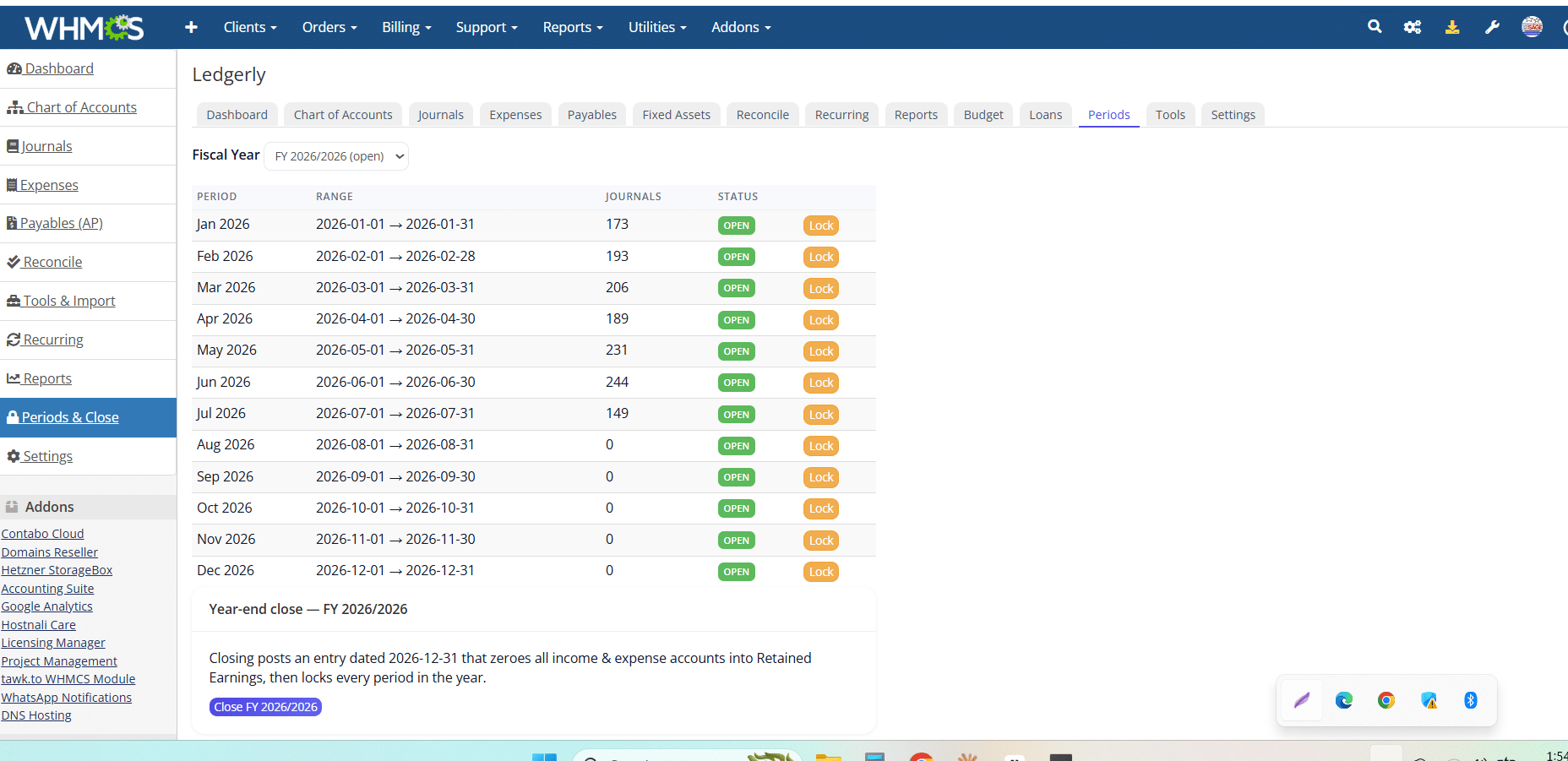
Draft-first & period locking

Require approval before journals post, and lock closed periods so historical figures can’t be quietly changed after the fact.

Receipts & attachments

Attach receipts and supporting documents to expenses and entries, so the evidence lives with the transaction — ready for audit.

Separate books per install

Run more than one WHMCS brand? Each installation keeps its own independent set of books — no mixing, no cross-contamination.

Toggle any module

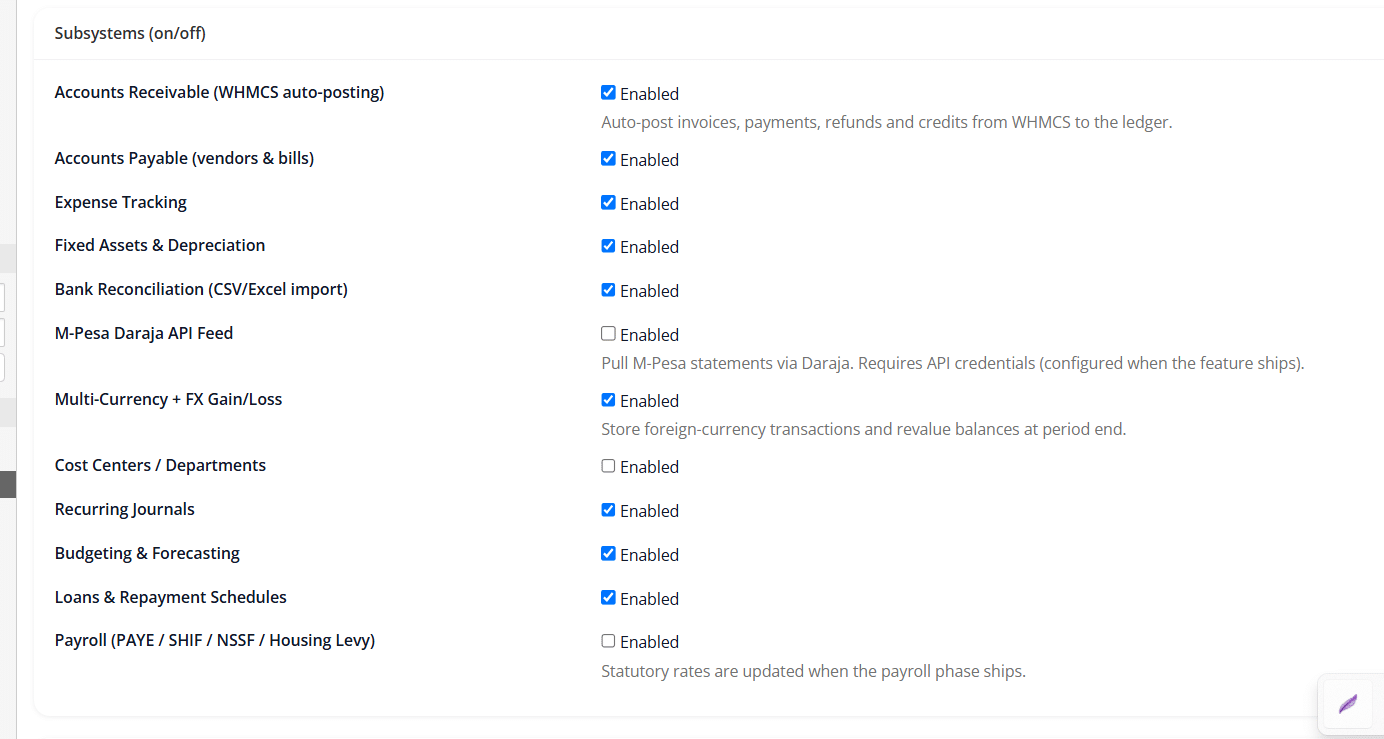
Turn subsystems on or off from Settings — loans, budgeting, permissions and more — so the interface only shows what you actually use.

Getting Started

Up and running without a data-entry marathon

Ledgerly is designed to adopt mid-stream. Bring in your history, set your starting balances, and it begins keeping the books from there — no need to rebuild years of records by hand.

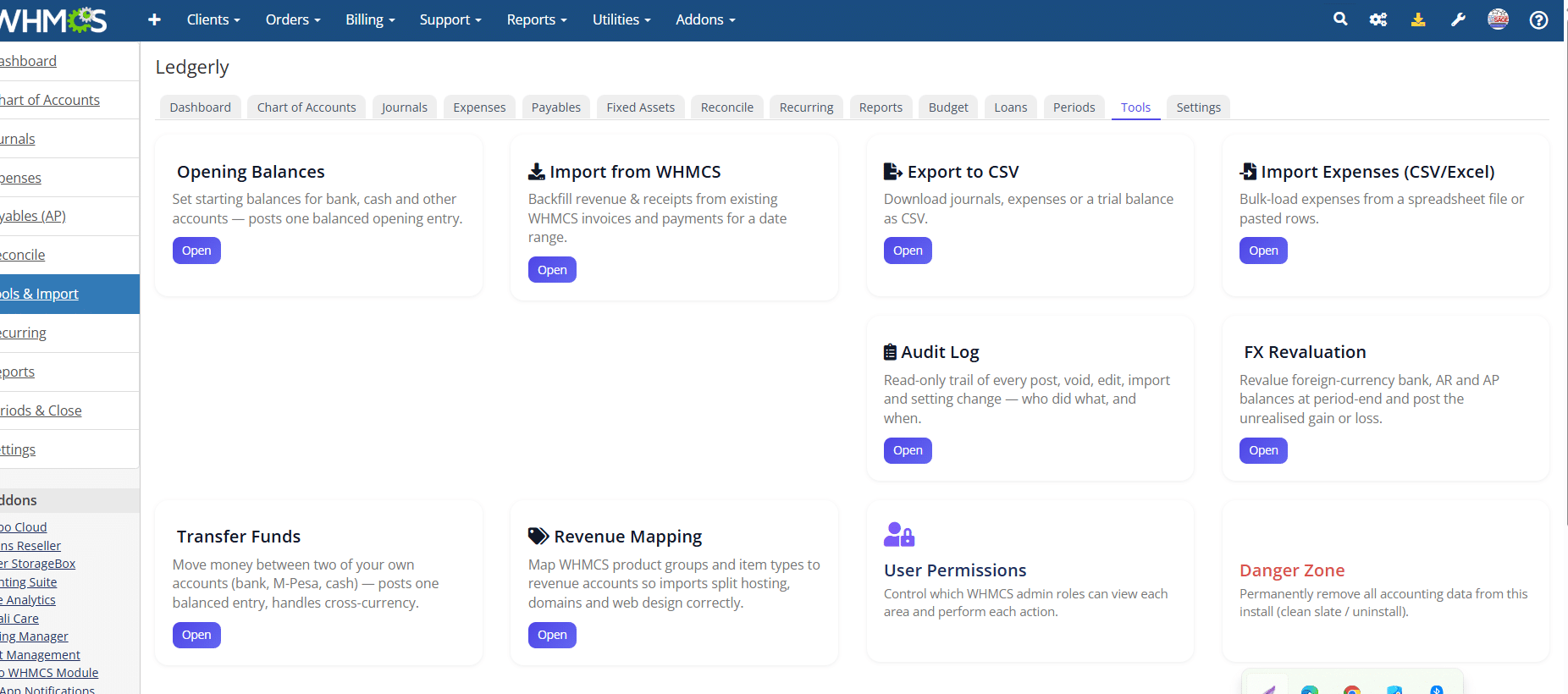
  • Import from WHMCS to bring historical revenue into the ledger
  • Opening balances to carry forward what you already have on the books
  • Sensible default chart of accounts you can start with and adjust
  • White-label ready — put your own brand on the module for resale or client installs
1 · Upload & activate
2 · Import WHMCS history
3 · Enter opening balances
Your books are live
40+ Reports Included

Answers to the questions you actually ask

Profit & Loss Balance Sheet Trial Balance Cash Flow Changes in Equity General Ledger Journal Report Customer Statements Vendor Statements Aged Receivables VAT Summary Tax Collected Tax Paid Withholding Tax Revenue by Product Revenue by Gateway Revenue by Country Expenses by Category Top Customers Client Profitability Domain Registrations Asset Register Depreciation Schedule Budget vs Actual Affiliate Payouts …and more
Requirements

What you need to run Ledgerly

WHMCSWHMCS 8.x (built and tested on 8.13). Installs as a standard addon module.
PHPPHP 8.1 or newer (8.1, 8.2, 8.3, 8.4). Activation checks this and fails cleanly on unsupported versions.
DatabaseMySQL / MariaDB — the same database WHMCS already uses. Tables are created automatically on activation.
AccessAdmin-only module. Client-area access is never exposed.
LicensingOne licence per WHMCS installation, domain-locked. Separate installs need separate licences.
Ledgerly vs Xero vs QuickBooks

The right tool depends on where your business runs

Xero and QuickBooks are excellent general-purpose accounting platforms. The difference is fit: if your business runs on WHMCS, Ledgerly does the WHMCS-specific job they can’t — without a monthly subscription or a sync tool in between.

  Ledgerly Xero QuickBooks
Runs inside WHMCS (one system, one login)
Posts WHMCS invoices & payments automatically
native
via third-party sync via third-party sync
Understands hosting, domains & add-on billing
True double-entry general ledger & statements
Multi-currency & FX revaluation higher plans higher plans
VAT & withholding-tax handling region-dependent region-dependent
Loans with amortisation, posted automatically manual manual
M-Pesa-aware cash & reconciliation via integration via integration
Your data stays in your own database cloud only cloud only
Separate books per brand at no extra cost fee per organisation fee per company
Permissions tied to your WHMCS admin roles separate users separate users
Pricing model one-time licence monthly subscription monthly subscription
Automatic bank feeds (direct bank import) manual reconciliation
Built-in payroll separate module (roadmap)
Mobile apps & large third-party app ecosystem

The honest summary: if you need a standalone accounting platform with bank feeds, payroll and a mobile app, Xero and QuickBooks are built for that. If your revenue lives in WHMCS and you want it accounted for correctly — automatically, in one place, without a monthly bill or a sync tool — that’s exactly what Ledgerly is for. Many businesses even run both: Ledgerly as the WHMCS system of record, exporting clean figures to their accountant.

Questions

Frequently asked

Does Ledgerly replace QuickBooks or Xero?

For most hosting and web businesses, yes. Ledgerly keeps a full double-entry general ledger and produces the standard financial statements inside WHMCS, so there’s no need to export data to external accounting software. Your accountant can work directly from Ledgerly’s reports and CSV exports.

Is this real double-entry accounting, or just reports on invoices?

Real double-entry. Every transaction posts balanced debits and credits to a general ledger, with a chart of accounts, journals, period close and year-end close. The financial statements are generated from the ledger itself — not estimated from invoice totals.

Will it work with my existing WHMCS data?

Yes. You can import historical revenue from WHMCS and set opening balances, so Ledgerly starts from your real position rather than an empty ledger. You don’t have to re-enter past records by hand.

Does it handle multiple currencies?

Yes. Ledgerly is fully multi-currency, tracks foreign balances per account, and posts unrealised FX gains and losses through period-end revaluation. Cross-currency transfers between your own accounts are handled automatically.

Can I control which staff see the accounting data?

Yes. Permissions are keyed to your WHMCS admin roles — you decide, per role, which areas each can view and which actions they can perform. Restrictions are enforced on the server, so they can’t be bypassed.

What happens to my data if I deactivate the module?

Deactivating keeps all your data intact. Removing data is a separate, deliberate action available only to a full administrator — so you can never lose your books by toggling the module off.

I run several WHMCS brands. Does each keep its own books?

Yes. Each WHMCS installation maintains its own independent set of books. Nothing is shared or mixed between installs, and each install is licensed separately.

Give WHMCS a real set of books

Stop reconciling two systems every month. Ledgerly makes WHMCS your accounting system of record — double-entry, statements, tax and multi-currency, all in one place.

Our Customers Love Our Services