 ZMW
 KES - Kenya
 UGX - Uganda
 TZS - Tanzania
 RWF - Rwanda
 NGN - Nigeria
 ZAR - South Africa
 USD - Zimbabwe
 GHS - Ghana
 ETB - Ethiopia
 USD - International

If you supply mines on the Copperbelt, run a logistics firm in Lusaka or sell agricultural inputs across the Eastern Province, you probably know the routine. Customers phone for invoice copies, email for statements and send mobile money without saying which invoice it covers. Each request is small; added up, they take a large share of your team’s week.
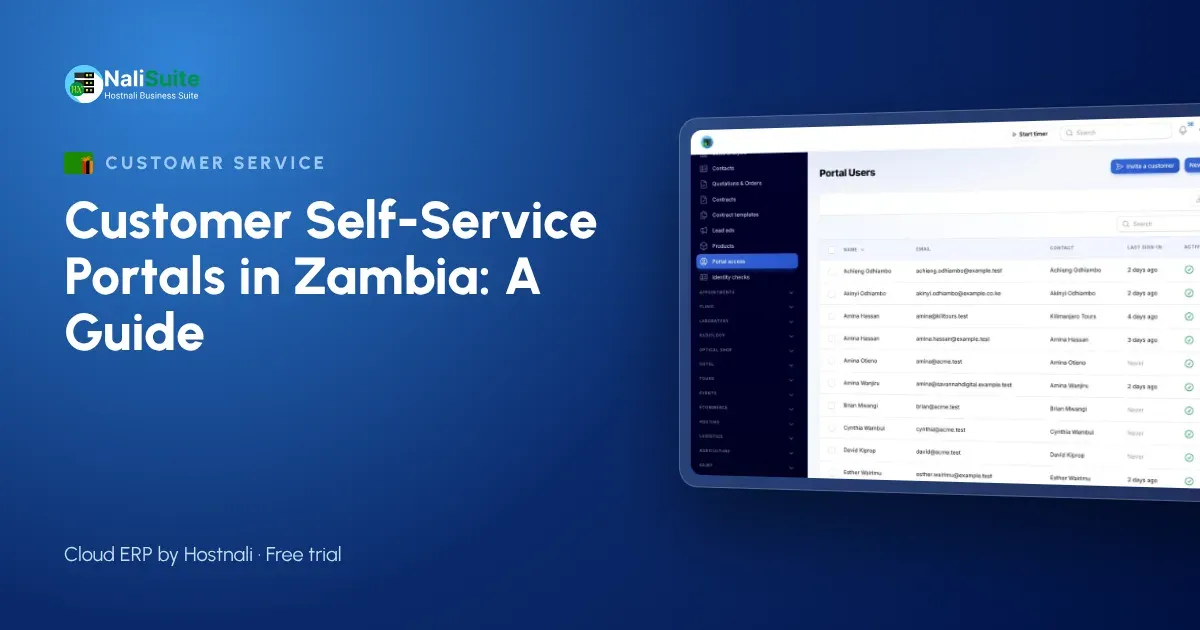
A customer self-service portal shifts those small jobs to the customer, who can do them in a minute. Here is how it works, how to set one up and what to watch for in Zambia.
The cost of “just one quick question”
Small businesses rarely track how much time goes on repeat requests, so try it for one week. Ask whoever answers the phone and the accounts inbox to tally:
- requests for invoice or receipt copies;
- requests for statements or balances;
- questions about whether a quotation is still valid;
- “where is my order?” calls;
- payments that arrived without a clear reference.
Most businesses are surprised by the total. Nearly all of those requests can be answered by a portal.
What customers can do in the portal
NaliSuite’s customer portal is built in to every plan. Customer contacts are invited by email, sign in with a secure link or password, and see only their own organisation’s records. They can:
- Open invoices and statements at any time and download copies.
- Pay outstanding invoices with MTN MoMo, Airtel Money or a card, so each payment is linked to the invoice it settles. Read about mobile money payments.
- Accept quotations online and follow the order that follows.
- Raise support tickets and read your knowledge base.
- Get shared documents such as contracts and certificates, and sign online.
- Manage subscriptions, if you offer them and allow it.
Setting it up
Prepare your customer list
Go through active customers and confirm the right contact email for each, plus their TPIN where you invoice companies. Merge duplicates so a customer does not end up with two portal accounts. The NaliSuite contacts app can find and merge duplicates by name, email or phone.
Check your open invoices
Customers will see their balances directly. Before inviting anyone, make sure payments received are recorded and old disputes are settled or noted.
Start small
Invite a few customers you trust to give honest feedback. A Kitwe engineering firm that orders every week is a better first user than a one-off buyer.
Answer their questions in writing
Each question from the first group is a knowledge base article waiting to be written: how to pay by mobile money, where to find a statement, how to accept a quotation. Publish them so the portal answers the next customer.
Open it to everyone
Invite all active customers, add the portal link to invoices and statements, and agree as a team that document requests are answered with the portal link.
Example: an inputs supplier in Chipata
Take a supplier of seed and fertiliser that sells to cooperatives and commercial farmers around Chipata and Petauke. Orders peak before the planting season, and many customers pay in instalments once they have sold a harvest.
Before the portal, the supplier’s office was busiest exactly when it should have been dispatching stock. Cooperative treasurers called for balances, farmers sent mobile money with only a first name as the reference, and quotations for large orders sat unsigned for days.
With the portal, each cooperative’s treasurer and each larger farm’s bookkeeper has a login. They check the running balance whenever they want, pay instalments straight from the invoice with mobile money, and accept the season’s quotation online so stock can be reserved. Questions about deliveries come in as tickets that the warehouse team can see. In the busy weeks, the phone still rings, but far less often about paperwork.
Three things to watch
Wrong contacts. If invitations go to a general inbox nobody reads, nothing changes. Ask for the name of the person who pays your invoices.
Old habits on your side. If staff still send PDFs on request, customers have no reason to log in. Send the document once, with the link.
Network and devices. Many customers will open the portal on a phone with mobile data. Keep shared files reasonably small and test the portal on a basic smartphone yourself.
Protecting customer information
Personal details in the portal are covered by Zambia’s Data Protection Act No. 3 of 2021, overseen by the Office of the Data Protection Commissioner. Invite only authorised contacts, remove people who leave, and share documents only with the customers they concern. Check the Commissioner’s current guidance for any registration duty that applies to you.
Is a portal right for your business?
A portal helps most when customers buy from you repeatedly, on credit or on a contract. If you mainly sell for cash over a counter, a point of sale system and printed receipts matter more. Many businesses do both: walk-in customers pay at the till, while trade accounts and contract customers use the portal.
Frequently asked questions
What does the customer portal cost?
Nothing extra. It is included in every NaliSuite plan, starting at ₵25 a month.
Can customers pay with Airtel Money?
Yes. Customers can pay outstanding invoices by MTN MoMo, Airtel Money or card from the portal.
Does each customer see only their own records?
Yes. Every portal user sees only the records of their own organisation.
Can I use my company’s domain for the portal?
Yes, on plans that include a custom domain or with the custom domain add-on.
Try NaliSuite
Let your Zambian customers download statements, pay by mobile money and accept quotations without calling you. See the NaliSuite plans and start a free trial.