 ZMW
 KES - Kenya
 UGX - Uganda
 TZS - Tanzania
 RWF - Rwanda
 NGN - Nigeria
 ZAR - South Africa
 USD - Zimbabwe
 GHS - Ghana
 ETB - Ethiopia
 USD - International

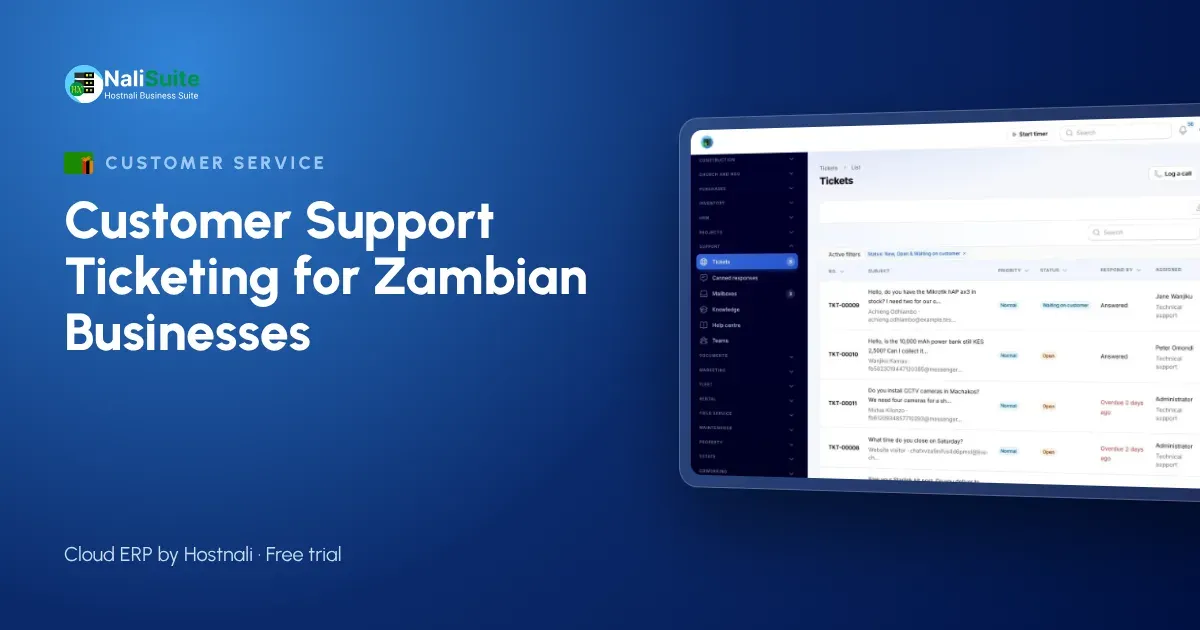
For many Zambian businesses, a missed message is a missed booking. A tourist in Livingstone who does not get a reply about a vehicle will book elsewhere within the hour; a corporate client in Lusaka who waits two days for an invoice correction will remember it at contract renewal.
A ticketing system makes sure every message is seen, owned and answered. This guide shows how a car hire company set one up in an afternoon.
The example: a car hire company
A car hire firm with offices in Rhodes Park, Lusaka, and in Livingstone rents saloons and 4x4s to business travellers, NGOs and tourists heading to the Victoria Falls and the national parks. A team of four handles customers. Messages arrive by phone, WhatsApp, email, the website form and Facebook.
Before ticketing, the Livingstone office used one phone and the Lusaka office used another, and each kept its own notebook. A customer who booked in Lusaka and broke down near Kafue had to explain everything twice.
Setting it up in an afternoon
Step 1: connect every channel
The firm pointed its booking and support email addresses at NaliSuite Helpdesk, added a web form to its website, connected Facebook Messenger and Instagram, and linked its WhatsApp Business number through the WhatsApp Business Cloud API (see the WhatsApp feature). Phone calls are logged as tickets by whoever answers.
Step 2: create two teams
- Reservations: new bookings, changes, quotes.
- On the road: breakdowns, accidents, keys, fuel questions.
Tickets in each team are shared out by round robin, so both offices take their turn.
Step 3: agree priorities
| Priority | Example |
|---|---|
| Urgent | Customer broken down or in an accident |
| High | Booking for tomorrow not confirmed |
| Normal | Quote, booking change, invoice query |
| Low | General question, feedback |
Each priority gets first-response and resolution targets, and Helpdesk escalates tickets that are about to miss them. A breakdown near Kafue now goes to the top of the queue, whichever office the customer booked with.
Step 4: write ten canned replies
Required documents for hiring, deposit rules, cross-border travel conditions, how to pay, what to do in a breakdown. Saved once, used by every agent, always correct.
Step 5: publish a few help articles
The same answers, written up in a little more detail, go into a public help centre and the customer portal. Tourists often read them before they ever message.
After-hours requests
Car hire does not stop at 5pm. Messages that arrive overnight wait in the queue with their priority, so the first agent in the morning sees the urgent ones first. For true emergencies, the firm keeps an on-call number in its canned breakdown reply.
One customer, one history
The biggest change for the Lusaka and Livingstone teams was that the customer’s story now travels with them. When a tourist who booked online calls from the road, the agent opens the customer’s record and sees the booking question, the deposit invoice and the earlier messages in one place. Nobody has to ask “which car did you take?” again, and the customer feels looked after rather than passed around.
Getting replies right, faster
With the AI Business Assistant add-on, AI drafts a reply from the conversation and the help articles. The agent checks it, adjusts it and sends it. The add-on uses the business’s own Anthropic API key, so the firm controls its data and cost.
Support, invoices and payments together
Many tickets are about money: a deposit, an extra day, a damage charge. With the helpdesk next to NaliSuite Invoicing, the agent can check and send the right invoice. Customers pay by MTN MoMo, Airtel Money or card, and mobile money payments are matched to the invoice.
Corporate clients can sign in to the customer portal to see their invoices, open tickets and download agreements.
What the numbers showed
After a month the firm reviewed its tickets:
- Most urgent tickets came from gravel roads to the parks, so it added a pre-trip checklist to every 4x4 booking.
- First replies were slowest on Sunday afternoons, so it adjusted the rota.
- Ratings after resolved tickets were highest when the same agent handled a customer from start to finish.
Customer data
Tickets include names, phone numbers, ID or licence details and travel plans, which are personal data under Zambia’s Data Protection Act No. 3 of 2021. Keep them in the helpdesk rather than on personal phones, and restrict access to the teams that need them.
Tourists and business travellers
Tourists and corporate clients want different things. Tourists ask about routes, border crossings and park roads; business travellers care about invoices and quick vehicle swaps. Tag tickets by customer type and keep separate canned replies for each group, so a tourist planning a trip to South Luangwa gets useful travel information and a corporate client gets a clear invoice.
Frequently asked questions
Can both offices work from the same queue?
Yes. Both offices see one inbox, and tickets are assigned to teams and people regardless of location.
Can customers rate the help they got?
Yes. Customers can be asked to rate the support once a ticket is resolved.
Do we need a website for this?
No. Email, phone, WhatsApp and social channels work without one, though a web form and help centre are useful extras.
Try NaliSuite
Every NaliSuite plan includes Helpdesk, Invoicing and the customer portal, from ₵25 a month. See the plans and connect your channels during the free trial.