 ZMW
 KES - Kenya
 UGX - Uganda
 TZS - Tanzania
 RWF - Rwanda
 NGN - Nigeria
 ZAR - South Africa
 USD - Zimbabwe
 GHS - Ghana
 ETB - Ethiopia
 USD - International

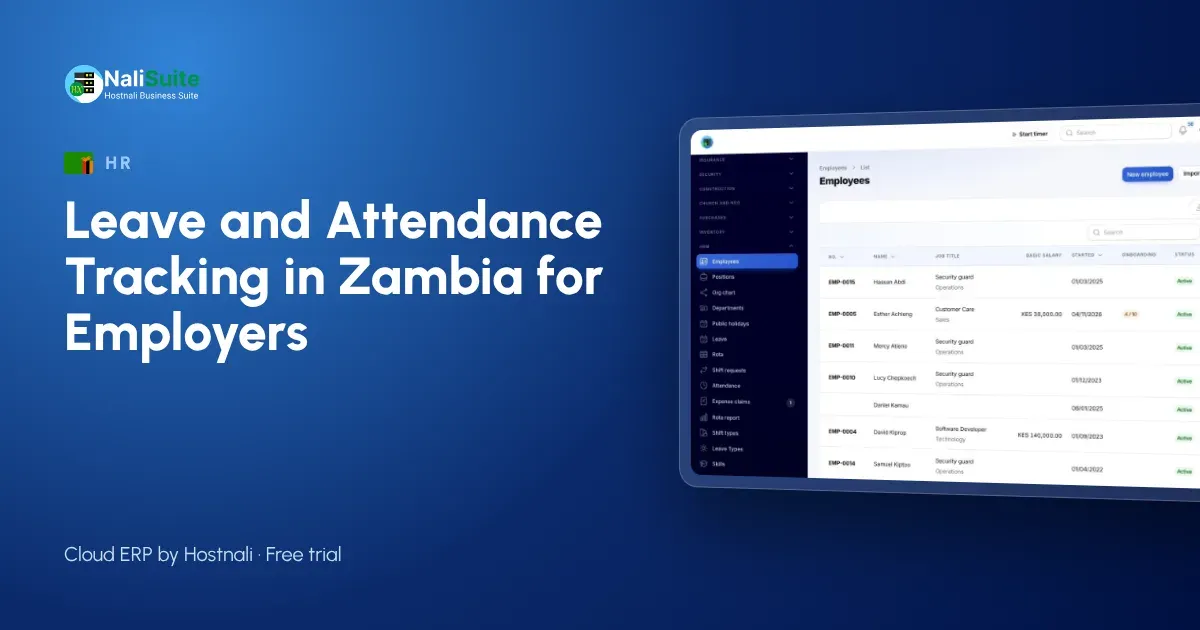
Zambian businesses with staff on mine sites, farms or lodges rarely have everyone in one building. Paper registers sent in at month-end arrive late and are hard to check.
This guide explains what to track, how to set it up on staff phones and how it connects to payroll, with an example from a mining services contractor in Kitwe.
Before you set it up
Sit down with whoever handles HR in Zambia and agree the answers to a few questions: the leave types and days per contract, carry-over rules, approvers and their backups, the sites that need a geofence, and the working hours and grace period for lateness. Ten minutes on this saves weeks of corrections later.
The records that matter
Good leave and attendance records answer five questions without anyone digging through messages:
- Which leave types does each employee have, and what is their balance today?
- Who asked for leave, when, and who approved it?
- Who checked in today, where, and at what time?
- Who was late or absent, and was it explained?
- Which hours count as overtime this month?
Example from Zambia
A mining services contractor in Kitwe with 45 staff split across three client sites relied on supervisors sending attendance by WhatsApp photo. Payroll spent days reading blurry registers. Geofenced check-in for each site now gives the office a live list, late arrivals are flagged, and leave requests reach the right supervisor instead of the general WhatsApp group.
How staff request leave
There is nothing to install from an app store: the employee app opens in the phone’s browser and can be added to the home screen. An employee chooses the leave type, the dates and a note; the manager gets a notification, checks the team calendar and approves. If the request is declined, the employee sees why.
Late detection and site check-in
Set the working hours for each team and draw a geofence around each site. When someone clocks in after the start time, the HR app marks them late; when they forget to clock out, the manager is prompted to fix it. Over a month this gives you an honest picture of punctuality without anyone standing at the gate.
Keeping staff on side
Clock-in works best when employees see the benefit too. They can check their own leave balance at any time, see exactly which days were counted, and get their payslip in the same app. Explain that the geofence records location only at clock-in and clock-out, not all day.
Connecting it to pay day
The point of tracking leave and attendance is a correct payslip. NaliSuite passes leave, absences and overtime straight into Payroll, which works out the deductions you set up. Employees see the same figures on their payslip that their manager approved.
Leave and attendance in Zambia: what to keep in mind
In Zambia, leave entitlements come from the Employment Code Act and your contracts, so set leave types to match them and check the law where you are unsure. NaliSuite does not assume statutory deductions for Zambia: you set up the deductions you need and the pay run applies them, paying staff by bank, MTN MoMo or Airtel Money.
Another example: Livingstone
Picture a lodge and tour operator in Livingstone, around 19 people. Leave used to be agreed in passing and written down later, if at all. With requests in the app and clock-in at the Livingstone site, the owner now sees each morning who is in, who is on leave and who is late, and pays employees by bank and MTN MoMo or Airtel Money from the same record.
Mistakes we see most often
The first is copying an old paper process into new software without asking whether it still makes sense. The second is leaving leave balances to be fixed later; they never are. The third is treating attendance as a policing tool. Employees accept clock-in far more easily when they can see their own records, request leave from the same app and get their salary slips there too.
Reports worth checking monthly
- Leave taken and remaining per employee, so nobody reaches December with a month of leave owed.
- Absence and lateness per team, to spot a pattern early.
- Overtime hours per person and per site, against your budget.
- Upcoming leave for the next four weeks, so you can plan cover.
A simple rollout plan
- Day 1: set up leave types, approvers and working hours.
- Day 2: import employees and their opening leave balances.
- Days 3–7: employees clock in on their phones while you keep the old register as a backup.
- End of the month: compare the two, fix any gaps, and retire the paper register.
Frequently asked questions
Can staff on remote sites check in without signal?
Check-in needs a connection at that moment; supervisors can record attendance afterwards for sites with no coverage.
Can I pay salaries by mobile money in Zambia?
Yes. Each pay run produces bank and mobile money payout files from the final figures.
How many leave days should I give?
That depends on the labour law and your contracts. Check your employment law and contracts, then set the leave types in NaliSuite to match.
Try NaliSuite
Leave, attendance, HR and payroll are part of every NaliSuite plan, from ₵25 a month. Start a free trial and set up your first team this week, or compare the plans.