 ZMW
 KES - Kenya
 UGX - Uganda
 TZS - Tanzania
 RWF - Rwanda
 NGN - Nigeria
 ZAR - South Africa
 USD - Zimbabwe
 GHS - Ghana
 ETB - Ethiopia
 USD - International

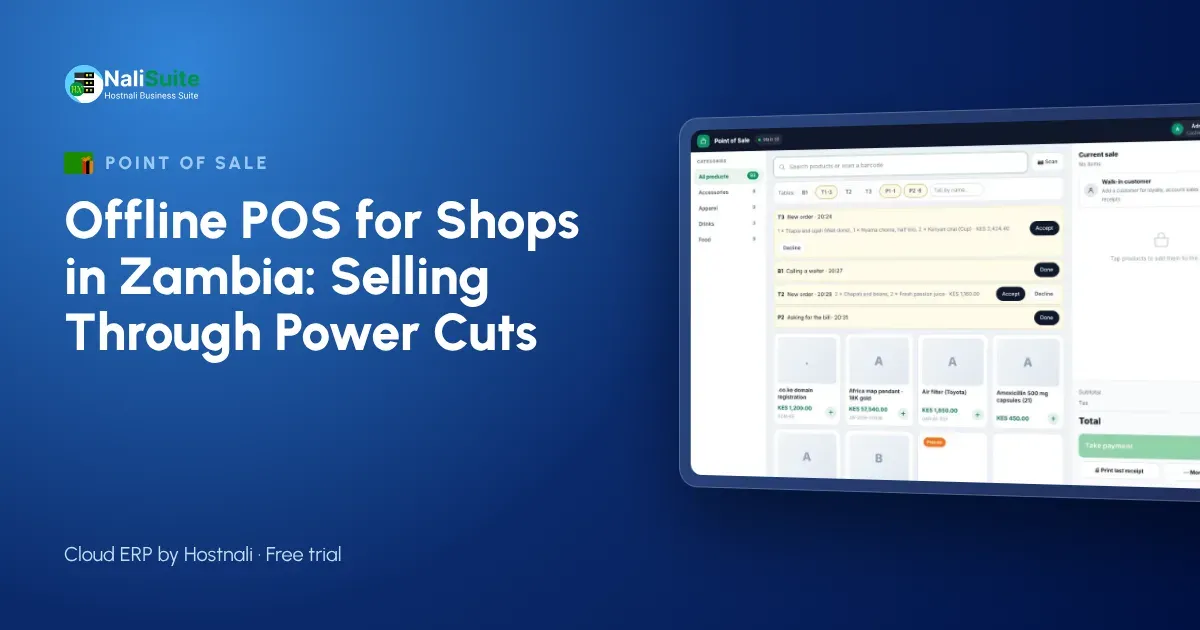
Long hours of load-shedding in recent years pushed many Zambian businesses onto solar, inverters and generators. The till is often the first thing to suffer when the router loses power. An offline point of sale keeps the counter selling and catches up with the cloud when the connection returns.
Offline point of sale, explained
An offline point of sale is a cloud till that keeps working without the internet. Each sale is saved on the device itself, the receipt prints or is queued for sending, and stock is reduced locally. When the connection returns, the till uploads the stored sales in the order they happened, and your cloud records, reports and stock levels catch up.
The key word is in order. A good till never loses a sale and never counts one twice, even if the connection drops in the middle of an upload.
Load-shedding, networks and mobile money in Zambia
Even with backup power, network towers and routers do not always stay up. In busy markets in Lusaka or on the Copperbelt, mobile data can slow to a crawl.
Mobile money is part of daily trade: customers pay with MTN MoMo or Airtel Money and expect the shop to confirm it quickly. A till that keeps a clear record of each mobile money sale, even offline, makes the end-of-day check against your statements simple.
Payments at the till
Offline mode keeps the till selling, but each payment method behaves differently without a connection. Cash is simple. Card machines need their own power and network, so choose one with a battery and its own SIM if outages are common. Mobile and online payments need a confirmation from the provider, so make it a rule to check the confirmation message before goods leave the counter, and let the till match the payment once it is online.
Whatever the method, the till should record it on the sale. That is what turns the end-of-day cash-up into a five-minute job.
The NaliSuite till records every payment method on the sale; more on mobile money and card payments here.
Example: a pharmacy in Kitwe
A pharmacy in Kitwe uses a laptop till and a phone for mobile money. During an evening of load-shedding the inverter keeps the laptop going but the router fails. The pharmacist keeps dispensing and selling, records cash and mobile money payments, and prints receipts. Batches sold that evening are deducted from stock when the sales sync later that night, so the expiry report the next morning is accurate.
Before offline mode, the evening’s sales lived in a notebook and the stock count was always a day behind.
Why stock and sales must share one system
Every sale should reduce stock in the shop where it happened, whether the till was online or not. That only works when the point of sale and inventory are part of one system rather than two that export to each other at night. With one system, reorder points trigger at the right time, the stock-take finds fewer surprises, and you can see slow movers before they tie up your cash.
Questions to ask any POS supplier
Use these questions when you compare systems:
- Can I watch it sell with the internet switched off, and then sync?
- What happens if two tills sell the last unit of the same product while both are offline?
- Does it run in a browser on devices I already own, or do I need special hardware?
- Can one bill be split between cash and another payment method?
- Are receipts printed, sent by SMS or WhatsApp, or both?
- Does stock update per branch, and can I see it from my phone?
A supplier who answers all six with a demo, not a promise, is worth a closer look.
Getting your setup right in Zambia
If you have solar or an inverter, put the till device, router and printer on it. A laptop or tablet till can run for hours on battery, but the router is often forgotten. A small router UPS is a cheap fix.
For mobile money, use a dedicated shop phone for MTN MoMo and Airtel Money confirmations and keep it at the counter. Record the network and reference on the sale if you can; it makes matching against statements much faster. Shops on the Copperbelt that serve mine contractors often sell on account; offline mode handles those sales too.
Frequently asked questions
What happens to stock levels while the till is offline?
Each sale is stored on the device and deducted from stock when it syncs. If two tills sell the same item offline, both sales are applied in order once they reconnect.
Can I see sales from home?
Yes, as soon as the tills are online. Sales made offline appear when the till syncs.
What is an offline POS?
A point of sale that keeps recording sales without the internet and syncs them to the cloud when the connection returns.
Try NaliSuite
Want to see a till that keeps selling? The NaliSuite offline POS comes with every plan from ₵25 a month, alongside inventory and accounting. Start with a free trial.