 ZMW
 KES - Kenya
 UGX - Uganda
 TZS - Tanzania
 RWF - Rwanda
 NGN - Nigeria
 ZAR - South Africa
 USD - Zimbabwe
 GHS - Ghana
 ETB - Ethiopia
 USD - International

In Zambia, many growing businesses are project businesses without calling themselves that. A solar installer, a borehole driller, a shopfitter or an IT company does a series of jobs, each with a start, an end, a crew and a bill. When those jobs are run from memory and a phone, the business can only grow as far as the owner can personally keep track.
This guide uses a solar installer in Lusaka to show how to run projects with a small team.
Why installation jobs slip
A solar company in Kabulonga, Lusaka, has two installation crews and an office of three. In a typical month it handles a dozen home systems in Lusaka, a lodge outside Livingstone and a small farm system near Chisamba.
The jobs slip for the same reasons every time:
- Panels or inverters are not in stock on the day the crew arrives.
- One crew is double-booked while the other sits idle.
- The client changes the design after the survey and nobody records the extra work.
- The final payment is not chased because the owner thought the office had sent the invoice.
Build a job template once
Most installations follow the same steps: site survey, system design, quote approval, deposit, equipment allocation, installation, testing, handover and after-sales check. Put those steps into a template in NaliSuite Projects and every new job starts complete.
Each task carries:
- an owner, for example the survey engineer or crew leader;
- a due date worked back from the installation day;
- a checklist, such as roof inspection, cable routes and battery placement for the survey.
Make a second template for larger commercial or lodge jobs, which have more stages and approvals.
Crews work from their phones
Crew leaders open their tasks in the phone browser on site, tick off checklist items and log their time. The office in Lusaka sees progress without calling. For businesses that send technicians out every day, the Field Service add-on adds job dispatch to technicians and invoicing of labour and parts from the phone.
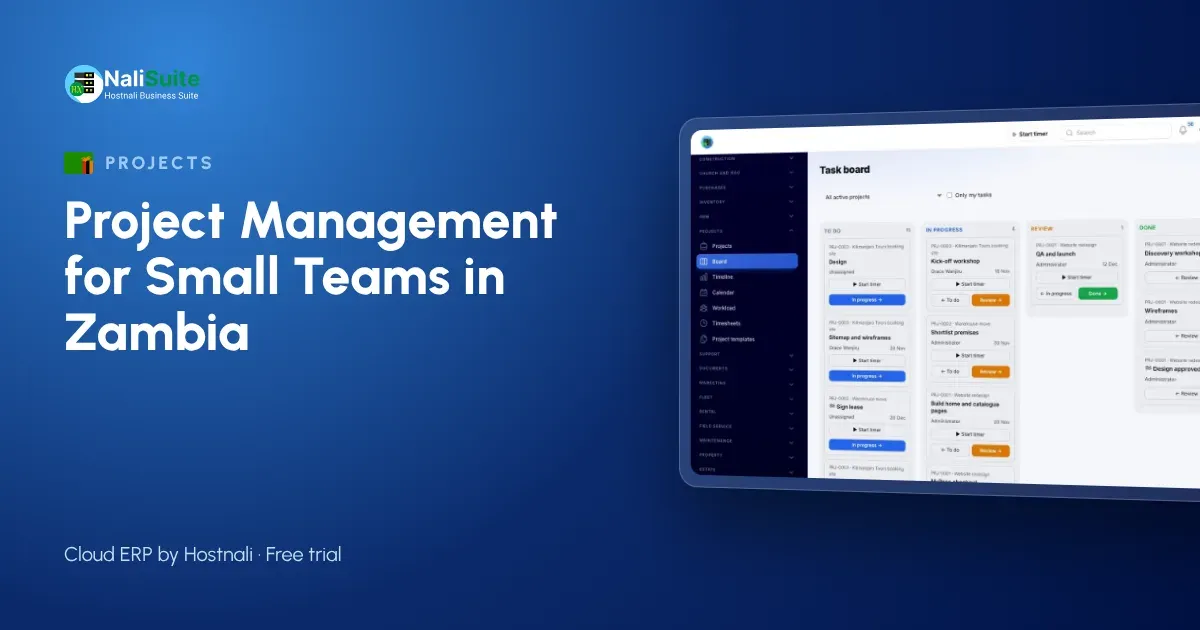
The board view in the office shows each job’s state: Survey, Awaiting deposit, Ready to install, Installed, Handed over. The timeline shows which crew is where on each day, so double bookings are spotted before they happen.
Stock for each job
Running out of a component on the roof is expensive, especially on a job four hours from Lusaka. Check the equipment for each job against stock levels in NaliSuite Inventory as soon as the deposit is paid, and order what is missing before the crew is booked, not on the morning of the installation.
Who does what
| Role | Their part of the project |
|---|---|
| Owner | Approves quotes, watches workload and profitability |
| Office | Creates projects from templates, invoices, chases payments |
| Survey engineer | Survey checklist, system design task |
| Crew leader | Installation tasks, checklists and time logging |
| Client | Approves the quote, follows progress, pays invoices |
When everyone knows their part, the owner stops being the bottleneck.
Invoicing the job
Installation jobs are usually billed as a deposit and a balance on handover, sometimes with a middle payment for larger systems. Set these as milestones and send each invoice from NaliSuite Invoicing the day the stage is reached. Clients can pay by MTN MoMo, Airtel Money or card, and mobile money payments are matched to the invoice when they come in.
If the client asks for an extra panel or a longer cable run after the survey, add it to the project and log the time. Approved time becomes invoice lines, so the extra work is paid for.
Learning from every job
Once a job is handed over, profitability compares what you billed with the cost of the time logged. After a season, the Lusaka installer can see that lodge jobs pay well but take twice the crew time of home systems, and quote travel and accommodation more carefully next time.
Clients can follow progress and download their warranty documents in the customer portal. Client names, phone numbers and addresses are personal data under Zambia’s Data Protection Act No. 3 of 2021, so keep them in the system rather than on crew phones, and give access only to the staff who need it.
After-sales visits
Solar clients expect a check-up after installation, and a quick visit is a good chance to sell batteries or extra panels. Add an after-sales task to every project template with a date a few weeks after handover. The office can then book visits by area, so one crew covers several clients in Chilanga or Chongwe in a single day.
Frequently asked questions
Can crews update jobs without signal on site?
They need a connection to update tasks. Many crews update at the end of the day or when they reach signal; the office then sees the full picture.
Can I see which crew is busy next week?
Yes. The timeline and workload views show who is booked on which job and when.
Is it only for solar companies?
No. Any business that runs jobs with a start, an end and a bill, from shopfitters to IT installers, can use the same approach.
Try NaliSuite
Projects, Inventory, Invoicing and the customer portal are included in every NaliSuite plan, from ₵25 a month. Choose a plan on the plans page and run your next installation in the free trial.