 ZMW
 KES - Kenya
 UGX - Uganda
 TZS - Tanzania
 RWF - Rwanda
 NGN - Nigeria
 ZAR - South Africa
 USD - Zimbabwe
 GHS - Ghana
 ETB - Ethiopia
 USD - International

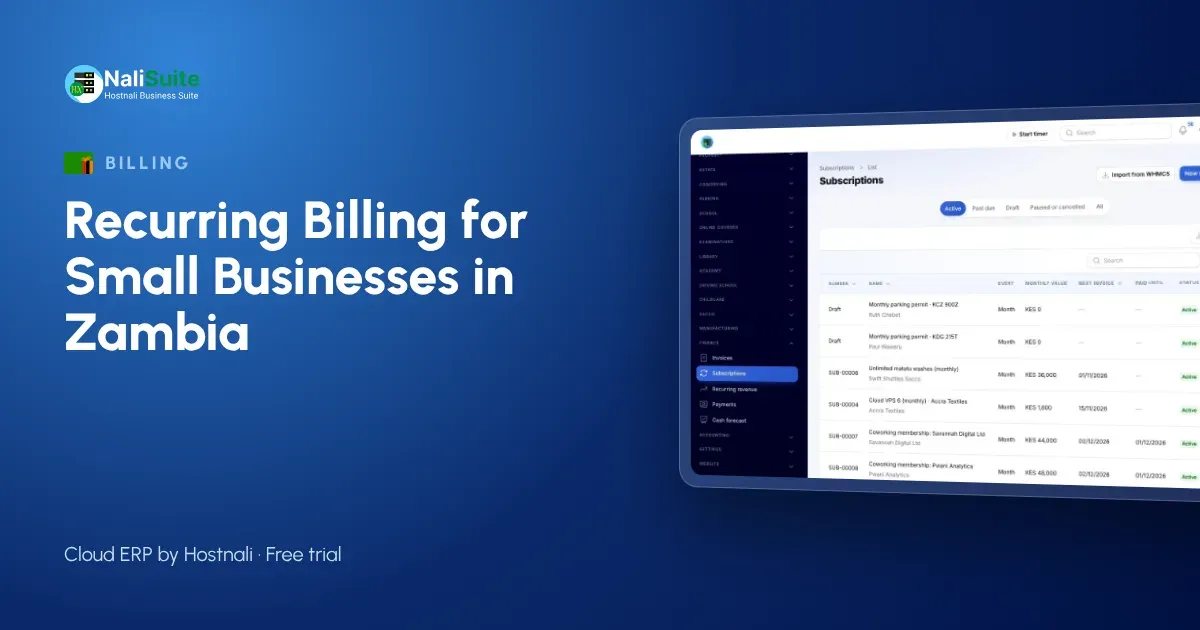
A great deal of Zambian business income arrives on a schedule: school fees in Lusaka, rent in Ndola, security contracts in Kitwe, internet subscriptions in Livingstone. Yet many of these businesses still bill from a notebook or spreadsheet, with a bursar or owner sending every reminder personally.
This guide uses an example private school in Lusaka to show how to move recurring billing from manual records to an automatic system, one step at a time.
The starting point
A private primary school in Chilenje has 280 pupils. The bursar, Mutale, kept a fees register: one page per pupil, with tuition, transport and lunch fees. At the start of each term she wrote fee statements by hand and gave them to pupils to take home. Parents paid by MTN MoMo, Airtel Money, bank deposit or cash at the office.
The problems were familiar:
- statements took two weeks to prepare;
- some parents paid to the wrong account or without a reference;
- part payments were hard to track;
- the head teacher could not see total fees owed without asking Mutale to add up every page.
Step 1: Agree the fee structure
Before entering anything, the school wrote down its fee structure for the year: tuition per grade, transport by route, lunch, and one-off charges such as registration. It also agreed the rules: fees billed before each term, due within two weeks, instalments allowed by arrangement.
Step 2: Set up plans
In NaliSuite Subscriptions, Mutale created a plan for each recurring fee: “Tuition Grade 1, termly”, “Tuition Grade 2, termly” and so on, plus “Transport, Route A”, “Transport, Route B” and “Lunch, termly”.
When fees rise next year, she will change the plan price, not 280 records.
Step 3: Add each pupil
Each pupil, linked to their parent or guardian as the customer, got a subscription with the right plans. Pupils without transport simply had no transport plan.
Tip: check parents’ phone numbers and emails as you go. The invoice can only reach a parent whose contact is correct.
Step 4: Set dates and reminders
Invoices would be created one week before each term starts, due two weeks later. Reminders would go out a few days before the due date, on the due date and a week after. NaliSuite Invoicing sends invoices and reminders by email or WhatsApp automatically.
Step 5: Add pay links
Each invoice carries a link parents can use to pay by MTN MoMo, Airtel Money or card. When they pay through the link, the payment is matched to the right pupil’s invoice at once. The mobile money payments feature explains how. Bank deposits and cash are recorded against the invoice, and bank lines are matched from the statement in NaliSuite Accounting.
Step 6: Allow instalments
Parents who pay in parts can do so. Each payment is recorded against the invoice and the balance stays visible, to the parent and to the school.
Step 7: Open the portal
Through the customer portal, parents see their invoices and payments and can pay from their phone. Mutale no longer writes statements by hand.
The first term after the change
- Invoices reached parents the week before term, on the same day.
- Most fees paid through the link were matched automatically.
- The head teacher could see fees collected and outstanding by grade.
- Mutale spent the first weeks of term on genuine queries instead of statements.
The same steps for other businesses
- Landlords: one plan per unit type, billed on the 1st.
- Security firms: one plan per site or guard count, billed monthly.
- Internet providers: one plan per package, billed on each customer’s joining date, with upgrades prorated automatically.
- Gyms: monthly and yearly memberships, with pauses allowed.
Tax
If your business is VAT-registered, set VAT at 16% on the plans where it applies. Education and residential rent may be treated differently from other services, so check with your accountant and ZRA which of your charges carry VAT. Confirm ZRA’s current rules for invoices and receipts.
Keeping an eye on the numbers
NaliSuite’s subscription dashboard shows recurring revenue, new and lost subscribers and churn. For a school, that means enrolment trends: if pupils leave after a particular grade, it shows.
Telling parents about the change
Before the first automatic invoices go out, the school sent parents a short letter and a WhatsApp message: invoices will now come by message with a link, here is how to pay, and here is where to see your balance. It also reminded them to use the school’s own merchant numbers rather than paying a staff member. The first term had far fewer queries as a result.
Frequently asked questions
Can parents pay school fees in instalments?
Yes. Each instalment is recorded against the termly invoice and the balance remains visible until cleared.
What if a pupil joins mid-term?
Create the subscription from the joining date; the fee for the part of the term can be worked out for you.
Can we still accept cash at the office?
Yes. Record the cash payment against the invoice like any other.
Can we send invoices on WhatsApp?
Yes. Invoices and reminders can go by email or WhatsApp, with the pay link.
Try NaliSuite
NaliSuite takes recurring billing off the bursar’s desk: automatic invoices, mobile money pay links, instalments and a portal for customers. Plans start at ₵25 a month with a free trial; see the plans or find out more about NaliSuite.