 ZMW
 KES - Kenya
 UGX - Uganda
 TZS - Tanzania
 RWF - Rwanda
 NGN - Nigeria
 ZAR - South Africa
 USD - Zimbabwe
 GHS - Ghana
 ETB - Ethiopia
 USD - International

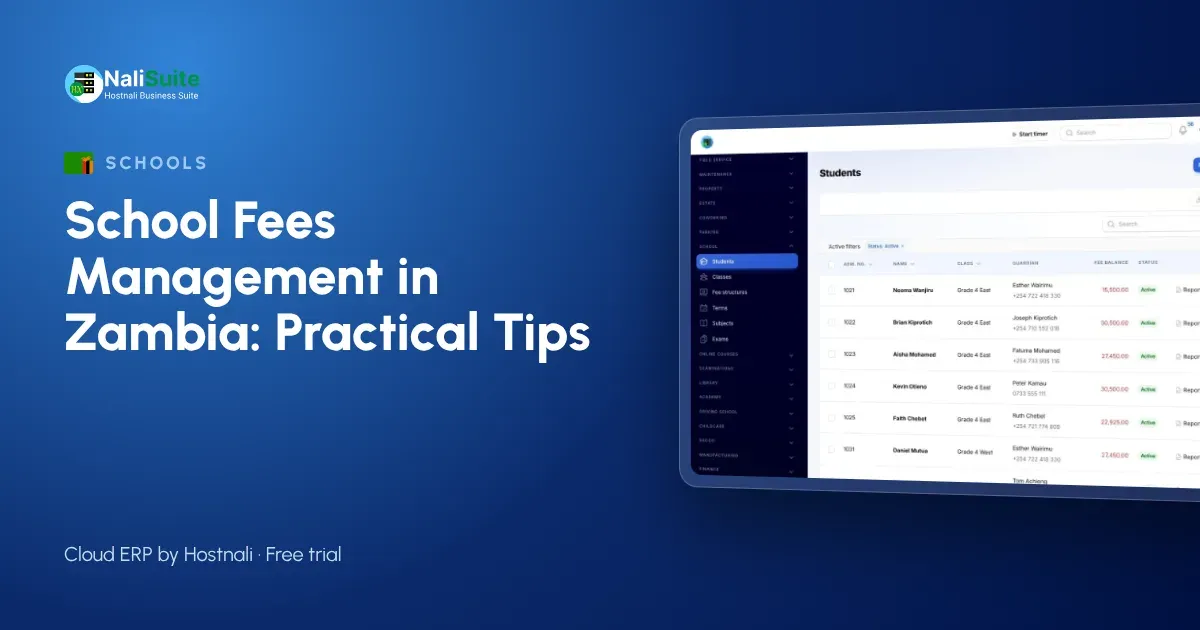
Private and community schools in Zambia run on fees, and late payments quickly affect salaries and supplies.
Here is how to set up fees so that most parents pay on time without repeated calls.
Example: a secondary school in Kitwe
A private secondary school in Kitwe sent fee reminders by individual text. Now fee structures per grade produce term invoices, parents pay by MoMo or Airtel Money with a pay link, and reminders go to whole classes from one screen.
Write a fee policy parents can read
A short written fee policy prevents most arguments. State the fees per level, the due dates, whether instalments are allowed and when, how discounts and bursaries are decided, and what happens when a balance is carried into the next term. Share it with every family at admission and attach it to the first invoice of the year. When a parent disputes a balance, the policy and the statement settle it quickly and politely.
Registers, exams and report cards
Fees are only part of a school office’s work. Daily registers, exams and report cards need the same student list, and duplicating it in several files invites errors.
Daily registers are taken per class, marks feed report cards with grades and positions, and the Exams add-on handles clash-free timetables and result analysis. The Customer Portal gives parents a page with their child’s information.
Five habits to drop
- Writing receipts by hand after checking the bank statement.
- Carrying balances forward manually at the end of each term.
- Phoning parents before sending a written reminder.
- Keeping report cards and fee balances in separate files.
- Paying salaries without knowing what has been collected.
Start with a clear fee structure
Parents accept fees more easily when they can see exactly what they pay for. Break the fees into items for each level, such as tuition, lunch, transport and trips, and publish the same list to every family in that level.
Keeping the structure per level in the School Management add-on means a change, such as a new transport route, is made once. Discounts are recorded as discounts, so the bursar can see what was given and why.
Run staff payroll from the same system
A school’s biggest cost is its staff. Running payroll in the same system as fees means the cash position, salary bill and statutory deductions are always visible together.
Payroll produces payslips for teachers and support staff, payout files for the bank and the figures for monthly returns, and posts everything to accounting.
Notes for Zambian schools
Parents often pay fees by MTN MoMo or Airtel Money, frequently in parts. Payments should be made against an invoice so each one reaches the right child.
Student data is protected under the Data Protection Act No. 3 of 2021, so keep parent contacts and balances to the finance office.
Make term invoices automatic
Typing invoices one by one each term wastes days of office time and creates mistakes. If the fee structure is right, the invoices can be produced for every student at once and reviewed before they go out.
Invoices carry the items, any discount and the previous balance, and go to parents by email or WhatsApp with a link to pay by MTN MoMo or Airtel Money, card or bank transfer.
Track balances and remind early
Collecting fees is about rhythm: invoice, remind before the due date, remind again after it, then call. A list of balances by class shows the bursar who to contact first.
Parents can pay online through your payment gateways by MTN MoMo or Airtel Money, card or bank transfer, and each payment is matched to the child’s invoice. Gentle reminders with the same pay link go out on the schedule you choose, and SMS or email campaigns from Marketing can reach a whole class at once.
A simple rollout plan
- Import classes, students and guardians.
- Set fee structures per level, with discounts.
- Import opening balances.
- Send term invoices with pay links.
- Add registers, exams and the parent portal next term.
Frequently asked questions
Can parents pay by mobile money?
Yes. Parents can pay by MTN MoMo, Airtel Money, card or bank transfer, matched to the invoice.
Can we run staff payroll too?
Yes. Payroll runs with the deductions you set up, and produces payslips and bank files.
Is the school module an extra cost?
School Management and Exams are add-ons to any NaliSuite plan, so you pay only for what you use. Plans start from ₵25 a month.
Do parents need to install an app?
No. Parents receive invoices with a pay link and can open their page in the portal from any phone browser.
Try NaliSuite
Start with fee structures and invoices this term, and add registers, exams and the parent portal as the office gets used to it. Read more about NaliSuite for schools or see the plans, from ₵25 a month with a free trial.