USD
 KES - Kenya
 UGX - Uganda
 TZS - Tanzania
 RWF - Rwanda
 NGN - Nigeria
 ZAR - South Africa
 USD - Zimbabwe
 GHS - Ghana
 ETB - Ethiopia
 ZMW - Zambia

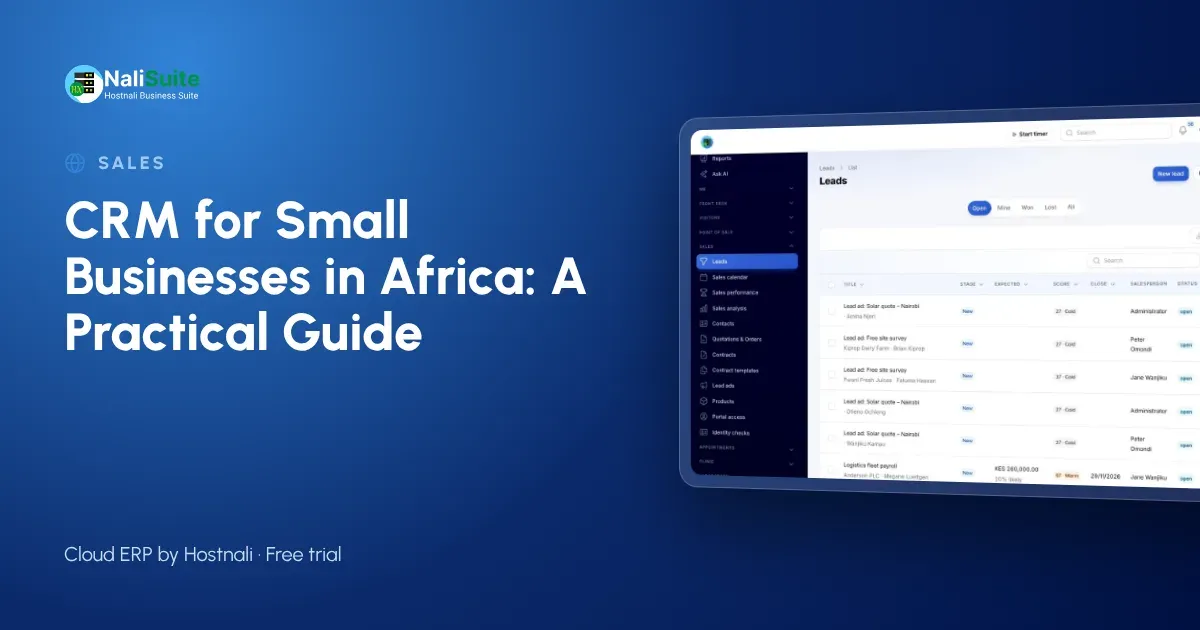
From Lagos to Nairobi, small businesses across Africa sell through WhatsApp, social media and referrals. Those channels bring leads, but they do not keep track of them.
This guide shows how a CRM helps an African small business follow up every lead and close more deals.
What a CRM actually does
Think of a CRM as a shared memory for your sales. It records each enquiry, who is handling it, what has been said and what the next step is, so anyone on the team can pick it up.
Pipeline stages that fit a small business
Keep the pipeline short. Five stages are enough for most small businesses:
| Stage | Goal |
|---|---|
| First contact | Understand what they need |
| Meeting or visit | Show the solution |
| Quote | Give a clear price |
| Decision | Answer questions and agree terms |
| Won | Deposit or order received |
Where your leads come from
Every channel should feed the same pipeline. Website forms, WhatsApp chats, phone calls and ads from Facebook or Instagram all become leads in one list. NaliSuite does this automatically for forms, WhatsApp and Meta lead ads, so nothing depends on someone copying a number across.
Example: a consultancy with clients in several countries
Consider an example consultancy with clients in Kenya, Ghana and South Africa. Leads arrive from LinkedIn, the website and referrals, in different time zones and currencies. Proposals were tracked in a shared spreadsheet that was always out of date.
With a CRM, each opportunity has an owner, a stage, a value in the client’s currency and a next step. Quotations go out from the system, follow-ups are scheduled, and the partners see the pipeline by country every Monday.
Follow-ups that do not slip
Agree a follow-up rhythm as a team: reply to new enquiries the same day, call two or three days after sending a quotation, and check in again a week later. The CRM schedules the reminders so nobody has to remember.
From quotation to invoice
A quotation sent from the CRM stays linked to the lead. NaliSuite Sales lets the customer accept online, and the accepted quotation turns into an invoice, so sales and accounts work from the same record.
Getting paid across borders
Accepted quotations become invoices with a pay link for mobile money or card, in the customer’s currency. See mobile money payments in NaliSuite.
What to measure
| Check weekly | Look for |
|---|---|
| Leads with no next step | Leads at risk of being forgotten |
| Old quotations | Deals that need a call |
| Sources | Channels that bring buyers, not just enquiries |
| Lost reasons | Price, timing or product gaps |
Running one pipeline across countries
When your team and clients are spread across countries, the CRM is where everyone meets. Agree common stages and rules for the whole business, but let each country team own its leads.
Record each lead’s country, currency and source, so you can compare markets fairly and see where growth comes from.
Use reminders across time zones. A follow-up scheduled in the client’s working hours is more likely to get a reply.
Choosing a CRM that fits
Avoid buying more CRM than you need. Most small businesses need contacts, a pipeline, reminders, quotations and a few reports. More important than extra features is that the CRM shares its customer records with invoicing and accounting, so the sale, the invoice and the payment all sit on one customer. Try it with real leads first.
Data protection across Africa
Most African countries now have data protection laws: Kenya’s Data Protection Act 2019, Nigeria’s NDPA 2023, South Africa’s POPIA and Ghana’s Act 843 among them. The common rules are similar: collect only what you need, keep it secure, explain why you hold it and get consent for marketing.
A CRM with access by role and consent recorded on each contact helps you meet them wherever you trade.
Frequently asked questions
Can one CRM handle several countries?
Yes. Leads, quotations and invoices can use different currencies, and you can filter the pipeline by country.
Which data protection law applies?
Usually the law of the country where your customers are. Check the rules in each market and record consent on each contact.
Can I import my existing contacts?
Yes. Upload an Excel or CSV file and match the columns to fields such as name, phone and email.
Should I build my own CRM in a spreadsheet?
It works for a handful of leads, but reminders, sharing and history quickly outgrow a spreadsheet.
Try NaliSuite
Start a free trial of NaliSuite: CRM, sales, invoicing and more from $2.10 a month. Compare plans.