USD
 KES - Kenya
 UGX - Uganda
 TZS - Tanzania
 RWF - Rwanda
 NGN - Nigeria
 ZAR - South Africa
 USD - Zimbabwe
 GHS - Ghana
 ETB - Ethiopia
 ZMW - Zambia

Across Africa, small hotels and lodges carry the tourism industry: beach guest houses in Zanzibar, eco-lodges in Botswana, city hotels in Lusaka and Kigali. Whatever the setting, the same habits keep rooms full and bills complete.
Example: an eco-lodge that sells its own safaris
Consider a 12-tent eco-lodge in northern Botswana that also runs game drives. Overseas guests book months ahead and pay deposits by card, while regional guests book late. Activities were recorded on a whiteboard and often missed from the final bill.
The lodge now keeps rooms on one calendar, takes deposits through invoice pay links and charges drinks, laundry and activities to each tent. Guests leave with one itemised bill, and the owner can see which activities make money once guide and vehicle costs are included.
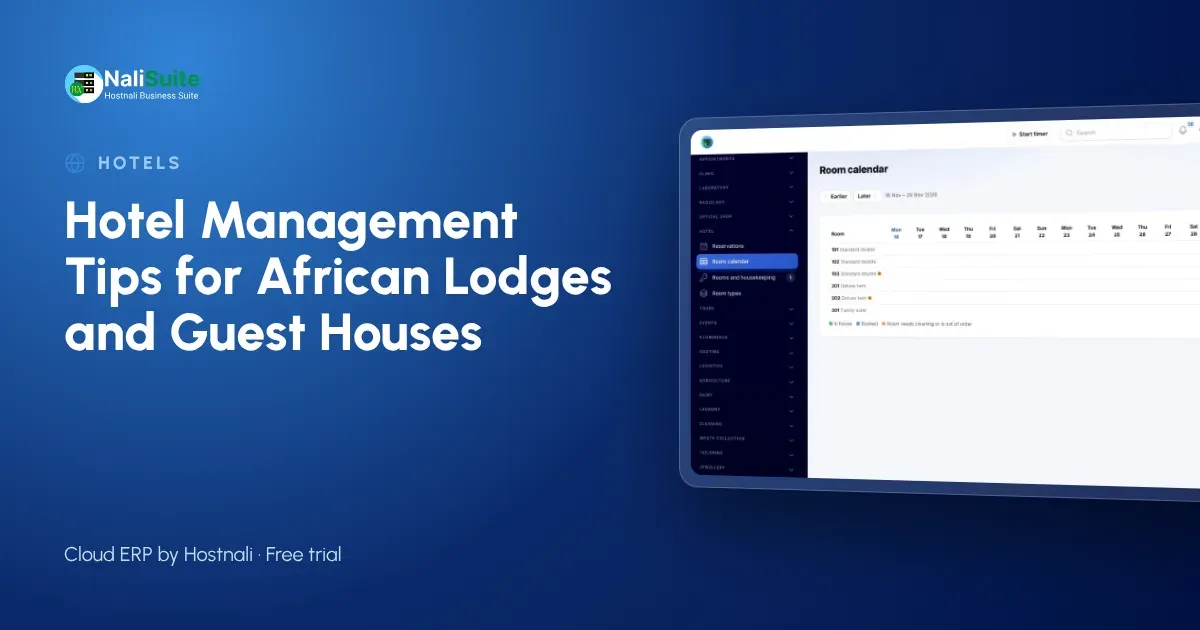
One room calendar instead of three diaries
If reception keeps a book, the owner keeps a spreadsheet and the night manager answers WhatsApp enquiries from memory, sooner or later two guests are promised the same room. The fix is simple: one calendar, used by everyone.
Start by listing your room types (standard, double, family, cottage) with their rates. Each reservation is then attached to a real room, and the calendar shows who is staying where on any night. In NaliSuite’s Hotel and Guest House add-on, reservations are checked against availability before they are saved, which is what stops the double booking at source.
Deposits: ask early, record properly
Set a clear deposit policy and put it in your confirmation message. Then send a proper invoice rather than a phone number to pay to: it gives the guest a receipt, and it gives you a record that ties the money to the booking.
NaliSuite sends invoices with a pay link (mobile money, card or bank transfer) and marks them paid automatically through the payments feature. Because deposits are recorded in Invoicing against the guest, the check-out bill already shows what has been paid and what is left.
Room charges that add themselves up
A guest who stays four nights, eats twice in the restaurant and sends laundry should not wait twenty minutes at check-out while reception adds up slips. Charges to the room solve this: each outlet posts its items to the guest’s room as they happen, and the room itself is charged every night.
That is how the Hotel and Guest House add-on works, so check-out is one bill with nothing forgotten. For your bar or restaurant’s walk-in trade, the Point of Sale app takes payment on the spot.
Housekeeping status at a glance
Front desk and housekeeping need to share the same view of each room: occupied, departing, dirty or ready. Without it, guests are checked into rooms that have not been cleaned, or wait in the lobby for a room that was ready an hour ago.
Track housekeeping status in the same system as reservations. With the add-on, reception checks guests into clean rooms only, and the housekeeping team sees which rooms to turn over first after the morning departures. Keep linen and amenities in Inventory so you know when to reorder.
Serving guests from everywhere
African lodges often host local families, regional business travellers and overseas tourists in the same week, so take payment by mobile money, card and bank transfer. If you sell safaris, excursions or transfers, the Tours and Travel add-on handles packages, group departures, deposits and the profit on each booking.
Guest records are personal data under the data protection laws of most African countries, so keep them in one secure system rather than spread across phones and notebooks. Check the tax and invoicing rules that apply in your country with your accountant.
A one-week checklist to get started
- List every room with its type and rate, and enter them once.
- Move all future bookings from diaries and messages onto the room calendar.
- Agree a deposit rule and put it in your booking confirmation.
- Set up the bar, restaurant and laundry items that can be charged to a room.
- Show housekeeping staff how to mark rooms as cleaned.
- At the end of the week, compare takings with your old method and fix anything that does not match.
Look at the numbers every week
Once bookings, extras and payments are recorded in one place, the weekly review becomes easy. Which room types sell best? How much did the bar bring in? Which invoices are still unpaid? Because invoices and payments post to Accounting by themselves, your profit and loss is up to date without a separate bookkeeping session.
Pay your team from the same system too: Payroll works out pay and sends payslips, so wages, the largest cost after the building, are in the same books as your revenue.
Frequently asked questions
Can we bill in US dollars?
Yes. NaliSuite supports several currencies, so you can invoice international guests in US dollars and local guests in your own currency.
Which countries does NaliSuite support?
Businesses across Africa use it. Invoices, payments and accounting work everywhere, with local mobile money and payment providers available in many countries.
What does the Hotel and Guest House add-on include?
Room types and rates, reservations checked against availability, a room calendar, charges to the room from the restaurant, bar and laundry, nightly posting of room charges, housekeeping status and check-out with one bill. It is an add-on to any NaliSuite plan.
Try NaliSuite
You can run rooms, extras, payments and staff from one login. Plans start at $2.10 a month, and the Hotel and Guest House add-on is added to any plan. Read more about NaliSuite for hotels, lodges and tour operators and choose a plan.