
Recommended Services

Supported Scripts

1. Log into your SiteWorx account. (e.g. www.hostnali.com:2443/siteworx/ )
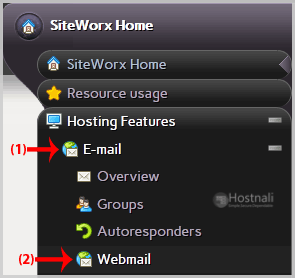
2. Under SiteWorx Menu, click the Hosting Features menu item if it is not already open.
3. Click the E-mail menu item and then choose the Webmail option.
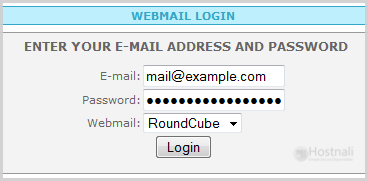
4. You will be redirected to a SiteWorx Webmail page. Enter your full e-mail address/password, choose RoundCube, Horde, or the SquirrelMail Webmail program in the Webmail field and then click on the login button.
Once your Webmail Email Reader opens, you will be able to read your e-mail and check your e-mail inbox and junk e-mail.