
Recommended Services

Supported Scripts

You can change the hostname from SolusVM.
1. Login to your SolusVM Control Panel.
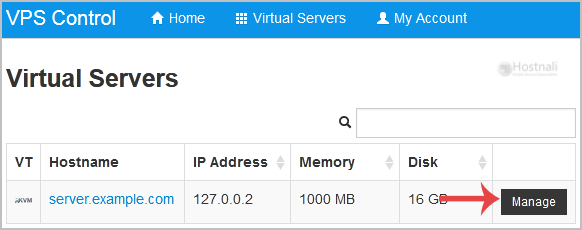
2. If you have multiple VPS, select the appropriate one.
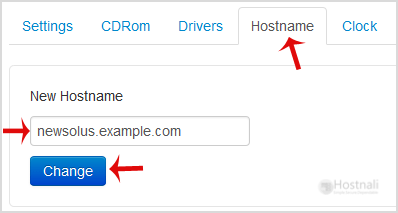
3. Scroll down, and under the Hostname tab, enter your hostname in the text box under New Hostname. Then click on Change.
4. A reboot is required so that the saved changes can take effect.
Some example hostnames:
server1.hostnali.com
hostingserver.hostnali.com