USD
 KES - Kenya
 UGX - Uganda
 TZS - Tanzania
 RWF - Rwanda
 NGN - Nigeria
 ZAR - South Africa
 USD - Zimbabwe
 GHS - Ghana
 ETB - Ethiopia
 ZMW - Zambia

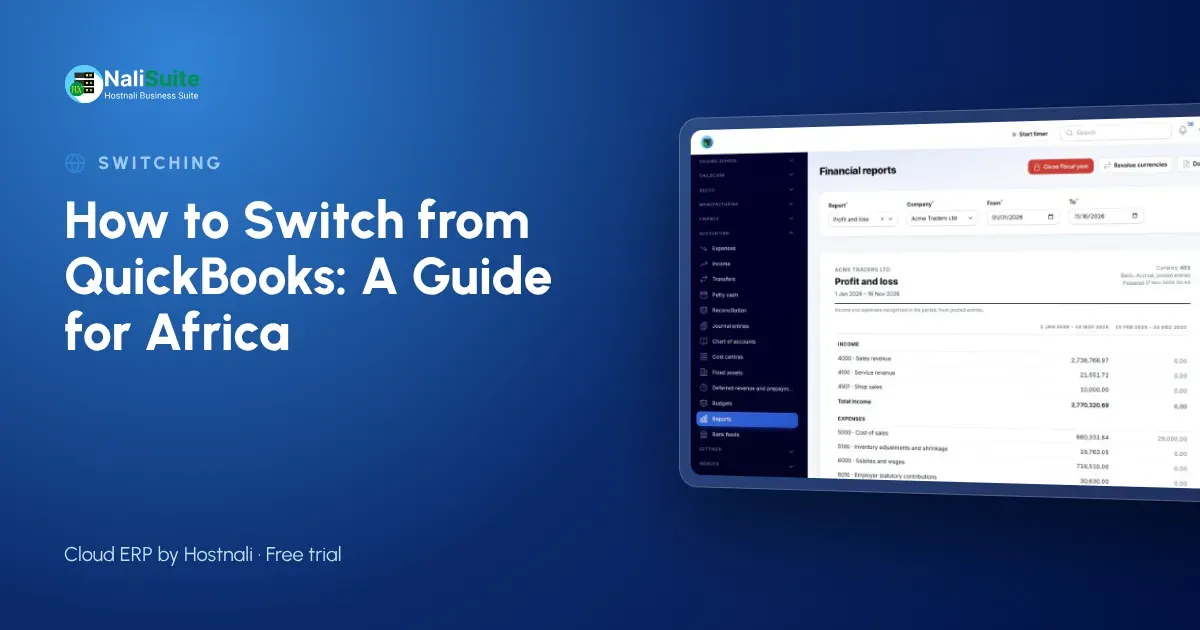
Across Africa, growing businesses run into the same wall: an accounting package priced in dollars, with sales, stock, mobile money and payroll living somewhere else. Switching is manageable when you plan the order and pick a clean start date.
What you gain
QuickBooks, Xero and Sage keep your books. NaliSuite keeps your books and runs the rest of the business: CRM, quotations, accounting, invoicing with local payments, stock, the till, HR and payroll, on one login. See the full comparison on the switch from QuickBooks page.
Local details wherever you are
Wherever you are, bring across each contact’s tax number, set your VAT or sales tax rates as your accountant advises, and connect your local payments, whether M-Pesa, MTN MoMo, Airtel Money, card or bank, through your own accounts. Kenya and Nigeria businesses can also connect e-invoicing with their own KRA or NRS credentials.
Questions to answer before you start
- What is your switch date, and is your bookkeeper happy with it?
- Which reports does your bookkeeper need from you each month in each country you operate in?
- Will your bookkeeper work in NaliSuite, or should you keep a QuickBooks or Xero sync?
- How many branches, tills and warehouses need setting up?
- Are there old invoices to write off before you import?
- Does payroll move now, or after the ledger?
Fix the spreadsheet, not the new system
Export everything to Excel, sort each list and look for duplicates, blanks and old records. Fix them in the spreadsheet, save, and only then import. A clean start makes reports trustworthy from the first month.
What to take out of the old system
You do not need every transaction from the past five years. What you need is:
| Data | Why |
|---|---|
| Clients and suppliers | So you can invoice and pay from day one |
| Product lines and prices | For quotations, invoices and the till |
| Chart of accounts | To map your balances |
| Trial balance at the switch date | Your starting balances |
| Open invoices and bills | So debts and payables continue |
| Stock on hand | So stock values match the ledger |
Putting the data in
Imports in NaliSuite are spreadsheet uploads with a column-matching screen. Start with your accounts, contacts and product lines, which change rarely. Then enter the opening trial balance and the open invoices and bills, and finally the stock count. Check each step against the old system before moving on.
An example from two countries
A distributor with depots in Nairobi and Kampala ran QuickBooks for each country and stitched them together in Excel. Group reports took a week. After the switch, each country is a company under one login, with its own currency and tax settings, and the owner sees both on one dashboard.
Stock, the till and payroll
Accounting is only part of the move. Load opening stock per shop or warehouse into Inventory so the till and the ledger start from the same numbers, and set up the point of sale for each branch. If payroll moves too, add employees with their contracts; NaliSuite Payroll applies the statutory deductions for your country from the first pay run.
Three things that cause most problems
Missing starting balances, duplicate customers and a parallel run that never ends. Agree the opening trial balance with your bookkeeper, clean the contact list before importing and set a firm date to stop using the old system.
If your accountant stays on QuickBooks or Xero
Some accountants prefer to keep working where they are. The QuickBooks and Xero Sync add-on keeps invoices, payments and contacts in step both ways, so you run the business in NaliSuite and your bookkeeper files from their usual software.
Check before you let go
Before you switch the old system off, reconcile the bank in NaliSuite for the first month and compare debtors and creditors with your last report from the old system. Once those three agree, you can trust the new books.
Your first month after the switch
In the first month after the switch in any country: send every new invoice from NaliSuite with its pay link; connect mobile money, card and bank payments through your own accounts; reconcile the bank weekly; count stock once at the end of the month and compare; and run payroll in NaliSuite if it moved too. By the end of the month, your team should not need the old system for anything but history.
Comparing the cost
When you compare costs, add up everything: the accounting licence, the POS, the payroll tool and the time spent moving data between them. NaliSuite starts at $2.10 a month in your local currency and includes all 17 apps, so the comparison is usually easy.
Coming from Tally or Odoo
The Tally and Odoo migration add-on brings ledgers, items and parties across from Tally and Odoo, so you do not have to rebuild them by hand.
Frequently asked questions
Can we run several countries in one account?
Yes. Each country is a company with its own currency, taxes and payroll, under one login.
Which payments work?
Mobile money, card and bank through your own payment accounts, with payments matched to invoices.
How long does a switch take?
A small business can import its lists and balances in a day or two. Plan a month of comparison before you retire the old system.
Try NaliSuite
Every NaliSuite plan includes accounting, invoicing, stock, POS, HR and payroll, from $2.10 a month. Start a free trial, import your lists and see your own numbers in it, or compare the plans.