USD
 KES - Kenya
 UGX - Uganda
 TZS - Tanzania
 RWF - Rwanda
 NGN - Nigeria
 ZAR - South Africa
 USD - Zimbabwe
 GHS - Ghana
 ETB - Ethiopia
 ZMW - Zambia

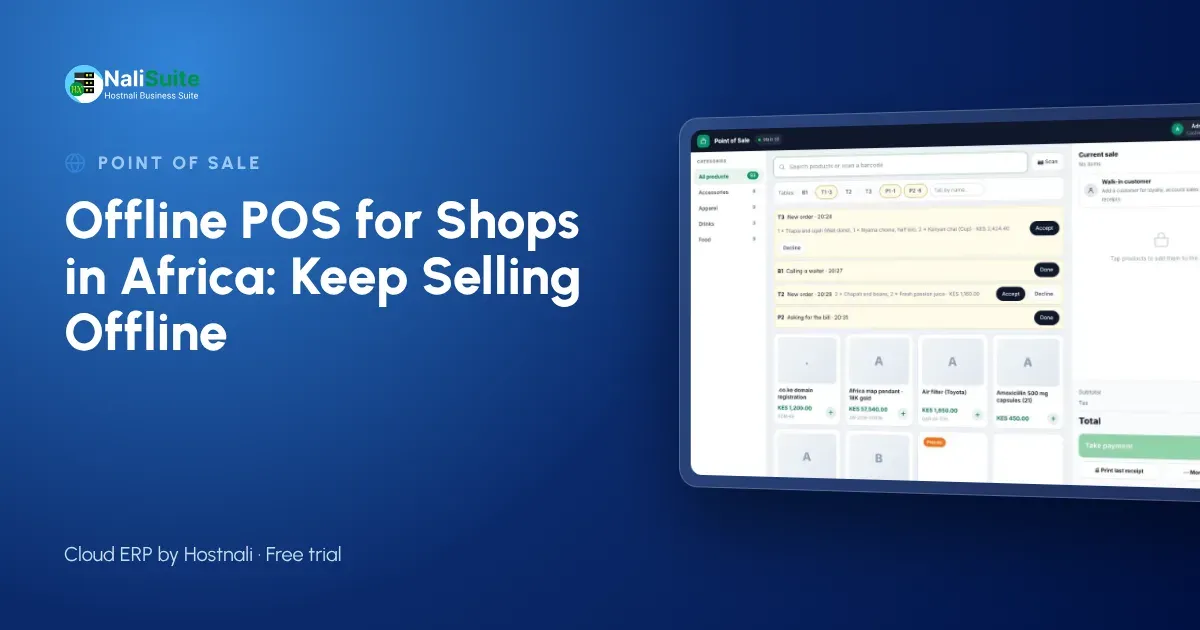
From Lagos to Lusaka, shopkeepers share a problem: the power and the network do not always cooperate. A till that needs the internet for every sale stops the queue whenever they fail. An offline point of sale keeps selling and syncs later, which is why it matters more in Africa than almost anywhere else.
How an offline till works
Think of an offline till as a cloud system with a memory. While the internet is up, every sale goes straight to the cloud. When it drops, the till quietly keeps a queue of sales on the phone, tablet or laptop it runs on. Receipts still print, prices still come from the last price list the till downloaded, and stock still goes down on screen. Once the line is back, the queue uploads in order and the cloud is complete again.
The cashier should hardly notice the switch; a small indicator is enough to show the till is offline.
What makes African retail different
Three things stand out. Power interruptions are common in many countries, from load-shedding in South Africa and Zambia to generator switch-overs in Nigeria. Connectivity varies hugely between a capital’s business district and a market town. And payments are diverse: M-Pesa in Kenya and Tanzania, MTN MoMo and Airtel Money across much of East, West and Southern Africa, cards in South Africa, bank transfers in Nigeria and cash almost everywhere.
A till for African shops has to handle all three without making the cashier think about it.
Cash, cards and mobile payments
Customers do not care that your router is down; they want to pay and go. Agree a simple routine with your cashiers: take cash and card as normal, confirm any mobile or bank payment on the shop phone before handing over goods, and record the method on the sale. When the till reconnects, payments are matched to their sales and the takings report is complete.
Split payments help a lot here. A customer can pay part in cash and the rest another way, and the till keeps both on one receipt.
The NaliSuite till records every payment method on the sale; more on mobile money and card payments here.
Example: a franchise with shops in two countries
Imagine a phone accessories brand with shops in Nairobi and Kampala. Each shop has its own till, stock and currency, and each country has its own payment habits. When a shop’s network drops, its till keeps selling in offline mode; when it reconnects, sales upload to that branch, stock updates and head office sees both countries in one report.
That is the kind of setup NaliSuite’s multi-company and branches features are built for.
Keeping stock accurate
Every sale should reduce stock in the shop where it happened, whether the till was online or not. That only works when the point of sale and inventory are part of one system rather than two that export to each other at night. With one system, reorder points trigger at the right time, the stock-take finds fewer surprises, and you can see slow movers before they tie up your cash.
A checklist before you buy
Use these questions when you compare systems:
- Can I watch it sell with the internet switched off, and then sync?
- What happens if two tills sell the last unit of the same product while both are offline?
- Does it run in a browser on devices I already own, or do I need special hardware?
- Can one bill be split between cash and another payment method?
- Are receipts printed, sent by SMS or WhatsApp, or both?
- Does stock update per branch, and can I see it from my phone?
A supplier who answers all six with a demo, not a promise, is worth a closer look.
One system for shops in several countries
If you trade in more than one African country, use one system with a separate company or branch for each country. Each gets its own currency, tax settings and payment methods, while head office sees everything together.
Offline mode matters most in the markets with the weakest connectivity, so test it there first. And choose hardware that is easy to replace locally: an ordinary tablet or laptop, a standard thermal printer and a USB scanner are available in every capital.
Frequently asked questions
Does the till work with local tax receipt systems?
NaliSuite connects to KRA eTIMS in Kenya and FIRS e-invoicing in Nigeria. For other countries’ receipting rules, check with the tax authority what device or system you must use.
How long can the till stay offline?
As long as the device has power. Sales are stored on the device and upload in order when it reconnects, so keep the device charged during long outages.
Are refunds possible offline?
Yes. Refunds and exchanges are recorded on the device and synced with the rest of the day’s sales.
Try NaliSuite
Every NaliSuite plan includes the offline point of sale, stock, invoicing and the books, from $2.10 a month. Try it free with your own products and test it with the internet switched off. Compare plans.