USD
 KES - Kenya
 UGX - Uganda
 TZS - Tanzania
 RWF - Rwanda
 NGN - Nigeria
 ZAR - South Africa
 USD - Zimbabwe
 GHS - Ghana
 ETB - Ethiopia
 ZMW - Zambia

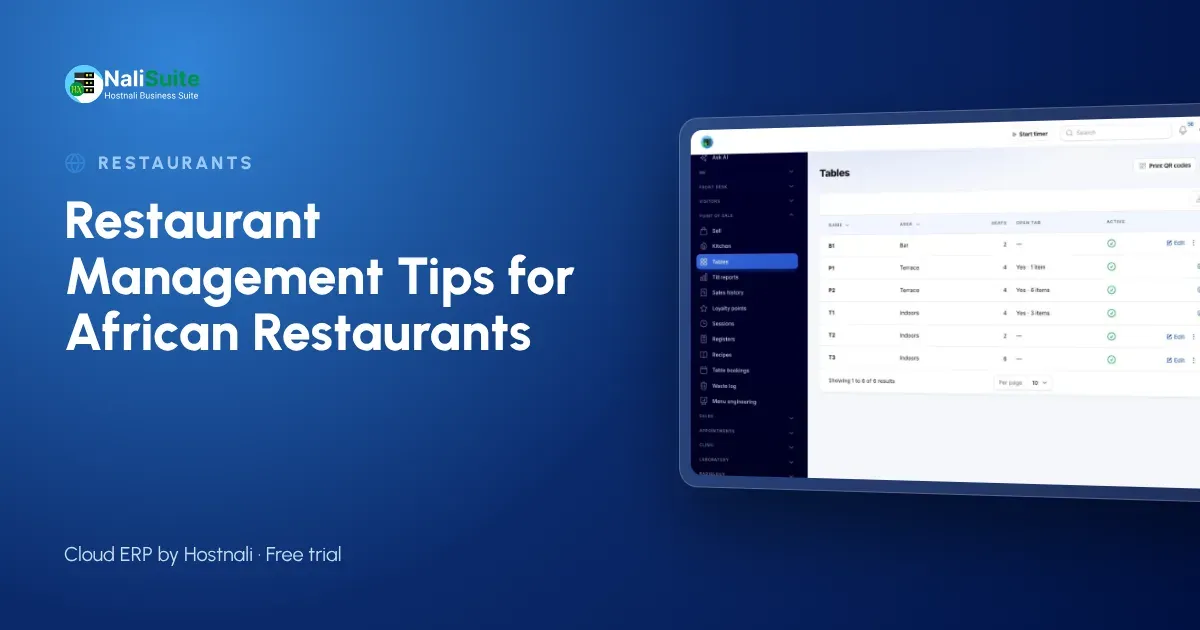
Whether you run a grill in Lusaka, a café in Kigali or a seafood restaurant in Dar es Salaam, the same pressures apply: volatile food prices, unreliable power and staff to pay every month. These tips focus on the habits that keep a restaurant profitable.
Example: a restaurant group with two branches
Imagine a family restaurant business with branches in two towns. Each branch bought its own ingredients and set its own portions, so the same dish cost very different amounts to make, and head office could not compare them.
They standardised recipes for every dish and gave both branches the same menu in one system. Plate costs became comparable, and the branch with the higher food cost turned out to be buying from a more expensive supplier. Moving purchases to the cheaper supplier brought both kitchens in line.
Know your plate cost
Food cost is the number that decides whether a busy restaurant actually makes money. To know it, you need recipes: how much of each ingredient goes into each dish. Once recipes are written down, the plate cost follows from your purchase prices.
NaliSuite’s Restaurant Pro add-on holds those recipes, shows the plate cost and food-cost percentage for every dish, and groups the menu into stars, plowhorses, puzzles and dogs. A dish that sells well but costs too much to make shows up straight away, which is the moment to adjust the price or the portion.
Control the store room
The store room is where restaurant profit leaks quietly. Link recipes to dishes so that ingredients are deducted from stock with every sale, then count the key items regularly in Inventory and investigate any gap.
Log waste as it happens. Restaurant Pro keeps a waste log, so the burnt batch or the expired cream is recorded rather than blamed on someone. Use Purchases to order from suppliers against reorder levels, which keeps cash from being tied up in stock you do not need.
Run the floor from the till
A clear system on the floor saves arguments at the end of the night. Open each table on the till, add dishes as they are ordered, and close it when the guests pay.
The Point of Sale app supports restaurant tables, split payments and receipts by SMS or WhatsApp. With Restaurant Pro you can also take table bookings, which helps the kitchen prepare for the evening rush.
A till that keeps working
Power cuts and patchy internet should never stop service. Choose a till that keeps selling offline and syncs every sale when the connection returns. NaliSuite’s offline POS does exactly that, on a phone, tablet or laptop.
Take payment the way customers want to pay: cash, mobile money, card or bank transfer. Each payment is recorded against the sale, so the cash-up at the end of the shift is a check, not a guessing game. See payments for how pay links and prompts work.
Running a restaurant across African markets
Customers pay with mobile money in much of East and Southern Africa, and by card or transfer elsewhere, so a till that accepts all three is essential. Power and internet cuts are common, so choose one that keeps selling offline.
If you also cater events or supply other outlets, the Food production add-on handles per-head catering quotes, production plans and deliveries. For tax and invoicing rules, check with your local tax authority or accountant; NaliSuite lets you set the tax rates you need.
A simple weekly routine
- Monday: review plate costs for any dish whose ingredients changed price.
- Wednesday: count the ten most expensive ingredients and compare with expected stock.
- Friday: check table bookings for the weekend and order ingredients to match.
- Every day: log waste with a reason and cash up each till against its sales.
Small, regular checks catch problems while they are still cheap to fix.
Staff, shifts and pay
Kitchens and floors run on shifts, and wages are usually the biggest cost after food. Record attendance properly so that overtime and absences flow into pay without arguments. NaliSuite HR handles attendance and leave from staff phones, and Payroll turns them into pay runs and payslips.
Give each waiter and cashier their own login instead of sharing one, so it is always clear who was working the till on each shift. It is fairer to good staff and makes problems easier to trace.
Frequently asked questions
Can I manage several branches?
Yes. Each branch can have its own till and stock location, while recipes and menus are shared.
Which payment methods can customers use?
Cash, card and, in many countries, mobile money. Each payment is recorded on the sale.
What does Restaurant Pro add to the till?
Recipes that deduct ingredients from stock with every sale, plate cost and food-cost percentage per dish, menu engineering, table bookings and a waste log. It is an add-on to any NaliSuite plan.
Try NaliSuite
Start with the till and inventory, then add Restaurant Pro when you are ready to cost every dish. Plans start at $2.10 a month. Read about NaliSuite for restaurants and choose a plan.