USD
 KES - Kenya
 UGX - Uganda
 TZS - Tanzania
 RWF - Rwanda
 NGN - Nigeria
 ZAR - South Africa
 USD - Zimbabwe
 GHS - Ghana
 ETB - Ethiopia
 ZMW - Zambia

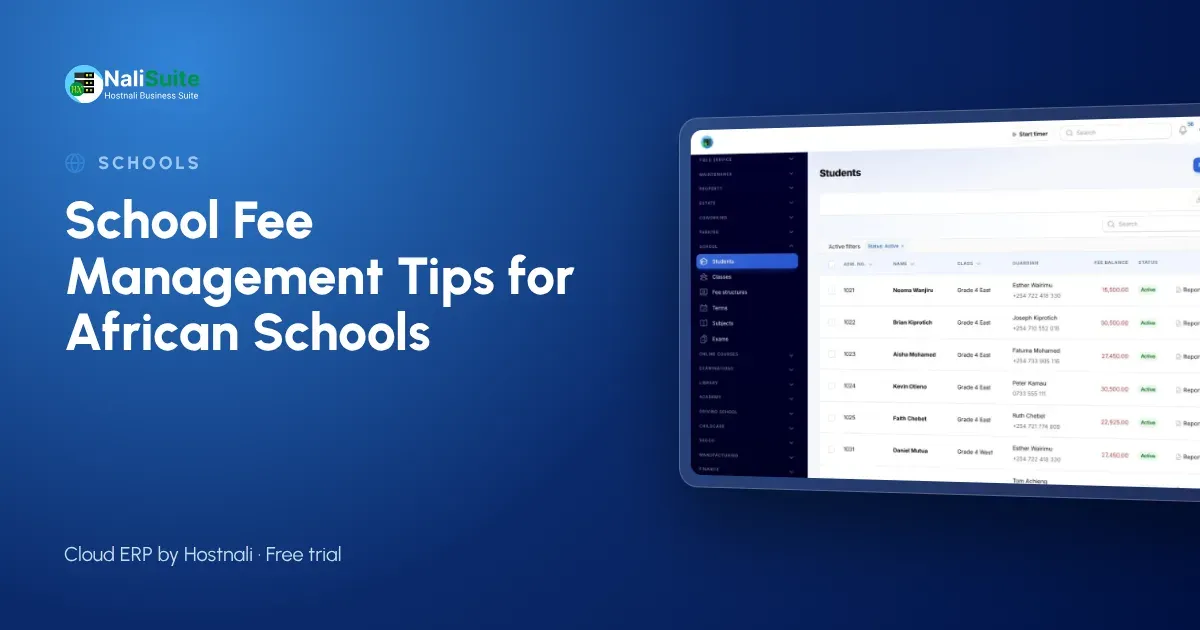
Whether your school is in Accra, Kampala or Lusaka, fees fund everything, and parents increasingly pay from their phones.
These tips apply across the continent, with notes on what to check locally.
Example: a school group with two campuses
Picture a school group with campuses in two countries. Each campus has its own fee structures and currency, but the director sees one report of invoices, payments and balances for both, alongside salaries.
Be clear about instalments and discounts
Many families pay in instalments, and that is fine as long as the plan is agreed and visible. Record the agreed dates, show the remaining balance on each statement and send reminders before each instalment falls due. Record every discount with its reason, so the board can review the total given each term.
Registers, exams and report cards
Fees are only part of a school office’s work. Daily registers, exams and report cards need the same student list, and duplicating it in several files invites errors.
Daily registers are taken per class, marks feed report cards with grades and positions, and the Exams add-on handles clash-free timetables and result analysis. The Customer Portal gives parents a page with their child’s information.
Common problems and how to fix them
| Problem | Fix |
|---|---|
| Parents dispute balances | Statements showing every invoice and payment |
| Payments cannot be matched | Pay links and invoice references |
| Late invoices | Term invoices raised in one click from the fee structure |
| Office overwhelmed at term start | Invoices sent before opening day |
| Salaries paid late | Daily view of collections next to payroll |
Set fee structures per level, not per child
Most fee confusion starts with one-off arrangements typed into a spreadsheet. Define the fees once for each level or class: tuition, meals, transport, activities. Then every child in that level gets the same items, and only genuine exceptions are handled separately.
In the School Management add-on fee structures are set per level and invoiced to parents each term in one click, with discounts for siblings, staff children or bursaries recorded as discounts rather than hidden in the totals.
Connect fees to salaries and the books
Boards want simple answers: how much was collected, how much is owed, and can we pay staff this month? Those answers come easily when fees, payroll and accounting share one system.
Fee receipts and salaries both post to the ledger, payroll runs through Payroll with payslips sent to staff, and term reports show income per level next to costs.
What to check locally
Payment habits differ: mobile money in East Africa and Ghana, bank transfer and card elsewhere. Whatever the method, ask parents to pay against an invoice so payments reach the right child.
Student data is personal data under most African data protection laws; check your country’s law and regulator, and give office staff individual logins.
Invoice every family at the start of term
Sending fee statements late is the quickest way to collect late. Raise every invoice on the first day of term, or before it, so parents know the amount and the due date while they plan their spending.
From the fee structures, invoices for the whole school are raised in one click and sent by email or WhatsApp with a pay link through Invoicing.
Track balances and remind early
Collecting fees is about rhythm: invoice, remind before the due date, remind again after it, then call. A list of balances by class shows the bursar who to contact first.
Parents can pay online through your payment gateways by M-Pesa, MTN MoMo or Airtel Money, card or bank transfer, and each payment is matched to the child’s invoice. Gentle reminders with the same pay link go out on the schedule you choose, and SMS or email campaigns from Marketing can reach a whole class at once.
Your first term on a new system
Before term: import students, guardians and opening balances, and set fee structures per level. First week: send term invoices with a pay link so parents can pay by M-Pesa, MTN MoMo or Airtel Money, card or bank transfer. Mid-term: send reminders to balances by class. End of term: carry balances forward and review collections against salaries.
Frequently asked questions
Does it work for schools in my country?
Yes. NaliSuite runs in the browser with local currencies and payment methods; check your local data protection rules.
Can we run more than one campus?
Yes. Each campus can keep its own records while managers see the whole group.
Is the school module an extra cost?
School Management and Exams are add-ons to any NaliSuite plan, so you pay only for what you use. Plans start from $2.10 a month.
Do parents need to install an app?
No. Parents receive invoices with a pay link and can open their page in the portal from any phone browser.
Try NaliSuite
Start with fee structures and invoices this term, and add registers, exams and the parent portal as the office gets used to it. Read more about NaliSuite for schools or see the plans, from $2.10 a month with a free trial.